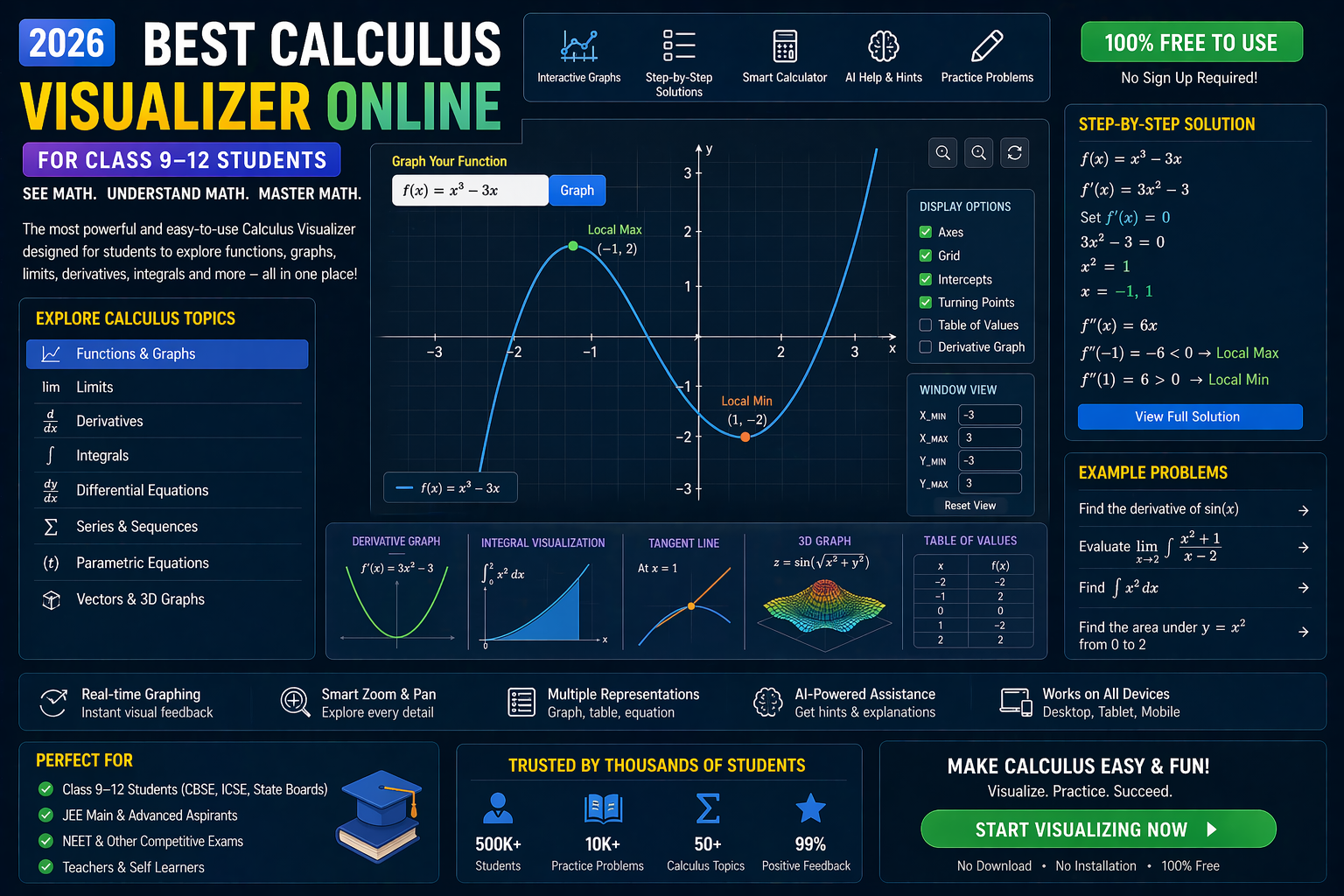
If you’ve ever stared at an integration class 11 problem and thought, “I have no idea where to start,” you’re not alone. The jump from basic differentiation to solving integrals can feel overwhelming — especially when the textbook jumps straight into formulas without showing you *why* they work. But what if you could see integration in action? What if you could drag a curve, change limits, and watch the area under the graph fill up in real time — all while getting AI-powered explanations for each step? That’s exactly what our interactive trigonometry visualizer and coordinate geometry tool let you do. No more guessing. No more memorizing. Just real-time, visual learning that makes integration class 11 click instantly.
Whether you're preparing for JEE, NEET, or CBSE board exams, or you're a teacher looking for a dynamic way to explain integrals, this guide will show you how to use AI-powered simulations to master integration class 11 — faster, deeper, and with real understanding.
Why This Matters: Integration Class 11 in Real Classrooms (2026)
In India’s evolving education system under NEP 2020, competency-based learning is no longer optional — it’s the standard. Students are expected not just to solve problems, but to understand them. Yet, when it comes to integration class 11, most resources still rely on static PDFs and formula sheets. That’s where AI-powered interactive simulations change the game.
Imagine a student in Delhi using a coordinate plotter online to plot y = x² and then watching the area under the curve from 0 to 2 fill up as the integral ∫x² dx is computed step by step. Or a teacher in Mumbai using a matrix operations lab to show how integration relates to area vectors in 3D space. These aren’t futuristic tools — they’re available today on SPYRAL AI Workbench — Maths Visualizations.
In 2026, the best learners aren’t those who memorize formulas — they’re the ones who see math. And with AI simulations, every student can now feel integration, not just read about it.
Understanding Integration Class 11: The Core Concepts You Need to See
1. What Is Integration? A Visual Definition
At its heart, integration is about adding up tiny pieces to find a whole. Think of slicing a loaf of bread: each slice is small, but together they make the whole loaf. In math, we slice a curve into infinitely thin vertical strips, calculate the area of each, and sum them up — that’s integration.
But how do we actually see this? With a trigonometry visualizer, you can plot y = sin(x) from 0 to π and watch the area under the curve fill up as the integral ∫sin(x) dx is computed. The AI doesn’t just give you the answer — it shows you why the integral of sin(x) is -cos(x), by animating the accumulation of area.
This isn’t just theory. It’s integration class 11 made real — and it’s available for free in our AI Workbench.
2. Indefinite vs. Definite Integration: What’s the Difference?
Most students confuse indefinite and definite integration. Here’s the key:
- Indefinite Integration (antiderivative): Gives a general formula with a constant C. Example: ∫x² dx = x³/3 + C.
- Definite Integration: Computes the exact area under a curve between two points. Example: ∫₀² x² dx = 8/3.
With a coordinate geometry tool, you can plot y = x², set the limits from 0 to 2, and watch the area fill up — while the AI explains why the result is 8/3. No more blindly plugging into formulas. You see the area forming, and the AI tells you exactly how it’s calculated.
3. Integration Formulas Class 11: From Memorization to Understanding
The NCERT textbook lists formulas like:
- ∫xⁿ dx = x^(n+1)/(n+1) + C (for n ≠ -1)
- ∫sin(x) dx = -cos(x) + C
- ∫eˣ dx = eˣ + C
But why do these work? With a trigonometry visualizer, you can animate the derivative of -cos(x) and see it equals sin(x). That’s the inverse relationship between differentiation and integration — and it’s the key to mastering integration class 11.
No more rote learning. Just real understanding.
4. Integration and Area: The Geometric Meaning
One of the most powerful ideas in integration class 11 is that the definite integral represents the area under a curve. But what if the curve dips below the x-axis? The area becomes negative — and that’s where the coordinate plotter online shines.
You can plot y = x³ - x from -1 to 1, watch the positive and negative areas fill up in different colors, and see why the total area isn’t zero — even though the integral is. The AI explains the difference between net area and true area, and how to compute them separately.
This is the kind of insight that turns a struggling student into a confident problem-solver.
How to Use a Coordinate Geometry Tool to Solve Integration Class 11 Problems
Let’s walk through a real integration class 11 problem using a coordinate geometry tool — step by step.
Step 1: Plot the Function
Open the SPYRAL AI Workbench and use the coordinate plotter online to graph y = 2x + 1 from x = 0 to x = 3.
Step 2: Set the Integral
Use the equation solver cbse feature to compute ∫₀³ (2x + 1) dx. The AI doesn’t just give you the answer — it shows you the area under the line filling up in real time.
Step 3: Compute the Area
The AI breaks it down:
- ∫(2x + 1) dx = x² + x + C
- ∫₀³ (2x + 1) dx = [3² + 3] - [0² + 0] = 9 + 3 = 12
But the magic is in the visualization: you see the trapezoid form, and the AI labels the base, height, and area. You’re not just solving a problem — you’re seeing it.
Step 4: Verify with Geometry
The area of a trapezoid is (a + b)/2 × h. Here, a = 1 (at x=0), b = 7 (at x=3), and h = 3. So:
(1 + 7)/2 × 3 = 4 × 3 = 12
The AI confirms: the integral matches the geometric area. This is how you build confidence in integration class 11.
Mastering Integration Formulas Class 11 with AI-Powered Memory
Memorizing formulas is hard. Understanding them is easy — when you see them in action. Here’s how our AI helps you internalize the most important integration formulas class 11:
1. Power Rule: ∫xⁿ dx = x^(n+1)/(n+1) + C
Use the trigonometry visualizer to animate y = x³. Watch as the AI computes ∫x³ dx = x⁴/4 + C and shows the antiderivative curve. Then, differentiate it to confirm it gives back x³. This visual proof makes the power rule unforgettable.
2. Trigonometric Integrals: ∫sin(x) dx = -cos(x) + C
Plot y = sin(x) from 0 to π. Watch the area fill up as the AI computes the integral. Then, plot y = -cos(x) and see its derivative is sin(x). The inverse relationship becomes crystal clear.
3. Exponential Integrals: ∫eˣ dx = eˣ + C
Graph y = eˣ. Use the coordinate plotter online to compute ∫₀¹ eˣ dx. The AI shows the area under the curve and explains why the antiderivative is itself. No more confusion — just clarity.
4. Integration by Substitution
This is where most students get stuck. But with a matrix operations lab, you can see substitution as a change of variables in 2D space. Plot y = sin(2x). Let u = 2x. The AI animates the substitution, shows the new limits, and computes the integral step by step. You’re not just following steps — you’re seeing the transformation.
What If You Changed This? 3 Real-World What-If Scenarios
Integration isn’t just about solving problems — it’s about exploring. Here are three what-if scenarios you can try in real time using our simulations:
1. What If the Function Crosses the X-Axis?
Plot y = x³ - 4x from -3 to 3. Watch as the area above the x-axis fills in one color, and the area below fills in another. The AI computes the net integral and the true total area separately. Now, change the function to y = x² - 4 and see how the areas shift. This is how you master signed areas — a common trap in integration class 11.
2. What If the Limits Are Negative?
Compute ∫₋₂⁰ x² dx. The AI shows the area under y = x² from -2 to 0. Now, flip the limits: ∫₀⁻² x² dx. The AI explains why the result is negative — and how to interpret it. This is the kind of insight that prevents sign errors in exams.
3. What If the Function Is Piecewise?
Plot y = 2 from 0 to 2, and y = 4 - x from 2 to 4. Use the coordinate geometry tool to compute the total area. The AI breaks it into two integrals and sums them. Now, change the break point to 3 and see how the area changes. This is how you tackle real-world problems — not just textbook ones.
Try It Free on SPYRAL
Everything discussed in this article is available for free on SPYRAL AI Workbench — Maths Visualizations. No signup required for guest access — just open it and start learning.
Explore SPYRAL AI Workbench — Maths Visualizations →Frequently Asked Questions
What is integration in class 11 maths?
Integration in class 11 maths is the process of finding the antiderivative of a function or computing the area under a curve between two points. It’s the reverse of differentiation and is used to solve problems in physics, engineering, and economics. With a trigonometry visualizer, you can see how integration accumulates area under curves like sine, cosine, and polynomials.
How do I solve integration class 11 problems easily?
Use a coordinate plotter online to visualize the function and the area under it. Then, use an equation solver cbse with AI explanations to compute the integral step by step. The AI breaks down each formula and shows why it works, making it easier to solve problems without memorizing blindly.
What are the main integration formulas for class 11?
The key integration formulas class 11 include the power rule (∫xⁿ dx = x^(n+1)/(n+1) + C), trigonometric integrals (∫sin(x) dx = -cos(x) + C), exponential integrals (∫eˣ dx = eˣ + C), and substitution. With a trigonometry visualizer, you can animate these formulas and see why they work by differentiating the result.
Can I use a coordinate geometry tool to plot integrals?
Yes! A coordinate geometry tool lets you plot any function and compute its definite or indefinite integral in real time. You can adjust limits, change functions, and watch the area fill up while the AI explains each step. It’s the best way to understand integration visually.
What is the difference between definite and indefinite integration?
Indefinite integration gives a general formula with a constant C, while definite integration computes the exact area between two limits. Use a coordinate plotter online to see both: plot a function, compute its antiderivative, and then compute the area under a segment of the curve.
How do I use a matrix operations lab for integration?
A matrix operations lab helps visualize integration in higher dimensions. You can represent functions as vectors, compute areas using matrix transformations, and see how integration relates to linear algebra. This is especially useful for advanced problems in physics and engineering.
Is there a free online equation solver for class 11 integration?
Yes! Our AI Workbench includes a free equation solver cbse with step-by-step AI explanations. You can input any integration problem from your NCERT textbook and get a visual solution with real-time explanations.
How can I visualize integration of trigonometric functions?
Use a trigonometry visualizer to plot functions like sin(x), cos(x), or tan(x). Then, compute their integrals and watch the area under the curve fill up. The AI will show you why ∫sin(x) dx = -cos(x) by animating the derivative of the antiderivative.
What are common mistakes in integration class 11?
Common mistakes include forgetting the constant C in indefinite integrals, mixing up definite and indefinite forms, and misapplying the power rule. Using a coordinate geometry tool helps catch these errors by visualizing the function and the area under it in real time.
How do I prepare for JEE/NEET integration problems?
Practice with a trigonometry visualizer and coordinate plotter online to build intuition. Focus on understanding the geometric meaning of integration, not just formulas. Use the equation solver cbse to check your work and get AI feedback on your steps.
Can I use SPYRAL for NCERT integration class 11 exercises?
Absolutely! SPYRAL’s AI Workbench includes interactive simulations for all NCERT integration exercises in class 11. You can plot functions, compute integrals, and get AI explanations for each step — all for free.
What is the role of AI in solving integration class 11 problems?
AI acts as a personal tutor, breaking down each step, visualizing the math, and explaining why formulas work. Instead of memorizing, you understand. The AI adapts to your learning style and provides real-time feedback, making integration class 11 accessible to every student.
How do I explain integration to a class 11 student?
Start with a real-world analogy: slicing bread. Then, use a trigonometry visualizer to show how integration slices a curve into tiny pieces and adds them up. Use the coordinate geometry tool to plot simple functions and compute their areas. The AI explanations will guide the student through each step.
Ready to Master Integration Class 11? Start Now.
Integration doesn’t have to be a mystery. With the right tools — a trigonometry visualizer, a coordinate geometry tool, and an equation solver cbse powered by AI — you can see math in action, understand why formulas work, and solve problems with confidence.
Whether you're a student preparing for board exams or a teacher looking for dynamic classroom tools, SPYRAL AI Workbench — Maths Visualizations is your gateway to interactive learning. It’s free, it’s real-time, and it’s designed for the NEP 2020 classroom of 2026.
Stop memorizing. Start visualizing. Integration class 11 is about to click — for good.