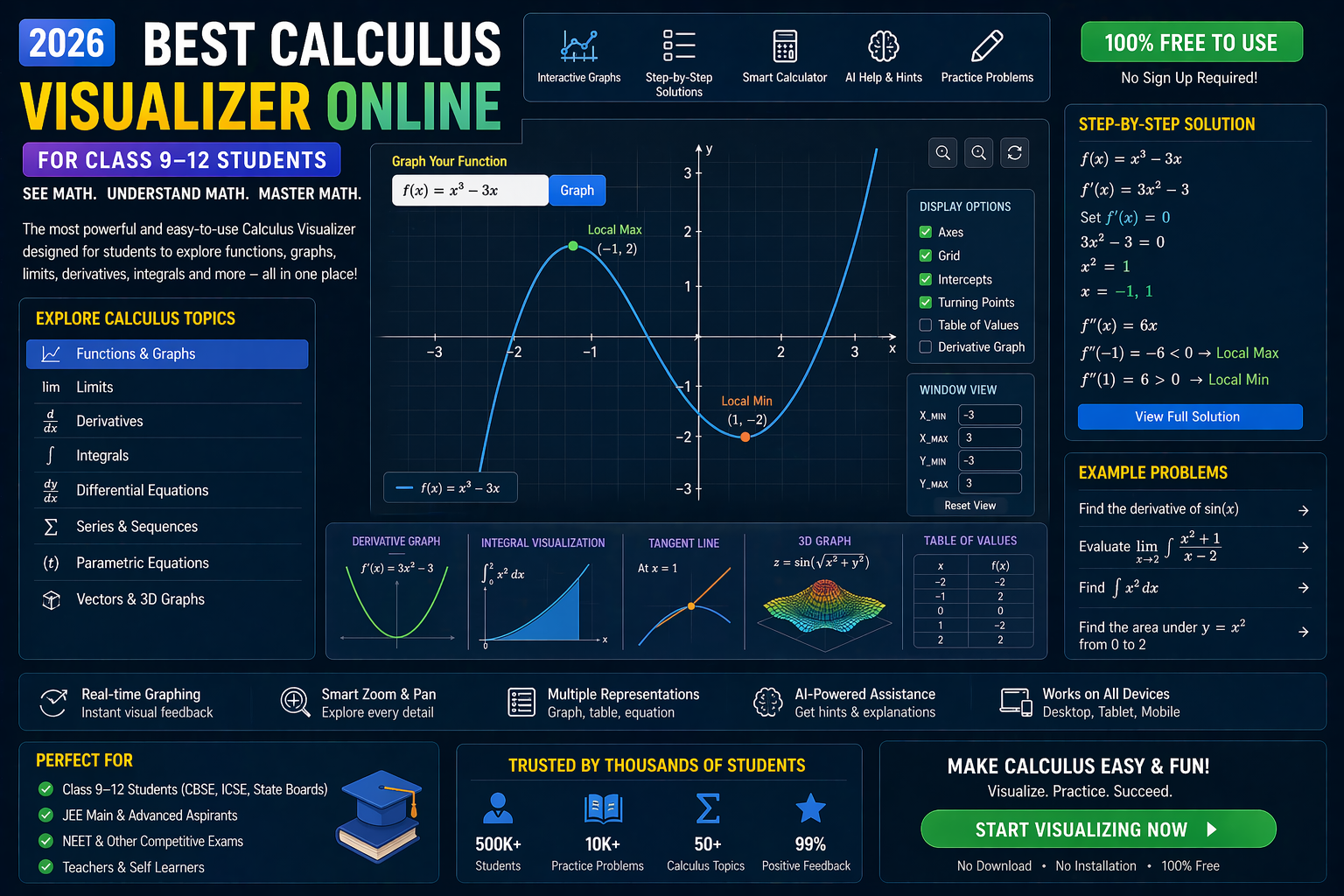
Integration CBSE solutions don’t have to be confusing. Whether you're tackling Class 11 or 12, the key to mastering integration lies in seeing how functions behave—not just memorizing formulas. With AI-powered interactive simulations, you can visualize every step of integration, from basic polynomials to trigonometric and exponential functions. No more guessing. No more rote learning. Just real-time, hands-on problem-solving that makes integration click.
In this guide, we’ll walk you through how to solve integration problems using visual tools, step-by-step explanations, and AI-powered insights—all aligned with the NCERT curriculum and NEP 2020 guidelines. You’ll learn how to use a coordinate plotter online to sketch functions, a matrix operations lab to handle vector calculus, and an equation solver cbse to verify your answers. By the end, integration won’t just be a formula—it’ll be something you can see, manipulate, and understand.
Why This Matters: Integration CBSE Solutions in 2026
For Indian students preparing for CBSE Class 11 and 12 exams, integration is a critical topic in the mathematics syllabus. It appears in calculus, physics, and even chemistry applications. Yet, many students struggle because integration is often taught abstractly—through chalk-and-talk methods or static textbook diagrams. That’s where interactive simulations change everything.
Imagine being able to:
- Plot a function like f(x) = x² + sin(x) and see its area under the curve instantly.
- Adjust integration limits and watch the shaded area change in real time.
- Use a trigonometry visualizer to see how ∫ sin(x) dx relates to the sine wave’s area.
- Get AI-generated explanations after every step—explaining why a substitution worked or where a mistake occurred.
This is not just theory. This is how students in 2026 are learning—using AI-powered platforms like anAIza School by SPYRAL to turn abstract math into tangible, interactive experiences. And it’s aligned with NEP 2020’s emphasis on experiential and competency-based learning.
Understanding Integration: The Core Concept (Integration CBSE Solutions)
Integration is the reverse process of differentiation. While differentiation breaks functions into rates of change, integration combines infinitesimal pieces to find totals—like area under a curve, total distance traveled, or accumulated growth.
In CBSE Class 11 and 12, students learn two main types of integration:
- Indefinite Integration: Finding the antiderivative of a function, e.g., ∫ x² dx = (x³/3) + C
- Definite Integration: Calculating the area under a curve between two limits, e.g., ∫₀¹ x² dx = 1/3
But why do we add C in indefinite integrals? Because integration is about families of functions—all vertical shifts of the same curve. A coordinate geometry tool helps visualize this by showing multiple antiderivatives on the same graph.
Why Visual Learning Beats Textbooks
Traditional teaching often presents integration as a set of rules:
- Power Rule: ∫ xⁿ dx = xⁿ⁺¹/(n+1) + C
- Trigonometric Rules: ∫ sin(x) dx = –cos(x) + C
- Substitution: ∫ f(g(x))g’(x) dx = ∫ f(u) du
But students often apply these rules without understanding why. A trigonometry visualizer changes that. You can see how the sine curve’s area accumulates as you integrate, or how substitution simplifies a complex-looking integral into a familiar form.
For example, consider ∫ 2x e^(x²) dx. With a visual tool, you can:
- Plot 2x e^(x²) and see its shape.
- Notice that the derivative of x² is 2x—so substitution u = x² makes sense.
- Watch the area under the curve transform as you adjust the limits.
This kind of insight is impossible with a textbook alone. It’s why integration CBSE solutions in 2026 are going visual.
Step-by-Step: Solving Integration CBSE Problems with AI Simulations (Integration CBSE Solutions)
Let’s solve a typical CBSE Class 12 integration problem using an interactive platform. We’ll use the following question from the NCERT textbook:
Problem: Evaluate ∫ (3x² + 2x + 1) dx
Step 1: Input the Function
Open a coordinate plotter online or an AI-powered math simulation tool. Input the function: f(x) = 3x² + 2x + 1.
You’ll see the parabola-like curve appear on the graph. The tool may also display the derivative (6x + 2) to help you verify your understanding.
Step 2: Apply the Power Rule
Using the power rule for each term:
- ∫ 3x² dx = 3·(x³/3) = x³
- ∫ 2x dx = 2·(x²/2) = x²
- ∫ 1 dx = x
So, ∫ (3x² + 2x + 1) dx = x³ + x² + x + C
In the simulation, you can toggle the constant C and see how the entire family of antiderivatives shifts vertically. This helps you understand why C is necessary.
Step 3: Verify with AI Explanation
After entering your answer, the AI engine explains:
- Why the power rule applies to each term.
- How the derivative of x³ + x² + x is 3x² + 2x + 1—proving your integration is correct.
- What the constant C represents in physical terms (e.g., initial position, starting value).
This immediate feedback is invaluable during exam prep. You’re not just solving a problem—you’re learning the concept deeply.
Step 4: Visualize the Area (Optional for Definite Integrals)
Now, let’s make it definite. Evaluate ∫₀² (3x² + 2x + 1) dx.
In the simulation:
- Set the lower limit to 0 and upper limit to 2.
- The tool shades the area under the curve from x=0 to x=2.
- It calculates the exact area: [x³ + x² + x]₀² = (8 + 4 + 2) – (0) = 14
You can even animate the integration process—watching the area accumulate as the upper limit moves from 0 to 2. This is how a coordinate plotter online turns math into motion.
Trigonometric Integration Made Visual (Trigonometry Visualizer)
Trigonometric functions like sin(x), cos(x), and tan(x) are common in CBSE integration problems. But their integrals can be tricky—especially when combined with polynomials or exponentials.
Let’s solve: ∫ sin(x) cos(x) dx
Method 1: Substitution
Let u = sin(x), then du = cos(x) dx. So, ∫ sin(x) cos(x) dx = ∫ u du = u²/2 + C = sin²(x)/2 + C
Method 2: Double Angle Identity
Using sin(2x) = 2 sin(x) cos(x), we get:
∫ sin(x) cos(x) dx = (1/2) ∫ sin(2x) dx = –(1/4) cos(2x) + C
Both answers look different—but they’re equivalent (differ by a constant).
Visual Proof with a Trigonometry Visualizer
In a trigonometry visualizer, you can:
- Plot sin(x), cos(x), and their product.
- See how the area under sin(x)cos(x) accumulates.
- Compare the graphs of sin²(x)/2 and –(1/4)cos(2x)—they differ only by a vertical shift.
- Adjust the phase or amplitude and watch the integral change dynamically.
This kind of visual intuition helps students understand why different methods yield equivalent results—a key insight for exams like JEE and NEET.
Matrix Operations and Integration: A Hidden Connection (Matrix Operations Lab)
You might wonder: what do matrices have to do with integration? In advanced mathematics and physics, especially in vector calculus and linear algebra, matrices help represent transformations, Jacobians, and even systems of differential equations.
For example, when changing variables in a double integral, you use the Jacobian determinant—a matrix-based concept. A matrix operations lab can help you compute this determinant visually.
Let’s say you’re evaluating:
∫∫ₐ (x² + y²) dx dy
By switching to polar coordinates:
x = r cos(θ), y = r sin(θ), with Jacobian = r
The integral becomes ∫∫ (r²) · r dr dθ = ∫∫ r³ dr dθ
In a matrix operations lab, you can:
- Input the transformation matrix for polar coordinates.
- Compute the Jacobian determinant step-by-step.
- Visualize how the region of integration changes from a square to a sector.
- See how the integrand transforms under the change of variables.
This bridges the gap between linear algebra and calculus—making integration more intuitive for students who love structure and patterns.
Coordinate Geometry Tool: Plotting and Solving Integration Problems (Coordinate Geometry Tool)
A coordinate geometry tool is essential for visualizing integration. It allows you to:
- Plot functions like y = e^x, y = ln(x), or y = √(1–x²).
- Draw the region bounded by curves and the x-axis.
- Shade the area being integrated.
- Compute definite integrals numerically and compare with analytical results.
For example, consider the problem: Find the area bounded by y = x² and y = x + 2.
In a coordinate plotter online:
- Plot both functions.
- Find their intersection points (x = –1 and x = 2).
- Shade the region between them from x = –1 to x = 2.
- Compute ∫₋₁² [(x + 2) – x²] dx = [x²/2 + 2x – x³/3]₋₁² = 9/2
The tool not only gives the answer but also visualizes why the area is positive and how the curves interact. This is especially helpful for students who struggle with setting up integrals correctly.
Pro tip: Use the zoom and pan features to inspect regions where functions cross or behave unusually—like near asymptotes or sharp turns.
What If You Changed This? Real-Time Experimentation (Integration CBSE Solutions)
One of the most powerful features of AI-powered simulations is the ability to experiment. Here are three what-if scenarios to deepen your understanding:
1. What if the function had a discontinuity?
Try integrating ∫ (1/x) dx from –1 to 1. The function has a vertical asymptote at x = 0. In a simulation:
- Plot 1/x—you’ll see it blow up at x = 0.
- Attempt to compute the integral—you’ll get an error or infinite result.
- This teaches you about improper integrals and convergence.
You can adjust the limits to avoid the discontinuity, e.g., ∫₁² (1/x) dx = ln(2), and see the area converge.
2. What if the limits were swapped?
Evaluate ∫₁⁰ x² dx. Normally, this is –∫₀¹ x² dx = –1/3.
In a simulation:
- Plot x² from 0 to 1.
- Reverse the limits—watch the area become negative.
- This reinforces the concept of signed area and orientation.
3. What if you used a different method?
Take ∫ x e^x dx. You can solve this using:
- Integration by parts: u = x, dv = e^x dx → du = dx, v = e^x → x e^x – ∫ e^x dx = x e^x – e^x + C
- Tabular integration (for repeated parts)
- Series expansion (approximate e^x as a polynomial)
In a simulation, input the function and try each method. The AI will show step-by-step derivations and let you compare results. You’ll see that all methods converge to the same antiderivative—reinforcing conceptual consistency.
Try It Free on SPYRAL
Everything discussed in this article is available for free on SPYRAL AI Workbench — Maths Visualizations. No signup required for guest access — just open it and start learning.
Explore SPYRAL AI Workbench — Maths Visualizations →Frequently Asked Questions
What are integration CBSE solutions for Class 12?
Integration CBSE solutions for Class 12 refer to step-by-step, AI-powered explanations and visualizations of integration problems as per the NCERT syllabus. These solutions help students understand not just the answer, but the process—using interactive graphs, real-time simulations, and AI feedback. They cover topics like indefinite and definite integrals, substitution, integration by parts, and trigonometric integrals.
How can I visualize integration problems using a coordinate plotter online?
A coordinate plotter online lets you input any function and plot it on a graph. You can then shade the area under the curve, adjust limits, and see the integral value update in real time. For example, plotting f(x) = sin(x) from 0 to π shows the area as 2, helping you connect the graph to the mathematical result. This makes abstract concepts like signed area and limits tangible.
Is there a trigonometry visualizer that helps with integration CBSE solutions?
Yes! A trigonometry visualizer plots sine, cosine, tangent, and their combinations, and lets you integrate them interactively. For instance, you can see how ∫ sin(x) dx = –cos(x) + C by watching the area under the sine curve accumulate and transform into the negative cosine curve. This visual proof helps students remember formulas and understand why they work.
Can I solve integration CBSE problems using an equation solver cbse tool?
Absolutely. An equation solver cbse tool with AI capabilities can solve integration problems step-by-step, just like a teacher would. You input the integral, and the tool shows the working, substitutions, and final answer. It also flags common mistakes—like forgetting the constant C or misapplying the power rule. This is especially useful for checking homework or preparing for exams.
What is the best way to learn integration for CBSE Class 11?
The best way is to combine visual learning with practice. Start with basic polynomials using a coordinate geometry tool, then move to trigonometric and exponential functions. Use a matrix operations lab to understand transformations in multiple integrals. Finally, use AI-powered explanations to verify your work. Platforms like anAIza School by SPYRAL offer all these tools in one place, aligned with the CBSE curriculum.
How do matrix operations relate to integration in CBSE math?
Matrix operations come into play in advanced integration topics like changing variables in double or triple integrals. The Jacobian determinant—a matrix-based concept—tells you how the area or volume element transforms under a change of coordinates. For example, switching from Cartesian to polar coordinates uses the Jacobian r. A matrix operations lab can help you compute and visualize this determinant, making the connection between linear algebra and calculus clearer.
Are there free tools for integration CBSE solutions?
Yes! Many platforms offer free interactive tools for integration, including coordinate plotters, trigonometry visualizers, and equation solvers. anAIza School by SPYRAL provides a free AI Workbench where students can input functions, visualize integrals, and get AI explanations—no signup required for guest access. These tools are designed to be curriculum-aligned and accessible to all students.
How does NEP 2020 support interactive math learning like integration CBSE solutions?
NEP 2020 emphasizes experiential, competency-based learning and the use of technology in education. It encourages schools to adopt digital tools, simulations, and AI-powered platforms to make learning more engaging and effective. Interactive integration CBSE solutions align perfectly with this vision by turning abstract math into hands-on, visual experiences that build deep understanding and problem-solving skills.
Can I use a coordinate geometry tool to solve definite integrals?
Yes! A coordinate geometry tool is ideal for solving definite integrals. You can plot the function, set the lower and upper limits, and the tool will shade the area under the curve while computing the integral value. It also helps you visualize the region of integration, which is crucial for setting up the problem correctly—especially when dealing with bounded areas between curves.
What is the difference between indefinite and definite integration in CBSE?
Indefinite integration finds the antiderivative of a function and includes a constant C, representing a family of curves. Definite integration calculates the exact area under a curve between two specific limits and yields a numerical value. For example, ∫ x² dx = x³/3 + C is indefinite, while ∫₀¹ x² dx = 1/3 is definite. Visual tools help students see the difference by showing the antiderivative curve (indefinite) and the shaded area (definite).
How can I verify my integration CBSE solutions using AI?
After solving an integration problem, input your answer into an AI-powered equation solver cbse tool. The AI will:
- Check if your antiderivative is correct by differentiating it.
- Compute the definite integral using your limits.
- Explain any errors in your method or calculation.
- Provide alternative solutions or simplifications.
This instant verification builds confidence and helps you learn from mistakes in real time.
Are integration CBSE solutions available for JEE and NEET preparation?
Yes! While NCERT is the foundation, JEE and NEET require deeper conceptual clarity and problem-solving speed. Interactive integration CBSE solutions with AI explanations help students tackle complex problems, understand advanced techniques like integration by parts and partial fractions, and visualize high-level concepts. Many students use these tools alongside their regular study to gain an edge in competitive exams.
Conclusion: Integration CBSE Solutions in 2026 Are Visual, Interactive, and AI-Powered
Integration doesn’t have to be a source of stress. With the right tools—a trigonometry visualizer, coordinate geometry tool, matrix operations lab, and equation solver cbse—you can transform abstract formulas into clear, visual experiences. AI-powered platforms like anAIza School by SPYRAL bring these tools together in one place, aligned with the CBSE and NEP 2020 curricula.
You’re no longer just solving problems—you’re seeing them. You’re experimenting, visualizing, and understanding. And that’s how you master integration.
Ready to try it yourself? Open the SPYRAL AI Workbench — Maths Visualizations and start exploring integration in real time. No signup required. Just click, plot, and learn.
Internal Links
- Explore SPYRAL AI Workbench – Try interactive math simulations for free.
- AI Math Visualizations – See how AI explains every step of your solution.
- NEP 2020 Learning Tools – Learn how simulations align with the new education policy.
- Free Math Tools – Access coordinate plotters, trig visualizers, and more.