Home›
Blog›
Photosynthesis Simulation Lab 2026: Interactive CBSE Biology Lab for Class 9–12
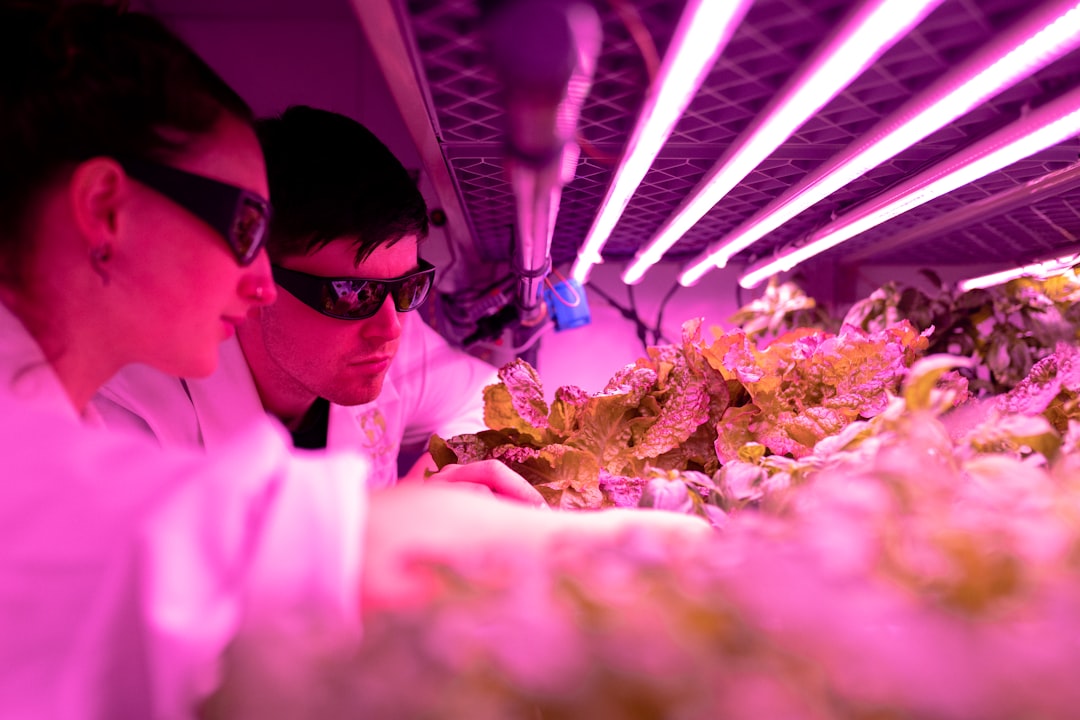
Ever wondered how a plant actually makes oxygen? Forget memorizing textbook diagrams — run a real-time photosynthesis simulation lab in 2026 and watch the process unfold before your eyes. This isn’t just a game; it’s a fully interactive virtual lab that lets you change light intensity, CO₂ levels, and temperature to see how they affect oxygen production. Whether you're a Class 9 student tackling biology for the first time or a Class 12 student revising for JEE/NEET, this simulation will make photosynthesis click like never before.
Designed for CBSE, ICSE, and international curricula (GCSE, IB), this photosynthesis simulation lab is your ticket to understanding the most important chemical reaction on Earth — without stepping into a lab or waiting for results. Ready to see photosynthesis in action?
Why This Matters: From Textbook to Real-World Science
Photosynthesis isn’t just a topic in your biology textbook — it’s the foundation of life on Earth. Plants, algae, and even some bacteria use sunlight to convert carbon dioxide and water into glucose and oxygen. This process feeds nearly all life forms and produces the oxygen we breathe. Yet, many students struggle to visualize how changing one variable — like light or CO₂ — can alter the rate of photosynthesis.
That’s where interactive simulations come in. Instead of reading about the photosynthesis reaction, you can manipulate it. Adjust the light intensity, increase CO₂ concentration, or lower the temperature and watch the oxygen bubbles rise in real time. This hands-on approach aligns perfectly with NCERT’s emphasis on experiential learning and supports NEP 2020’s call for competency-based education. Teachers can use this simulation to demonstrate concepts that are hard to show in a physical lab, while students gain a deeper, intuitive understanding of biology.
Imagine preparing for your CBSE Class 11 biology exam and being able to say, “I’ve seen photosynthesis happen — I know how light affects the rate.” That confidence comes from interacting with a photosynthesis simulation game that feels real.
How the Photosynthesis Simulation Lab Works: A Step-by-Step Guide Try It Live
⚗
Try This Simulation Free
Open the interactive simulation on anAIza School — no download, no signup needed.
Open Simulation →Change the variables yourself — see what happens in real time.
1. Set Up Your Virtual Plant
In the simulation, you start with a virtual leaf or plant cell. The interface is clean and intuitive, designed for students in Grades 9–12. You’ll see a graph showing oxygen production over time — your main output metric. The simulation uses real-world units and follows the standard photosynthesis equation:
6CO₂ + 6H₂O + light energy → C₆H₁₂O₆ + 6O₂
This equation isn’t just text — it’s the engine behind the simulation. As you change inputs, the output (oxygen) changes accordingly.
2. Control the Variables: Light, CO₂, and Temperature
You’re in charge. The simulation lets you tweak three key variables:
- Light Intensity: Slide the bar from low (dim) to high (bright sunlight). Watch how oxygen production increases with light — up to a point.
- CO₂ Concentration: Increase or decrease the gas level. Higher CO₂ often boosts photosynthesis, but too much can stress the plant.
- Temperature: Adjust from cool to warm. Photosynthesis enzymes work best in a specific range — too hot or too cold, and the rate drops.
Each change updates the graph in real time. You’re not just reading about limiting factors — you’re seeing them at work.
3. Measure Oxygen Output
The simulation tracks oxygen bubbles rising from the leaf. The faster the bubbles appear, the higher the rate of photosynthesis. You can pause the simulation to take notes or record data — perfect for lab reports or exam prep. This feature makes it ideal for photosynthesis simulation answer key exercises, where students must predict and justify outcomes.
4. Compare Results: What’s the Optimal Condition?
After experimenting, you’ll notice a pattern: there’s an ideal light level, CO₂ concentration, and temperature for maximum oxygen production. This mirrors real-world plant behavior and helps explain why crops grow best in certain climates. It’s a powerful way to connect theory to practice — and a skill that’s increasingly valued in STEM education under NEP 2020.
Even younger students (Grades 6–8) can benefit from a simplified version of this lab. A photosynthesis simulation for kids strips away complex jargon and focuses on the core idea: plants need light to make food and oxygen. Interactive elements like color changes, animated bubbles, and sound effects make learning engaging and memorable.
For example, when light hits the leaf, it turns green and bubbles start rising. Turn off the light, and the bubbles stop. It’s a visual “aha!” moment that sticks. These kinds of experiences build scientific intuition early — and they align with India’s push for foundational literacy and numeracy under NEP 2020.
Teachers can use this simulation as a starter activity before diving into the full equation. Parents can reinforce learning at home with guided questions like, “What happens if we put the plant in a dark closet?” The simulation answers instantly — no lab coat required.
For Class 11 students preparing for CBSE, NEET, or JEE, photosynthesis class 11 notes often include complex diagrams and technical terms. But notes alone can’t show you how the process responds to real-world conditions. That’s where a photosynthesis simulation lab becomes invaluable.
Use the simulation to:
- Visualize the light-dependent and light-independent (Calvin cycle) stages.
- See how chlorophyll absorbs specific wavelengths of light.
- Understand the role of enzymes like Rubisco in fixing CO₂.
- Test your understanding with instant feedback — the graph doesn’t lie.
You can even use the simulation to generate your own photosynthesis simulation answer key for practice tests. For example:
Question: At what light intensity does oxygen production plateau?
Answer: Around 80% intensity — beyond that, chlorophyll is saturated, and other factors (like CO₂) become limiting.
This kind of active learning transforms passive studying into discovery. It’s why top CBSE schools are integrating AI-powered simulations into their biology curriculum.
Students following the UK GCSE curriculum will find this simulation equally powerful. The photosynthesis simulation GCSE version includes:
- Clear labeling of chloroplasts, thylakoids, and stroma.
- Measurement of rate in arbitrary units (au) — matching GCSE exam formats.
- Comparison of shade-tolerant vs. sun-loving plants.
- Real-time graphing tools to analyze data — a key GCSE skill.
GCSE exams often ask students to interpret graphs or suggest improvements to an experiment. With this simulation, you can generate your own data, plot it, and draw conclusions — just like in a real GCSE biology practical. It’s a free, accessible alternative to PhET’s older simulations, with added AI-powered explanations and curriculum mapping.
Teachers can assign the simulation as pre-lab homework or use it to review core concepts before mock exams. It’s a flexible tool that adapts to multiple curricula — CBSE, GCSE, IB, and AP.
What If You Changed This? 3 Real Experiments to Try
Science is about asking “what if?” Here are three experiments you can run in the simulation to deepen your understanding:
1. What Happens If You Remove Light Completely?
Set light intensity to 0%. Observe the oxygen graph. It should flatline immediately. This demonstrates that light is essential for the light-dependent reactions. You can extend this to discuss why plants in dark caves or basements don’t photosynthesize — and why artificial lighting is used in vertical farming.
2. Can Too Much CO₂ Be Harmful?
Gradually increase CO₂ from 0% to 100%. Watch as oxygen production rises — then suddenly drops. This shows that while CO₂ is a reactant, too much can cause stomatal closure or enzyme saturation. It’s a great way to introduce the concept of limiting factors in enzyme activity.
3. How Does Temperature Affect the Rate?
Start at 10°C and increase to 40°C in 5°C increments. You’ll see a peak around 25–30°C — the optimal range for most plants. Below 10°C, enzymes slow down. Above 40°C, they denature. This mirrors real-world data and helps explain why tropical plants thrive in warm climates, while alpine plants grow slowly in cold conditions.
These “what if” scenarios turn your simulation into a personal research lab. You’re not just learning — you’re doing science.
Frequently Asked Questions
What is a photosynthesis simulation lab?
A photosynthesis simulation lab is an interactive digital tool that lets you manipulate variables like light, CO₂, and temperature to observe how they affect oxygen production in a virtual plant. It’s a hands-on way to explore the photosynthesis reaction without a physical lab. Think of it as a biology lab you can run from your browser.
Can I use a photosynthesis simulation game to study for CBSE Class 11 biology?
Absolutely! A photosynthesis simulation game helps you visualize the process in real time, making it easier to understand complex concepts like the light-dependent and light-independent reactions. You can even use it to create your own photosynthesis simulation answer key for practice tests.
Is there a photosynthesis simulation for kids available online?
Yes! Many platforms offer simplified versions designed for younger students. These simulations use animations, sound effects, and basic controls to teach the core idea: plants need light to make food and oxygen. It’s a great way to introduce biology in a fun, visual way.
How accurate is a photosynthesis simulation GCSE version compared to real experiments?
A well-designed photosynthesis simulation GCSE version follows real scientific principles and uses data from peer-reviewed studies. While it can’t replicate every variable (like humidity or wind), it captures the key trends — such as how light intensity affects oxygen output — making it a reliable tool for exam prep.
Where can I find a photosynthesis simulation answer key for practice?
You can generate your own photosynthesis simulation answer key by running controlled experiments in the simulation. For example, note the oxygen rate at 50% light vs. 100% light. Many platforms, including SPYRAL, also provide guided worksheets and teacher resources with sample answers.
Does the photosynthesis simulation lab work on mobile devices?
Yes! The simulation is built with responsive design, so it works on phones, tablets, and desktops. You can run experiments on the go — perfect for quick revision before exams or during travel.
Can teachers use the photosynthesis simulation lab in their lesson plans?
Definitely. Teachers can integrate the simulation into lectures, assign it as pre-lab homework, or use it for flipped classroom activities. The platform includes a teacher dashboard with progress tracking, quiz generation, and curriculum mapping for CBSE, ICSE, GCSE, and IB standards.
What’s the difference between a photosynthesis simulation lab and a virtual lab?
A photosynthesis simulation lab specifically models the photosynthesis process, while a virtual lab is a broader term for any online lab environment. The simulation focuses on the biochemical reaction and its variables, making it ideal for biology classes.
How does a photosynthesis simulation help with NEET or JEE preparation?
For NEET/JEE aspirants, the simulation helps you understand the practical implications of photosynthesis — such as how environmental factors affect crop yield or how chlorophyll absorbs light. You can also use it to visualize the Calvin cycle, which is a common topic in these exams.
Is the photosynthesis simulation lab free to use?
Yes! Platforms like SPYRAL offer free access to their biology simulations, including the photosynthesis lab. No credit card or signup is required for guest access — just open the simulation and start experimenting.
Can I save or export my photosynthesis simulation results?
Many simulations allow you to save screenshots, export data as CSV, or even generate PDF reports. This is useful for lab notebooks, assignments, or sharing with classmates. Check the platform’s features for export options.
How does the photosynthesis simulation align with NEP 2020 guidelines?
The simulation supports NEP 2020’s emphasis on experiential learning, competency-based education, and multidisciplinary approaches. By letting students manipulate variables and observe outcomes, it builds critical thinking and scientific temper — key goals of the policy.
Ready to See Photosynthesis in Action?
You’ve just explored how a photosynthesis simulation lab can transform your understanding of one of biology’s most vital processes. Whether you're a student preparing for exams, a teacher looking for engaging resources, or a parent supporting your child’s learning, this interactive tool puts science at your fingertips.
No more guessing how light affects oxygen production — you can see it happen in real time. No more memorizing diagrams — you can manipulate them. And best of all, you can do it all for free, without stepping into a lab or waiting for results.
So go ahead — open the simulation, tweak the variables, and watch the magic of photosynthesis unfold. It’s not just a lab. It’s your personal discovery engine.
Start Your Photosynthesis Simulation Lab Now →
Explore More with SPYRAL
Want to dive deeper? SPYRAL’s AI Workbench offers a full suite of interactive simulations for biology, physics, and math. From cell division to projectile motion, explore how AI-powered labs can make learning feel real. Visit SPYRAL NEP 2020 Hub to learn how simulations align with India’s education policy.
You can also access free tools like the AI Worksheet Generator to create custom practice sheets based on your simulation results.