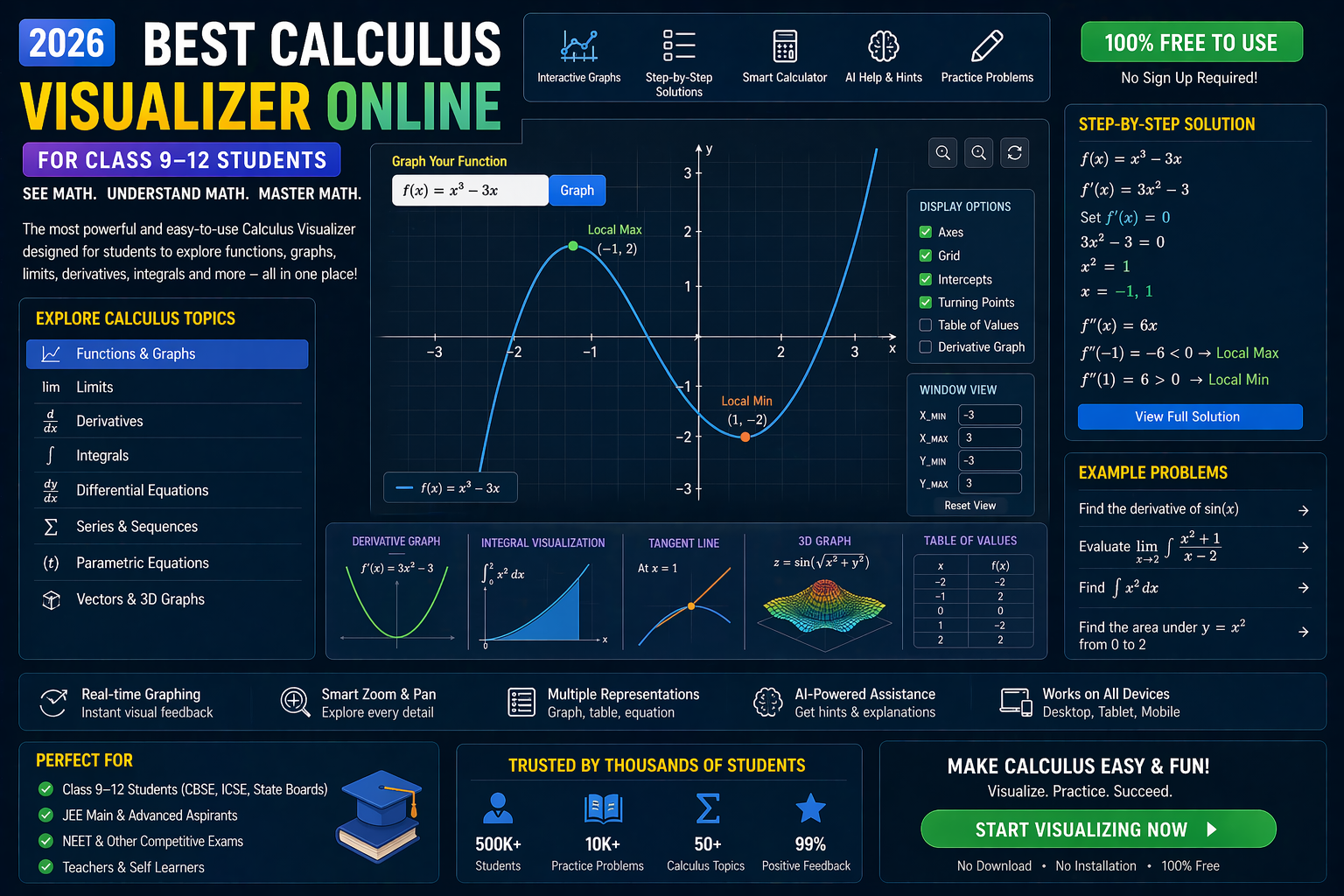
You’re staring at a CBSE Class 12 Integration PYQ from 2026 — the question looks familiar, but the answer isn’t clicking. You know the formula, but something’s off. Maybe it’s the limits, or the substitution feels forced. What if you could see the integral unfold in real time? What if the AI didn’t just give you the answer, but showed you why it works?
That’s exactly what anAIza School by SPYRAL lets you do. Instead of memorizing steps, you visualize them. You change variables, tweak limits, and watch the graph respond. And after every simulation, the AI explains the logic — not just the result. This isn’t just another online solver. It’s a real-time integration lab designed for CBSE Class 12 students and teachers who want to feel math, not just read it.
Why This Matters: Integration Isn’t Just a Formula — It’s a Story
CBSE Class 12 Integration PYQs aren’t just about solving integrals. They’re about understanding the journey from function to area, from velocity to displacement. But most students treat integration as a mechanical process: “apply this rule, plug in those limits.” That’s why marks slip — not because of calculation errors, but because the intuition is missing.
In 2026, the CBSE curriculum emphasizes competency-based learning under NEP 2020. That means rote learning won’t cut it. You need to see the curve, feel the area, and trace the antiderivative. That’s where interactive simulations shine. Whether you’re preparing for JEE, NEET, or board exams, visualizing integration turns abstract formulas into concrete understanding.
And teachers? You can finally show, not tell. Instead of drawing static graphs on the board, you can animate the integral — watch the Riemann sums build, see the area converge, and explain why substitution works. It’s not just teaching. It’s experiencing.
Trigonometry Visualizer: See the Wave Behind the Integral
One of the trickiest parts of integration in CBSE Class 12 is trigonometric integrals. Formulas like:
∫ sin²x dx, ∫ tan x dx, ∫ sec²x dx
look simple on paper. But when you substitute or use identities, it’s easy to get lost in the algebra. What if you could see the sine wave and watch how the area under it changes as you integrate?
How the Trigonometry Visualizer Helps
- Graphical Integration: Plot sin(x), sin²(x), or tan(x) and watch the integral accumulate in real time. The area fills up as the function oscillates — you see why ∫ sin²x dx isn’t just –cos x.
- Identity Visualization: Toggle between sin²x = (1 – cos 2x)/2 and watch the graph transform. The integral splits into two simpler areas — and you see why the identity works.
- CBSE PYQ Integration: Try a 2026 PYQ like ∫ sin³x dx. Use the identity sin³x = sin x (1 – cos²x) and watch the substitution unfold step by step.
This isn’t just a calculator. It’s a trigonometry lab. You’re not solving an integral — you’re watching the wave surrender to the antiderivative.
Coordinate Geometry Tool: Plot the Curve, Trace the Area
Integration in CBSE Class 12 isn’t just about trigonometry. It’s about areas under curves, volumes of revolution, and arc lengths. And that means coordinate geometry is your best friend.
Ever tried to visualize ∫ from a to b of f(x) dx? Most students imagine a flat line and a shaded region. But what if you could draw the curve, zoom in, and watch the Riemann rectangles stack up? That’s what a coordinate plotter online does.
How the Coordinate Geometry Tool Solves Integration CBSE Class 12 PYQ
- Curve Plotting: Input any function — polynomial, rational, exponential — and see it rendered in 2D. For example, plot f(x) = x² – 4x + 4 and find the area between x=0 and x=3.
- Area Accumulation: Watch the integral fill up as the rectangles grow. Adjust the number of partitions — see how the approximation improves with more slices.
- CBSE Board PYQ Practice: Try a 2026 PYQ like ∫ from 0 to π/2 of √(1 – sin²x) dx. Plot the curve, see the symmetry, and realize it’s just ∫ cos x dx.
This isn’t just solving. It’s seeing the geometry behind the algebra. And when you see it, you remember it.
Matrix Operations Lab: When Integration Meets Linear Algebra
Wait — matrices and integration? Yes. In CBSE Class 12, integration often appears in systems of differential equations, Fourier series, or probability density functions. And those involve matrices.
For example, solving dy/dx = Ay (where A is a matrix) leads to integrals of exponential functions. Or, in probability, the normal distribution involves ∫ e^(–x²/2) dx — which has no elementary antiderivative, but can be approximated using matrix-based methods like Gaussian quadrature.
How the Matrix Operations Lab Helps
- Eigenvalue Visualization: Input a 2×2 matrix A. See its eigenvalues and eigenvectors plotted. Then simulate the solution to dy/dt = Ay — watch the trajectory curve form in real time.
- Numerical Integration: Use matrix-based quadrature rules (like Simpson’s 1/3) to approximate integrals. See how the error decreases as you increase the number of intervals.
- CBSE PYQ Connection: Some 2026 PYQs involve systems of equations solved via integration. Use the lab to see how the matrix transforms the problem into a solvable integral.
This is integration beyond calculus. It’s linear algebra in motion. And it’s exactly the kind of interdisciplinary thinking NEP 2020 encourages.
Equation Solver CBSE: Not Just Answers — Understanding
Most “equation solvers” give you the answer. But CBSE Class 12 demands step-by-step reasoning. That’s why anAIza School’s AI doesn’t just solve — it explains.
After every simulation, the AI generates a detailed explanation in simple English. It breaks down:
- Why a substitution was used
- How the limits changed
- What the final antiderivative represents
- Common mistakes to avoid
For example, take this 2026 PYQ:
∫ from 0 to π/2 of (sin x + cos x) / (1 + sin x cos x) dx
Most students freeze. But with the AI solver:
- You input the integral into the equation solver CBSE tool.
- The AI suggests a substitution: t = sin x – cos x
- You see the graph of t(x) and how it relates to the original function.
- The AI shows how the denominator becomes 1 + (1 – t²)/2 = (3 – t²)/2.
- You watch the integral transform into ∫ dt / (3 – t²) — and solve it using partial fractions.
No black box. No magic. Just clear, visual reasoning.
SIM EMBED SECTION
What If You Changed This? 3 Real-Time Experiments
Integration isn’t static. It’s dynamic. What if you tweak a parameter? What if the function changes? Here are three what-if scenarios to try in the simulation:
1. What if the limits change?
Take ∫ from 0 to π of sin x dx. You know the answer is 2. But what if you change the upper limit to π/2? The area halves. Now try π/4. Watch the curve and the filled area shrink. This is how you feel the integral — not just calculate it.
2. What if the function flips sign?
Try ∫ from –π to π of sin x dx. The positive and negative areas cancel out. Now flip the function to ∫ from –π to π of |sin x| dx. The area doubles. You’re not just solving — you’re seeing symmetry.
3. What if you use a different method?
Take ∫ x e^x dx. You can solve it by parts. But what if you try substitution? The AI will show you why substitution fails — and why parts work. You’re not just getting the answer. You’re learning when to use which method.
Try It Free on SPYRAL
Everything discussed in this article is available for free on SPYRAL AI Workbench — Maths Visualizations. No signup required for guest access — just open it and start learning.
Explore SPYRAL AI Workbench — Maths Visualizations →Frequently Asked Questions
What is integration in CBSE Class 12 maths?
Integration in CBSE Class 12 is the reverse of differentiation. It’s used to find areas under curves, volumes, and solutions to differential equations. It’s a core topic in the CBSE Class 12 maths syllabus and appears in both board exams and competitive tests like JEE and NEET.
How do I solve integration CBSE Class 12 PYQ 2026 effectively?
Start by visualizing the integral using a coordinate plotter online. Plot the function, watch the area fill up, and use the AI to explain each step. Then, practice with real PYQs from 2026 — but not just solving. Seeing the integral unfold is the key to retention.
Can I use a trigonometry visualizer to solve integration problems?
Absolutely. A trigonometry visualizer helps you see how trigonometric functions behave under integration. For example, integrating sin²x becomes intuitive when you see the wave and how the area accumulates. It’s especially useful for CBSE Class 12 PYQs involving trigonometric integrals.
What is a coordinate geometry tool and how does it help with integration?
A coordinate geometry tool lets you plot functions and visualize the area under the curve. This is crucial for understanding definite integrals. Instead of memorizing formulas, you see why ∫ from a to b of f(x) dx represents the area between the curve and the x-axis — and how changing limits affects the result.
Is there a matrix operations lab for integration in CBSE Class 12?
Yes. While integration and matrices seem unrelated, they intersect in differential equations, probability, and numerical methods. A matrix operations lab lets you simulate systems like dy/dx = Ay and see how eigenvalues relate to the solution’s behavior. This is advanced but increasingly relevant under NEP 2020’s interdisciplinary approach.
How does an equation solver CBSE tool work with integration?
An equation solver CBSE tool doesn’t just give answers. It guides you through the process. After you input the integral, it suggests substitutions, explains limits, and shows the antiderivative. It’s like having a teacher who doesn’t just mark your work — but helps you understand it.
Are interactive simulations better than PhET for integration?
Interactive simulations on platforms like anAIza School are designed specifically for CBSE Class 12. They include AI explanations, curriculum mapping, and real-time feedback — features PhET lacks. Plus, they’re optimized for Indian students preparing for board exams and competitive tests.
Can I practice integration CBSE Class 12 PYQ 2026 for free?
Yes. You can access free integration visualizations and AI explanations on SPYRAL AI Workbench. No signup is required for guest access — just open the tool and start practicing with real PYQs from 2026.
How do I visualize integration using a coordinate plotter online?
Input your function into the coordinate plotter. The tool will render the curve. Then, use the integration slider to watch the area fill up as the Riemann sums accumulate. You can adjust the number of partitions to see how the approximation improves — a powerful way to understand definite integrals.
What are the best methods to solve integration CBSE Class 12 PYQ?
The best method depends on the function. Use substitution for composite functions, integration by parts for products, and partial fractions for rational functions. The key is to see which method fits — and that’s where visualizations help. The AI in anAIza School suggests the right method based on the function’s shape.
How does NEP 2020 affect integration teaching in CBSE Class 12?
NEP 2020 emphasizes competency-based learning and interdisciplinary thinking. That means integration isn’t just a formula to memorize — it’s a tool to solve real-world problems. Interactive simulations align with this vision by making math experiential, not abstract. Students learn by doing, not by rote.
Can I use integration visualizations for JEE and NEET preparation?
Yes. The visualizations and AI explanations are designed to build intuition — a critical skill for JEE and NEET. Instead of memorizing 100 formulas, you learn to recognize patterns and apply methods. This is especially useful for tricky integrals that appear in these exams.
What is the role of AI in solving integration CBSE Class 12 PYQ?
AI doesn’t just solve the integral — it explains the logic behind each step. After every simulation, the AI generates a detailed breakdown: why a substitution was used, how limits changed, and what the final result represents. This turns a static problem into an interactive learning experience.
How do I explain integration to a Class 12 student who struggles with it?
Start with a real-world example: “Imagine filling a bathtub. The rate at which water flows in is like the function. The total water in the tub after 5 minutes is the integral.” Then, use a coordinate plotter online to show the curve and the area filling up. Let them change the function and see what happens. That’s how you make integration click.
Ready to See Integration Come Alive?
You’ve spent hours staring at formulas. It’s time to see the math.
The CBSE Class 12 Integration PYQ 2026 isn’t just a test of memory — it’s a test of understanding. And understanding comes from visualization.
With anAIza School’s interactive simulations, you don’t just solve integrals. You experience them. You change variables, tweak limits, and watch the graph respond. The AI explains each step — not just the answer.
This is how you prepare for board exams, JEE, NEET, and beyond. Not by memorizing, but by seeing.
So go ahead. Try the integration visualizer. Solve a 2026 PYQ. And finally, feel the math.
Try It Free on SPYRAL
Everything discussed in this article is available for free on SPYRAL AI Workbench — Maths Visualizations. No signup required for guest access — just open it and start learning.
Explore SPYRAL AI Workbench — Maths Visualizations →