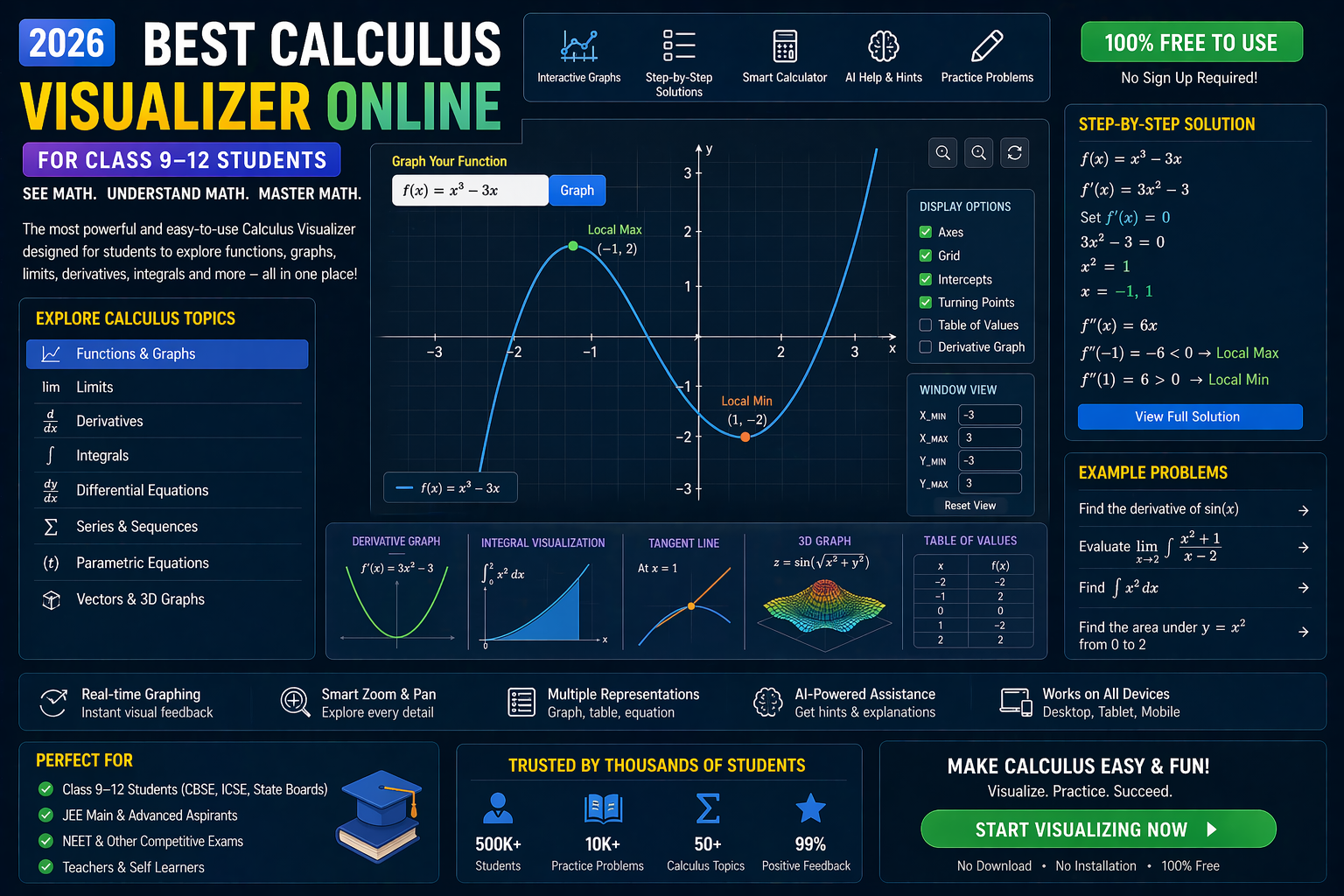
If you've ever stared at an integration CBSE problem wondering where to even begin, you're not alone. The good news? You can now see integration come alive — not just on paper, but in real time. With interactive simulations, you can drag sliders, change variables, and watch how the area under the curve changes with every step. Whether you're in Class 11 or 12, preparing for JEE, or revising for your CBSE board exams, these visual tools make calculus feel intuitive, not intimidating. And the best part? You can try it right now — no downloads, no logins, just click and learn.
In this guide, we’ll show you how integration CBSE becomes clearer when you visualize it. We’ll cover common problem types, walk through step-by-step solutions using simulations, and even let you experiment with “what-if” scenarios. By the end, you’ll not only solve integration problems faster — you’ll understand why the formulas work.
Why This Matters for CBSE Students and Teachers
For students in India preparing under the CBSE curriculum, integration isn’t just a chapter — it’s a gateway to higher math and physics. From calculating areas under curves in calculus to solving motion equations in physics, integration is everywhere. Yet, many students struggle because textbooks show static diagrams and final answers. What’s missing? The process — the step-by-step journey from function to integral.
Teachers face a similar challenge: how to make abstract concepts tangible in a 40-minute class. With interactive simulations, students can:
- Visualize how Riemann sums approximate area
- See how changing limits affect the integral value
- Experiment with different functions (polynomials, trigonometric, exponential)
- Get instant AI feedback on their approach
This aligns perfectly with NEP 2020, which emphasizes experiential and competency-based learning. Instead of memorizing formulas, students discover them through exploration — a core principle of the new education policy.
Understanding Integration CBSE: The Core Concepts You Need to Visualize
1. What Is Integration? A Visual Definition
Integration is essentially the reverse of differentiation. While differentiation breaks functions into smaller parts (slopes), integration adds them up — often to find areas, volumes, or total change. For example, if you know the speed of a car over time, integrating it gives you the total distance traveled.
But how do we calculate that area? That’s where Riemann sums come in. Imagine slicing the area under a curve into thin rectangles. The sum of their areas approximates the integral. As you make the slices thinner, the approximation becomes more accurate. This is the foundation of definite integration.
With a trigonometry visualizer, you can plot functions like \sin(x) and see how the rectangles form under the curve. Change the number of slices — watch the sum change in real time. It’s not just theory anymore — it’s something you can touch, see, and manipulate.
2. Types of Integrals in CBSE Class 11 & 12
CBSE covers several types of integrals. Let’s break them down with visual tools:
- Indefinite Integrals: These give a general antiderivative (with a constant C). For example, \int x^2 dx = \frac{x^3}{3} + C. Use a coordinate plotter online to graph the original function and its integral — see how the slope of the integral matches the original function.
- Definite Integrals: These compute the exact area between two points. For example, \int_0^2 x^2 dx. Visualize this as the area under y = x^2 from x=0 to x=2. With a slider, you can change the upper limit and watch the shaded area grow.
- Integration by Substitution: A technique to simplify complex integrals. For example, \int 2x e^{x^2} dx. Let u = x^2, then du = 2x dx. The integral becomes \int e^u du = e^u + C. Use a coordinate geometry tool to plot both the original and transformed functions side by side.
- Integration by Parts: Used for products of functions. Formula: \int u dv = uv - \int v du. Try it with \int x e^x dx. Visualize how the two terms interact — the product and the new integral.
Each of these can be explored in seconds using interactive simulations. No more guessing — just seeing.
3. Common CBSE Integration Problems and How to Solve Them Visually
Let’s take a typical CBSE integration question and solve it step by step using visualization:
Example: Evaluate \int_0^{\pi} \sin(x) dx
Step 1: Plot y = \sin(x) from 0 to π using a coordinate plotter online.
Step 2: Use a Riemann sum simulator to divide the area into 10 rectangles. Notice how the sum approximates the area under one “hill” of the sine wave.
Step 3: Increase the number of rectangles to 100. The sum gets closer to 2 — the exact value of the integral.
Step 4: Use the antiderivative: \int \sin(x) dx = -\cos(x) + C. Evaluate from 0 to π: -\cos(\pi) - (-\cos(0)) = -(-1) - (-1) = 2.
With a simulation, you can toggle between the Riemann sum and the antiderivative graph. You’ll see why the formula works — because the slope of the antiderivative matches the original function.
4. Integration and Matrices: A Hidden Connection in CBSE Maths
While integration and matrices seem unrelated, they both rely on summation. In linear algebra, matrix multiplication involves summing products of rows and columns. Similarly, integration sums infinitely many tiny areas.
Use a matrix operations lab to multiply two 2x2 matrices. Then, use an integration simulator to compute \int_0^1 x^2 dx. Both involve breaking a problem into parts and combining them. This dual visualization strengthens your understanding of both concepts — and helps you see patterns across math topics.
Trigonometry Visualizer: See How Sine, Cosine and Tangent Integrate
Trigonometric functions are a major part of integration CBSE syllabus. But their integrals aren’t always obvious. For example:
- \int \sin(x) dx = -\cos(x) + C
- \int \cos(x) dx = \sin(x) + C
- \int \sec^2(x) dx = \tan(x) + C
Why does integrating sine give negative cosine? Use a trigonometry visualizer to plot both functions. Notice how the slope of -\cos(x) is exactly \sin(x). That’s the derivative-integral relationship in action.
You can also experiment with phase shifts. Plot \sin(x + \pi/2) — it becomes \cos(x). Integrating it gives \sin(x + \pi/2) + C. Visual confirmation beats memorization every time.
Coordinate Geometry Tool: Integrate Functions on a Graph
A coordinate geometry tool is essential for visualizing integration. You can:
- Plot any function: polynomials, trigonometric, exponential
- Set integration limits with sliders
- See the shaded area update instantly
- Toggle between left, right, and midpoint Riemann sums
Example: Integrate \int_{-2}^{2} (4 - x^2) dx
This is the area under a downward-opening parabola. Use the tool to:
- Plot y = 4 - x^2
- Set limits from -2 to 2
- Use 50 rectangles to approximate the area
- Compare with the exact value: [4x - \frac{x^3}{3}]_{-2}^{2} = (8 - \frac{8}{3}) - (-8 + \frac{8}{3}) = \frac{32}{3}
The simulation shows the rectangles filling the “hill” shape. As you increase the number of rectangles, the sum converges to the exact area. This is how calculus becomes intuitive — not abstract.
Equation Solver CBSE: Step-by-Step Integration with AI Guidance
Many students turn to equation solver CBSE tools for instant answers. But the best ones don’t just give you the result — they show you the process. With AI-powered simulations, you get:
- Step-by-step breakdown of integration techniques
- Visual hints when you’re stuck
- Instant feedback on your input
- Suggestions for alternative methods
Example: Solve \int x e^x dx using integration by parts.
AI simulation steps:
- Identify u = x, dv = e^x dx
- Compute du = dx, v = e^x
- Apply formula: uv - \int v du = x e^x - \int e^x dx = x e^x - e^x + C
- Plot both the original function and the result to verify the derivative matches
You can input your own functions and get guided solutions. This is especially helpful for JEE aspirants who need to master integration techniques quickly.
Matrix Operations Lab: Connecting Algebra and Calculus
Yes — matrices and integration can work together! In advanced math, we use matrix methods to solve systems of differential equations, which are built on integration. Even in CBSE Class 12, understanding matrix multiplication helps with transformations in coordinate geometry — a skill used in integration problems involving area or volume.
Use a matrix operations lab to multiply two matrices. Then, use an integration simulator to compute the area of a triangle defined by three points. Both involve breaking a problem into components and combining them systematically.
This cross-topic connection reinforces learning and helps you see math as a unified subject — not a collection of isolated chapters.
What If You Changed This? Real-Time “What-If” Scenarios in Integration
One of the most powerful features of interactive simulations is the ability to ask “what if?” questions. Here are three scenarios to try:
1. What If the Function Changes Sign?
Try integrating \int_{-1}^{1} x^3 dx. The function is odd, so the area above and below the x-axis cancels out. The result is zero. Use a coordinate plotter online to see the positive and negative areas. Then, change the limits to <0, 2> — now the integral is positive. This teaches you about signed areas and absolute values in integration.
2. What If the Limits Are Variables?
Consider F(x) = \int_0^x t^2 dt. This defines a new function of x. Use a slider to change x from 0 to 5. Watch how F(x) grows as a cubic function. This is the essence of the Fundamental Theorem of Calculus — and it becomes crystal clear when you see it in motion.
3. What If You Use Different Methods?
Solve \int \frac{1}{1+x^2} dx using substitution and then using a trigonometric identity. Plot both results. They should be the same — \tan^{-1}(x) + C. But the paths to get there differ. Visualizing both methods helps you understand when to use each technique.
Try It Free on SPYRAL
Everything discussed in this article is available for free on SPYRAL AI Workbench — Maths Visualizations. No signup required for guest access — just open it and start learning.
Explore SPYRAL AI Workbench — Maths Visualizations →Frequently Asked Questions
What is integration in CBSE Class 11 maths?
Integration in CBSE Class 11 is the process of finding the antiderivative of a function or calculating the area under a curve. It’s introduced through indefinite and definite integrals, with applications in finding areas, volumes, and solving real-world problems. Visual tools help students see how the integral relates to the original function.
How do I solve integration CBSE board questions easily?
Use interactive simulations to visualize each step. Start by plotting the function, set the limits, and use a Riemann sum to approximate the area. Then, apply integration formulas and verify your result by checking the derivative of your answer. AI-powered platforms like SPYRAL provide step-by-step guidance and instant feedback.
Can I use a trigonometry visualizer to understand integration of sine and cosine?
Absolutely! A trigonometry visualizer lets you plot \sin(x) and \cos(x), then see their integrals appear in real time. You’ll observe that \int \sin(x) dx = -\cos(x) and \int \cos(x) dx = \sin(x). The slope of the integral matches the original function — a direct demonstration of the Fundamental Theorem of Calculus.
What is a coordinate plotter online and how does it help with integration?
A coordinate plotter online is a tool that lets you graph functions and compute definite integrals visually. You can set integration limits, adjust the number of rectangles in a Riemann sum, and see the shaded area update instantly. This helps students understand why integration works and how limits affect the result.
How can a matrix operations lab help with integration CBSE problems?
While matrices and integration seem unrelated, both involve breaking problems into components and combining them. Using a matrix operations lab strengthens your understanding of systematic computation — a skill that translates directly to integration techniques like substitution and by parts. It also prepares you for advanced topics where matrices and calculus intersect.
What is an equation solver CBSE tool and is it useful for integration?
An equation solver CBSE tool solves math problems step by step. The best ones for integration don’t just give answers — they show the process, suggest methods, and provide visual hints. This is especially helpful for JEE and board exam preparation, where understanding the method is as important as the result.
Are there free CBSE integration problems with solutions available online?
Yes! Many platforms offer free CBSE integration problems with solutions, but most are static PDFs. For a more engaging experience, use interactive simulations where you can input your own functions, adjust limits, and get real-time feedback. These tools often include AI explanations and step-by-step breakdowns tailored to the CBSE syllabus.
How do I integrate a function with limits in CBSE Class 12?
To integrate a function with limits in Class 12, first find the antiderivative. Then, evaluate it at the upper and lower limits and subtract. For example, \int_a^b f(x) dx = F(b) - F(a), where F'(x) = f(x). Use a coordinate geometry tool to plot the function, set the limits, and see the shaded area update as you compute the result.
What are the best ways to practice integration CBSE questions?
The best way is to combine traditional practice with interactive simulations. Start with NCERT exercises, then use visual tools to verify your answers. Try changing the function or limits to see how the integral changes. This dual approach builds both procedural fluency and conceptual understanding — key for board exams and competitive tests.
Can I learn integration CBSE without a teacher?
Yes! With AI-powered platforms, you can learn integration CBSE independently. Interactive simulations provide instant feedback, AI explanations clarify doubts, and step-by-step guides walk you through each problem. Platforms like SPYRAL are designed for self-learning and align with the CBSE syllabus, making them ideal for students preparing at home.
How does NEP 2020 support interactive learning in integration?
NEP 2020 emphasizes experiential, competency-based learning and the use of technology in classrooms. Interactive simulations for integration align perfectly with these goals by making abstract concepts tangible. Students develop problem-solving skills, critical thinking, and digital literacy — all competencies highlighted in the new policy. Schools using AI tools like SPYRAL are implementing NEP 2020 in real time.
Is there a free integration platform for CBSE students?
Yes! SPYRAL AI Workbench offers a free integration platform for CBSE students. You can visualize integrals, experiment with functions, and get AI explanations — all without signing up. It’s designed specifically for Indian students and aligns with the CBSE and NEP 2020 curricula.
Conclusion: Integration CBSE Doesn’t Have to Be Hard — See It to Believe It
Integration CBSE can feel overwhelming, especially when you’re staring at a page full of symbols. But it doesn’t have to be that way. With interactive simulations, every concept — from Riemann sums to integration by parts — becomes something you can see, touch, and experiment with. You’re not just solving problems — you’re discovering why they work.
For students in Class 9–12, this approach builds confidence and deep understanding. For teachers, it’s a powerful way to make calculus engaging and accessible. And with NEP 2020 pushing for technology-driven learning, interactive tools are no longer optional — they’re essential.
So next time you open your calculus textbook, don’t just read — see it in action. Try a simulation. Change a variable. Ask “what if?” The answer isn’t in the back of the book — it’s on your screen, waiting for you to explore.
Learn more about how SPYRAL supports NEP 2020-aligned math learning or explore more free tools for CBSE students.