Home›
Blog›
How to Learn Python for Beginners Free in 2026: Interactive Labs & AI Help
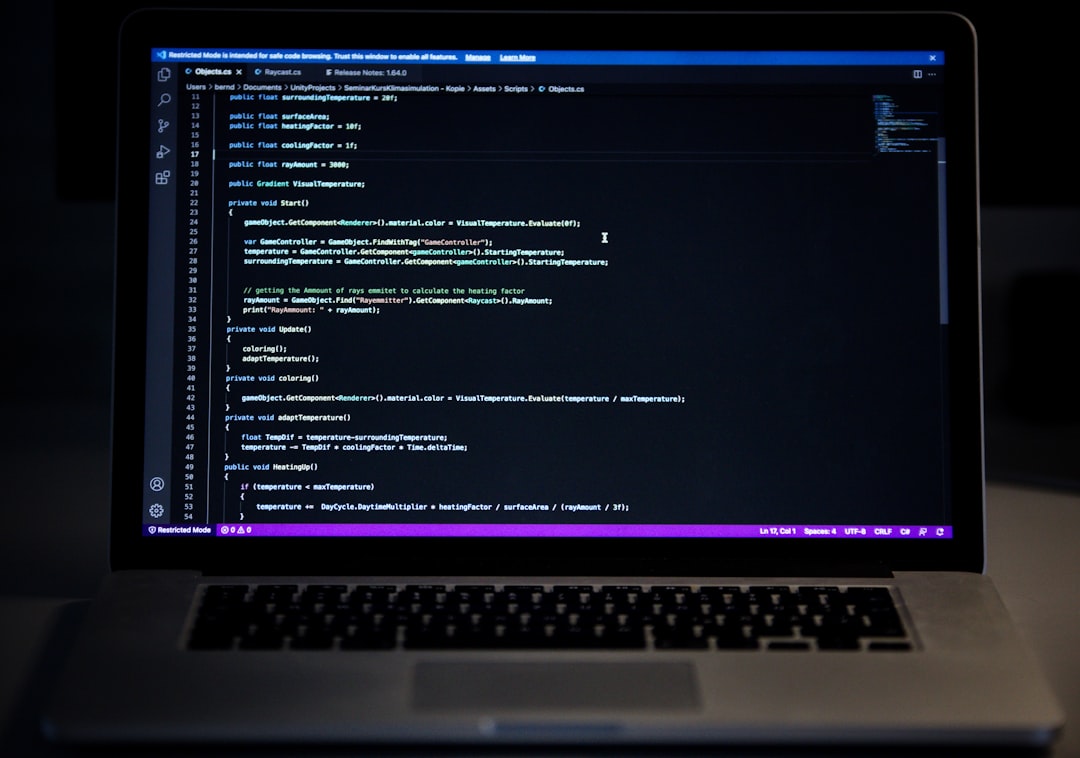
You just Googled how to learn Python for beginners free because you want to code—but not just read about it. You want to see it, feel it, and build it. The good news? In 2026, you can learn Python for free using interactive simulations, AI-powered explanations, and real-time coding labs that align with your CBSE AI curriculum. No downloads. No sign-up. Just open your browser and start experimenting.
Whether you're a Class 9–12 student preparing for CBSE AI or just curious about coding, this guide shows you the fastest way to go from zero to writing your first Python program—using tools that make learning feel like play.
Why This Matters: Python Is the Language of AI—and Your CBSE Future
Python isn’t just another programming language—it’s the backbone of AI, machine learning, and automation. According to the Ministry of Education, India, Python is now a core skill in the CBSE AI curriculum for Classes 9–12 under NCERT. That means if you're in high school today, learning Python isn’t optional—it’s essential for exams like JEE, NEET, and future AI careers.
But here’s the catch: most free Python tutorials are text-heavy. You read about loops, you copy code, you hope it works. What if you could see what your code does in real time? What if every time you wrote a line, an AI tutor explained it like a teacher standing beside you? That’s exactly what interactive Python labs offer—and it’s free in 2026.
Step 1: Start with a Free Python IDE That Feels Like a Game
What Is a Python IDE—and Why Use One Online?
A Python IDE (Integrated Development Environment) is where you write, run, and debug code. In 2026, you don’t need to install anything. You can use a free online Python IDE that runs in your browser. These IDEs often include:
- Real-time code execution
- AI-powered error explanations
- Built-in tutorials and examples
- No setup or installation
For example, platforms like SPYRAL Workbench let you write Python code and see results instantly—perfect for students who want to experiment without fear of breaking things.
How to Use a Free Python IDE for Beginners
- Open the IDE in your browser (no login needed for guest mode).
- Type a simple command, like
print("Hello, CBSE AI!").
- Press Run—you’ll see the output immediately.
- Change the code—try
print(5 + 3) or print("Python is fun!").
- Read the AI explanation that pops up after each run. It tells you what your code did and why.
This hands-on approach turns abstract concepts into something you can touch and see—exactly what the NEP 2020 emphasizes in experiential learning.
Step 2: Learn Python Through Interactive Simulations
Why Simulations Beat Videos or Textbooks
YouTube tutorials show you how to code. Simulations let you be the coder. With an interactive Python lab, you don’t just watch a loop run—you change the loop’s speed, add conditions, and see the result in real time.
For example, imagine simulating a data explorer tool that visualizes how sorting algorithms work. You input a list of numbers, press run, and watch the bars move as the algorithm sorts them. That’s not just learning—it’s feeling the logic.
⚗
Try This Simulation Free
Open the interactive simulation on anAIza School — no download, no signup needed.
Open Simulation →Change the variables yourself — see what happens in real time.
What You Can Simulate with Free Python Labs
- Data Structures: Arrays, lists, stacks—visualize how they grow and shrink.
- Algorithms: Bubble sort, binary search—see them animate step by step.
- AI Concepts: Word embeddings, neural networks—explore how words become vectors.
- Physics & Math: Plot graphs, simulate motion, solve equations.
These aren’t just demos—they’re interactive labs that respond to your input, just like a real experiment. And the best part? They’re aligned with CBSE AI syllabus topics like data handling, algorithms, and AI ethics.
Step 3: Use AI Explanations After Every Simulation
How AI Tutors Explain Code Like a Teacher
After you run a simulation, an AI tutor appears and says:
“You used a for loop to iterate through a list. This loop runs 5 times because the list has 5 items. If you change the list length, the loop runs more or fewer times. Try it!”
This isn’t generic advice—it’s personalized feedback based on your exact code. It’s like having a teacher watching over your shoulder, guiding you when you’re stuck.
In 2026, platforms like SPYRAL AI Workbench offer this feature for free, making it ideal for students preparing for CBSE AI exams or competitive tests like JEE.
AI Quiz Generator CBSE: Test Your Understanding Instantly
Want to check if you’ve really learned Python? Use an AI quiz generator that creates custom quizzes based on your recent simulations. For example:
- “What does this line of code do?”
- “How would you modify this loop to run 10 times?”
- “What’s the output of this function?”
These quizzes adapt to your level—easy when you’re starting, harder as you improve. They’re perfect for CBSE students who need to practice for AI projects or exams.
Step 4: Build Real Projects with No-Code AI Tools
A deep learning playground is a space where you can train simple neural networks without writing complex code. In 2026, these tools are beginner-friendly and visual. You:
- Drag and drop layers (input, hidden, output).
- Adjust parameters like learning rate.
- See the network learn in real time.
- Get AI explanations for each step.
For example, you can train a model to recognize handwritten digits—just like the MNIST dataset. You’ll see the accuracy improve as the model learns, and the AI will explain why certain changes help or hurt performance.
Want to go deeper? Try a reinforcement learning playground. You can train an AI agent to:
- Navigate a maze
- Balance a cart
- Play a simple game
You define the reward system (e.g., “+10 points for reaching the goal, -1 for hitting a wall”), and the AI learns by trial and error. The simulations show the agent’s progress visually—perfect for understanding how AI learns from experience.
Ever wonder how Google understands your search? It uses word embeddings—a way to represent words as numbers so computers can process language. With a word embeddings explorer, you can:
- Input a word (e.g., “king”).
- See its numerical vector.
- Compare it to other words (e.g., “queen”, “man”, “woman”).
- Watch how the vectors change with context.
This isn’t just theory—it’s a hands-on way to understand AI’s “brain.” And it’s available for free in 2026 through interactive Python labs.
Step 5: Use a Data Explorer Tool to Analyze Real Datasets
Why Data Exploration Is a Must-Learn Skill
In the real world, data is messy. A data explorer tool helps you clean, visualize, and analyze datasets—skills that are increasingly important in AI and data science. For example:
- Load a CSV file with student scores.
- Plot a histogram of grades.
- Find the average, median, and mode.
- Use AI to suggest insights (e.g., “Students scored lower in Physics—why?”).
This is exactly what CBSE AI students need to prepare for projects and exams. And it’s all possible with free online tools that run in your browser.
How to Use a Data Explorer Tool for School Projects
- Upload a dataset (e.g., weather data, exam scores).
- Clean the data—remove duplicates, fix missing values.
- Visualize it—create charts, graphs, or maps.
- Ask the AI—“What’s the trend in this data?”
- Export your findings for a school project or report.
No Excel. No heavy software. Just your browser and Python-powered tools.
What If You Changed This? 3 Real Experiments to Try Now
Experiment 1: What If You Change the Loop Condition?
Take this simple loop:
for i in range(5):
    print(i)
Try changing it to:
range(10) → What happens?range(0, 10, 2) → Why does it print even numbers?range(5, 0, -1) → Can you predict the output?
The AI tutor will explain each change in real time. This is how you learn by doing—not by memorizing.
Experiment 2: What If You Modify the Sorting Algorithm?
Run a bubble sort simulation. Now, change the comparison operator from > to <. What happens to the sorted list? The AI will tell you why the order reversed—and how to fix it.
This isn’t just coding—it’s debugging, testing, and understanding logic.
Experiment 3: What If You Feed the AI a Different Dataset?
In a word embeddings explorer, try inputting:
- “apple” vs. “fruit”
- “car” vs. “vehicle”
- “happy” vs. “sad”
Watch how the vectors change. The AI will explain which words are “closer” in meaning. This is how AI understands language—and it’s fascinating to see in action.
Frequently Asked Questions
Can I really learn Python for free in 2026 without installing anything?
Yes! Platforms like SPYRAL Workbench run entirely in your browser. You don’t need to download Python, an IDE, or any software. Just open the link and start coding. It’s perfect for students on school computers with restricted installations.
What’s the best free Python IDE for CBSE Class 11 and 12 students?
The best free Python IDE for CBSE students in 2026 is one that offers AI explanations, CBSE-aligned examples, and no signup. SPYRAL Workbench fits this perfectly—it’s designed for Indian students preparing for AI projects and exams like JEE and NEET.
How can a data explorer tool help me with my AI project for CBSE?
A data explorer tool lets you load real datasets (like student scores or weather data), clean them, visualize trends, and ask the AI for insights. This is exactly what CBSE AI projects require—analyzing data and drawing conclusions. You can even export your findings for your project report.
What is a deep learning playground and how do I use it for free?
A deep learning playground is a visual tool where you can build and train neural networks by dragging and dropping layers. In 2026, platforms like SPYRAL offer free deep learning playgrounds where you can train models to recognize images or predict outcomes—no coding required beyond simple Python commands.
Can I use a reinforcement learning playground to prepare for AI competitions?
Absolutely! A reinforcement learning playground lets you train AI agents to solve problems like navigating mazes or balancing objects. This is great practice for AI competitions and Olympiads. You define the rules, the AI learns by trial and error, and you see the results in real time—perfect for hands-on learning.
Is there an AI quiz generator CBSE that creates tests based on my learning?
Yes! Platforms like SPYRAL include an AI quiz generator that creates custom quizzes based on your recent simulations and code. It adapts to your level and helps you prepare for CBSE AI exams or competitive tests. You can take quizzes on loops, functions, data structures, and more.
How do word embeddings work in a word embeddings explorer?
Word embeddings convert words into numerical vectors so computers can process language. In a word embeddings explorer, you input a word and see its vector. You can then compare it to other words (e.g., “king” and “queen”) and see how close they are in meaning. The AI explains how context affects the vector, making it easier to understand AI’s “understanding” of language.
Do I need to know math to use a Python simulation lab?
Not at all! While math helps in advanced simulations, beginner labs focus on visualizing concepts like loops, lists, and simple algorithms. You can start with basic Python commands and gradually move to math-heavy topics like calculus or physics simulations as you progress. The AI tutor explains the math behind the scenes when needed.
Can I use these free Python tools for my school project submission?
Yes! Many platforms allow you to export your code, simulations, and findings as PDFs or images for project submissions. For example, SPYRAL lets you save your work and generate reports—perfect for CBSE AI project submissions or science fair entries.
Are these simulations better than PhET for learning Python?
PhET is great for physics simulations, but for Python coding, you need interactive code execution and AI explanations—something PhET doesn’t offer. Free Python simulation labs in 2026 combine coding, visualization, and AI tutoring, making them far more effective for learning programming than static simulations.
How does NEP 2020 support learning Python through simulations?
The National Education Policy 2020 emphasizes experiential learning, critical thinking, and interdisciplinary skills. Python simulations align perfectly with NEP’s goals by letting students learn by doing, visualize abstract concepts, and apply AI tools—all of which are encouraged in the new curriculum framework.
Can teachers use these tools in their classrooms for free?
Yes! Many platforms offer free access for teachers, including classroom management features, progress tracking, and curriculum mapping. Teachers can assign simulations, monitor student progress, and generate quizzes—all aligned with CBSE AI syllabus. It’s a game-changer for schools looking to integrate AI and coding into their teaching.
What’s the fastest way to go from beginner to writing my first AI program?
The fastest path is to start with a free Python IDE, run a simple simulation (like a sorting algorithm), and use the AI tutor’s explanations to understand each line. Then, try a deep learning playground to train a simple model. Within an hour, you’ll have written your first AI program—no prior experience needed.
Your 2026 Python Learning Roadmap: From Zero to AI in 4 Weeks
Here’s a simple 4-week plan to go from beginner to confident Python coder using free interactive labs:
| Week |
Focus |
Tools to Use |
Outcome |
| Week 1 |
Python Basics |
Free Python IDE, AI tutor |
Write loops, functions, and simple programs with AI help. |
| Week 2 |
Data & Visualization |
Data explorer tool, AI quiz generator |
Analyze datasets, create charts, and test your understanding. |
| Week 3 |
AI Concepts |
Deep learning playground, word embeddings explorer |
Train a neural network, explore how AI understands language. |
| Week 4 |
Projects & Competitions |
Reinforcement learning playground, CBSE AI project templates |
Build a project, participate in a competition, or prepare for exams. |
Each week builds on the last, and the AI tutor is always there to guide you. By the end of the month, you’ll not only know Python—you’ll feel it.
Final Thoughts: Python Isn’t Just a Language—It’s a Superpower
In 2026, Python is more than a subject in your CBSE AI syllabus—it’s a superpower. It’s the key to AI, automation, and future careers. But learning Python shouldn’t feel like a chore. With free interactive labs, AI explanations, and real-time simulations, you can see your code come alive, feel the logic click, and build projects that impress your teachers and peers.
So stop Googling “how to learn Python for beginners free” and start doing it. Open a free Python IDE, run a simulation, and let the AI tutor guide you. The future of learning isn’t passive—it’s interactive, visual, and fun. And it’s here in 2026.
Ready to Start? Your First Python Lab Awaits
Everything you need to begin is waiting for you—no cost, no setup, just curiosity. Click the link below and write your first line of Python today. The rest will follow.