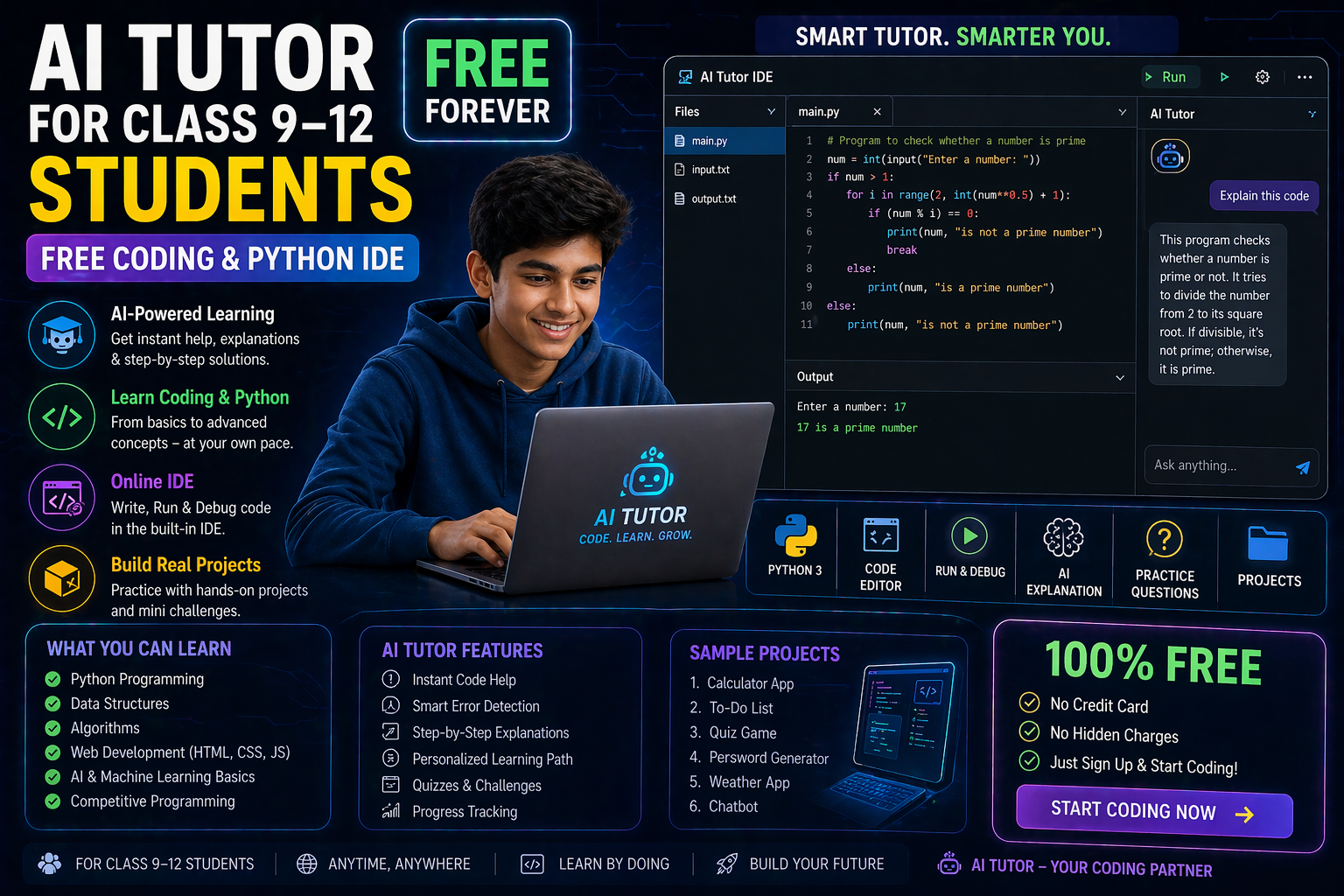
As a CBSE Class 12 student in 2026, mastering Python is no longer optional—it’s essential. Whether you're preparing for board exams, competitive tests, or future tech careers, having a reliable Python IDE online can make all the difference. But finding a free Python IDE online for school students in India that’s both powerful and easy to use? That’s where SPYRAL comes in.
In this guide, we’ll explore why Python is critical for your academic and career growth, what features to look for in an online IDE, and how SPYRAL’s AI Workbench provides a seamless, no-cost solution tailored for Indian students like you.
Why Python Matters for CBSE Class 12 Students in 2026
Python has become a cornerstone of modern education, especially under the NEP 2020 framework, which emphasizes computational thinking and digital literacy. Here’s why Python should be on your radar:
- CBSE Curriculum Integration: Python is now a core part of the Class 12 Computer Science syllabus. Schools across India are adopting it to align with global standards.
- Exam Readiness: From board exams to JEE Main and NEET, Python-based questions are increasingly common. Practicing on a real IDE prepares you better than theoretical learning.
- Future-Proof Skills: Python is the most sought-after programming language in 2026, powering AI, data science, and automation—fields with high career potential.
- Teacher Recommendations: Many educators now advise students to use online IDEs for hands-on practice, especially when physical labs are inaccessible.
But here’s the catch: Not all online IDEs are created equal. Some lack real-time feedback, others are cluttered with ads, and most don’t align with the Indian academic context. That’s why SPYRAL’s free Python IDE online is designed specifically for you.
What to Look for in a Free Python IDE Online for School Students
Choosing the right online Python compiler for school students in India can be overwhelming. Here are the must-have features to consider:
1. Real-Time Code Execution
Your IDE should let you write, run, and debug Python code instantly—without waiting for downloads or installations. This is crucial for quick revisions and exam prep.
2. AI-Powered Feedback
Look for platforms that offer AI-driven suggestions to correct syntax errors, optimize code, and explain concepts. This mimics a personal tutor, helping you learn faster.
3. CBSE-Aligned Examples
Pre-loaded examples based on Class 12 syllabus topics (like data structures, file handling, and OOP) save time and ensure relevance.
4. No Signup Hassles
For students, ease of access is key. A free Python IDE online without mandatory signups lets you start coding immediately—perfect for last-minute revisions.
5. Cloud-Based & Cross-Platform
Access your IDE from any device—laptop, tablet, or even smartphone. No need for high-end hardware; just a browser and internet connection.
6. Privacy & Safety
Ensure the platform complies with data privacy laws (like India’s DPDP Act 2023) and doesn’t store or share your code without consent.
SPYRAL’s AI Workbench checks all these boxes—and more.
Introducing SPYRAL’s Free Python IDE Online for CBSE Class 12
SPYRAL’s AI Workbench is a free Python IDE online built for Indian students, by educators. Here’s what sets it apart:
✅ Instant Python Execution
Write, run, and test your Python scripts in seconds. No installations, no delays—just pure coding power.
✅ AI-Powered Code Assistance
Get real-time feedback on errors, suggestions for improvements, and explanations for complex concepts. Our AI tutor adapts to your learning pace.
✅ CBSE-Focused Content
Access curated Python examples aligned with the Class 12 syllabus, including:
- Data Structures (Lists, Tuples, Dictionaries)
- File Handling (Reading/Writing Files)
- Object-Oriented Programming (Classes, Inheritance)
- Modules and Packages
✅ No Signup Needed
Start coding immediately with guest access. No emails, no passwords—just open the IDE and begin.
✅ Secure & Private
Your code stays yours. SPYRAL doesn’t store or share your data, ensuring complete privacy.
✅ Accessible Anywhere
Use it on your school computer, home laptop, or even your smartphone. All you need is a browser.
Whether you're revising for your boards or exploring Python for the first time, SPYRAL’s IDE is your go-to tool.
How to Use SPYRAL’s Free Python IDE Online (Step-by-Step)
Getting started is as easy as 1-2-3:
Step 1: Open the IDE
Visit SPYRAL AI Workbench in your browser. No downloads, no signups—just click and start.
Step 2: Write Your Python Code
Use the built-in editor to write your Python script. Try simple programs like:
# Example: Hello World in Python
print("Hello, CBSE Class 12!")

# Example: Calculate factorial
num = 5
factorial = 1
for i in range(1, num + 1):
    factorial = factorial * i
print("Factorial of", num, "is", factorial)
Step 3: Run & Debug
Click the "Run" button to execute your code. If there’s an error, the AI assistant will highlight it and suggest fixes. Learn as you code!
Step 4: Save & Share (Optional)
While guest access doesn’t require saving, you can export your code for later use or share it with classmates via email or cloud storage.
That’s it! You’re now coding Python like a pro—without spending a rupee.
Try It Free on SPYRAL
Everything discussed in this article is available for free on SPYRAL AI Workbench. No signup required for guest access — just open it and start learning.
Explore SPYRAL AI Workbench →Why Teachers and Schools Love SPYRAL’s Python IDE
Students aren’t the only ones benefiting. Schools and educators across India are integrating SPYRAL’s free Python IDE online into their teaching workflows:
- Seamless Classroom Integration: Teachers can project the IDE on smart boards and write live code examples during lectures.
- Homework & Assignment Tool: Share IDE links with students for instant practice. No setup required on their end.
- Assessment Made Easy: Evaluate students’ Python scripts in real-time with AI feedback, reducing grading time.
- NEP 2020 Compliance: Aligns with the policy’s focus on experiential learning and digital skills.
- Cost-Effective: No need for expensive lab setups or software licenses. SPYRAL’s IDE runs entirely in the cloud.
Schools using SPYRAL have reported improved student engagement and better exam results in Computer Science. It’s not just a tool—it’s a teaching revolution.
Free Python IDE vs. Traditional Coding Tools: What’s the Difference?
You might be wondering: Why not use offline IDEs like PyCharm or Thonny? While they’re powerful, they come with limitations for school students:
| Feature | Traditional IDE (Offline) | SPYRAL AI Workbench (Online) |
|---|---|---|
| Cost | Free (but may require powerful hardware) | 100% Free, no hardware needed |
| Accessibility | Limited to installed devices | Access from any device with a browser |
| AI Assistance | Limited or requires plugins | Built-in AI tutor for real-time feedback |
| CBSE Alignment | Generic examples | Curated for Class 12 syllabus |
| Setup Time | Requires installation and updates | Instant access, no setup |
For Indian students balancing school, exams, and extracurriculars, an online Python compiler for school students in India like SPYRAL is the smarter choice.
FAQs About Free Python IDE Online for CBSE Class 12 Students
1. Is SPYRAL’s Python IDE really free for Class 12 students?
Yes! SPYRAL’s AI Workbench is completely free to use, with no hidden charges or mandatory signups. You can access it anytime, anywhere.
2. Do I need to install anything to use the IDE?
No installations are required. Just open your browser and start coding. It works on Windows, macOS, Linux, Android, and iOS.
3. Can I use this IDE for my board exam preparation?
Absolutely. The IDE includes CBSE-aligned examples and supports all Class 12 Python topics. Practicing here will give you an edge in your exams.
4. Is my code safe on SPYRAL’s platform?
Yes. SPYRAL prioritizes data privacy and doesn’t store or share your code without your consent. Your work remains confidential.
5. Can teachers use this IDE for classroom teaching?
Yes! Teachers can use SPYRAL’s IDE to demonstrate Python concepts live, assign coding exercises, and provide instant feedback to students.
6. What if I encounter an error I can’t fix?
SPYRAL’s AI assistant will guide you through errors and suggest corrections. You can also refer to the built-in CBSE examples for reference.
Final Thoughts: Code Smarter, Not Harder
In 2026, Python isn’t just a subject—it’s a skill that will define your academic and professional future. With SPYRAL’s free Python IDE online for CBSE Class 12 students, you get a powerful, accessible, and intelligent tool to master Python effortlessly.
No more struggling with installations, no more outdated examples, and no more wasted time. Just pure, AI-powered coding practice—tailored for Indian students.
Ready to transform your Python learning experience? Start coding on SPYRAL AI Workbench today—no signup, no cost, just results.
Your journey to Python mastery begins here.