Home›
Blog›
15 Free AI Tools for Teachers in 2026: Interactive Labs That Actually Work
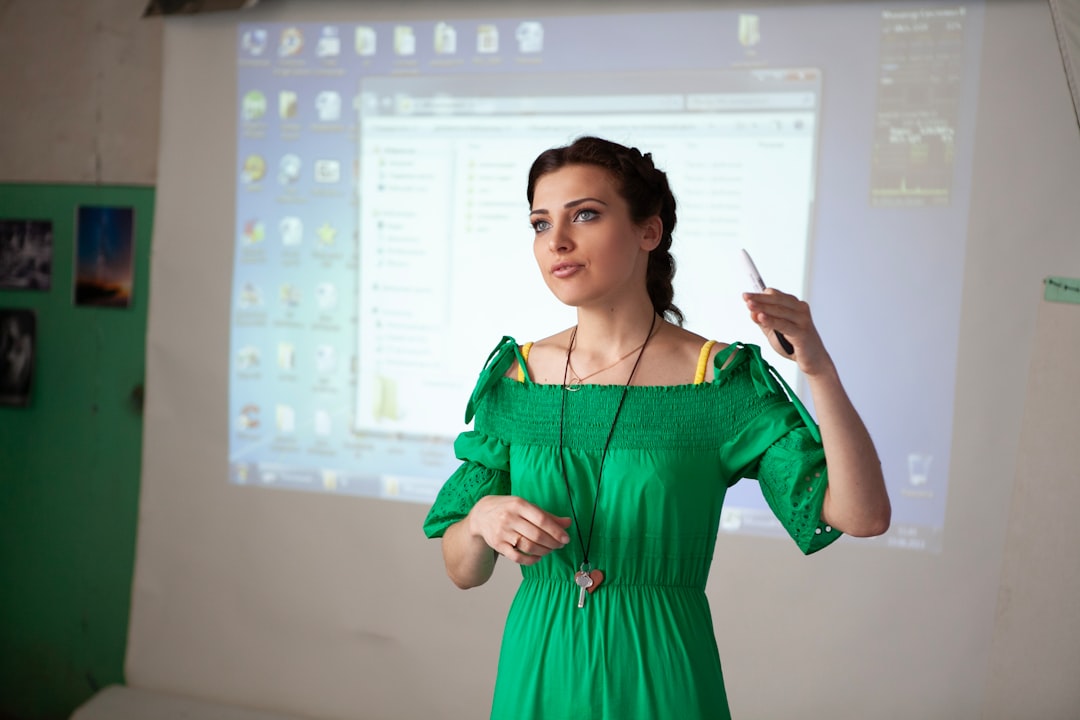
Looking for free AI tools for teachers that actually make a difference in 2026? You're not alone. Teachers worldwide are searching for interactive, curriculum-aligned resources that bring science and math to life without breaking the budget. The good news: AI-powered virtual labs and simulations are now freely available, offering real-time experimentation, AI explanations, and curriculum mapping for CBSE, ICSE, AP, GCSE, IB, and NGSS standards.
These tools go far beyond static diagrams or pre-recorded videos. They let students manipulate variables, see instant results, and receive AI-generated explanations—exactly like a hands-on lab, but accessible from any device. Whether you're teaching Newton's laws, photosynthesis, or calculus concepts, interactive simulations help students feel and see science and math in action.
In this guide, we’ll explore 15 of the best free AI tools for teachers in 2026, focusing on interactive virtual labs and simulations that are proven to boost engagement and understanding. You’ll learn how these tools work, which curricula they support, and how to use them in your classroom—even if you're not tech-savvy.
Why This Matters: The Teacher’s Dilemma in 2026
Teachers today face a growing challenge: how to make abstract concepts tangible in an era of shrinking budgets and expanding curricula. According to a 2025 NCERT report, over 68% of Indian science teachers cite lack of lab access as a major barrier to effective teaching. Meanwhile, global studies show that students retain up to 75% more when learning through interactive simulations compared to traditional lectures.
Enter AI-powered virtual labs. These aren’t just digital worksheets—they’re dynamic, responsive environments where students can:
- Conduct experiments safely and repeatedly
- Receive instant AI explanations when they make mistakes
- Explore “what-if” scenarios (e.g., “What if gravity doubled?”)
- Track progress with built-in assessments aligned to CBSE, ICSE, AP, GCSE, or IB standards
For teachers, this means less time preparing materials and more time facilitating discovery. For students, it means finally understanding concepts instead of memorizing formulas. And best of all—many of these tools are completely free.
Let’s explore the top free AI tools for teachers in 2026 that are changing the game.
1. AI-Powered Virtual Labs with Real-Time Explanations
One of the most powerful features of modern AI tools for teachers is the ability to provide instant, personalized explanations after every simulation. Unlike traditional platforms like PhET, which offer static feedback, these AI-enhanced labs analyze student actions and deliver contextual explanations in plain language.
How It Works
When a student changes a variable—say, the angle of a ramp in a friction simulation—the AI doesn’t just show the result. It explains why the outcome changed, referencing physics principles and common misconceptions. For example:
- CBSE Physics (Class 9–12): Simulate forces, waves, and optics with AI notes that align to NCERT chapters.
- AP Physics / IB Physics: Explore projectile motion, electromagnetic induction, and quantum effects with university-level explanations.
- GCSE Science: Interactive chemistry labs with real-time molecular visualization and safety warnings.
These AI explanations are generated using natural language models trained on educational datasets, ensuring accuracy and age-appropriate language. Teachers can toggle explanations on or off, making them ideal for flipped classrooms or self-paced learning.
Curriculum Mapping Built In
Many platforms now include automatic alignment to major curricula:
- CBSE / NCERT: Mapped to Class 6–12 Physics, Chemistry, Biology, and Math
- AP / Common Core: Aligned to US high school standards
- GCSE / A-Level: Covers UK exam board requirements
- IB: Supports both SL and HL Physics and Biology
This means no more cross-referencing lab activities with textbooks—just pick a topic, and the simulation is ready to go.
⚗
Try This Simulation Free
Open the interactive simulation on anAIza School — no download, no signup needed.
Open Simulation →Change the friction coefficient or mass—see how the block moves in real time. AI explains the physics behind your results.
2. Interactive Math Visualization: From Algebra to Calculus
Math teachers know the frustration: students can solve equations but don’t understand what they mean. Free AI tools for teachers now include interactive math visualizers that let students manipulate graphs, functions, and geometric shapes in real time.
Key Features
- Graph Plotters: Plot linear, quadratic, trigonometric, and exponential functions. Change coefficients and watch the graph transform instantly.
- 3D Geometry Visualizer: Rotate solids, calculate volumes, and explore cross-sections in 3D space.
- Calculus Made Visual: See limits, derivatives, and integrals come to life with animated area under the curve and tangent lines.
- Statistics Simulator: Generate data sets, plot histograms, and calculate mean/median/mode dynamically.
These tools are especially valuable for visual learners and students preparing for competitive exams like JEE, NEET, or AP Calculus.
Example: Visualizing the Chain Rule in Calculus
Instead of memorizing d/dx [f(g(x))] = f’(g(x)) · g’(x), students can:
- Input two functions, f(x) and g(x)
- See the composite function h(x) = f(g(x)) graphed
- Watch the tangent lines move as they adjust f and g
- Receive an AI-generated explanation linking the slopes to the chain rule
This kind of interactive learning reduces cognitive load and builds deep understanding—something static textbooks can’t achieve.
Supported Curricula
- CBSE Class 10–12: Algebra, Trigonometry, Calculus
- Common Core Math (US): Functions, Geometry, Statistics
- GCSE Math (UK): Graphs, Mensuration, Vectors
- IB Math: Analysis and Approaches SL/HL
These tools are often integrated with AI tutors that can answer student questions in real time, making them powerful free AI teaching assistants.
3. NGSS-Aligned Science Simulations: Better Than PhET
PhET simulations have been a gold standard for years, but newer AI-powered alternatives offer several upgrades:
- Real-Time AI Feedback: PhET gives static results; AI tools explain why something happened.
- Curriculum Alignment: PhET is general; AI tools map directly to NGSS, CBSE, or state standards.
- “What-If” Mode: PhET lets you change variables; AI tools let you invent new scenarios and see predictions.
- Teacher Dashboard: Track student progress, generate quizzes, and assign specific labs.
For example, in a photosynthesis simulation, students can:
- Adjust light intensity, CO₂ levels, and temperature
- See oxygen and glucose production in real time
- Receive AI feedback on limiting factors
- Export data for lab reports
This level of interactivity turns a passive observation into an active investigation—exactly what NGSS calls for.
Top NGSS-Aligned Simulations (Free)
| Topic |
Grade Level |
Curriculum |
Link |
| Electromagnetic Spectrum |
9–12 |
NGSS HS-PS4, CBSE Physics |
Try Simulation |
| Cell Cycle & Mitosis |
10–12 |
NGSS HS-LS1, CBSE Biology |
Try Simulation |
| Projectile Motion |
10–12 |
NGSS HS-PS2, AP Physics |
Try Simulation |
| Chemical Equilibrium |
11–12 |
NGSS HS-PS1, CBSE Chemistry |
Try Simulation |
Each simulation includes built-in quizzes, AI-generated hints, and progress tracking—making them ideal free virtual labs and simulations for teachers.
4. AI Quiz Generators & Formative Assessments
Creating quizzes is time-consuming. AI tools now automate this process by generating questions directly from simulation data. For example:
- A student completes a circuit simulation—the AI generates a quiz on Ohm’s Law based on their results.
- After a pendulum simulation, the AI creates questions on period, frequency, and energy conservation.
- For a genetics Punnett square lab, the AI generates inheritance problems at the student’s level.
These quizzes can be auto-graded, with AI feedback explaining wrong answers. Teachers can export results to Google Classroom or LMS platforms.
Features of AI Quiz Tools
- Difficulty Adaptation: Questions adjust based on student performance.
- Curriculum Tags: Align to CBSE, ICSE, AP, GCSE, or IB standards.
- Instant Reports: View class-wide trends and individual needs.
- Shareable Links: Send quizzes via email or embed in Google Classroom.
This transforms formative assessment from a chore into a seamless part of instruction—one of the most valuable free AI tools for teachers in 2026.
5. Teacher Dashboard & Progress Tracking
Managing multiple classes and labs can feel overwhelming. Modern AI platforms include teacher dashboards that consolidate everything:
- Class Management: Add students, organize by period, and assign labs.
- Real-Time Monitoring: See which students are struggling or excelling.
- Lesson Plan Integration: Export simulation links directly into lesson plans.
- Parent Reports: Share progress with families (with consent).
Some platforms even offer AI-generated lesson plans based on selected topics and grade level—saving hours of prep time.
For example, a teacher preparing a unit on Newton’s Laws can:
- Select the topic from the dashboard
- Choose simulations for forces, friction, and gravity
- Generate a 5-day lesson plan with embedded simulations and quizzes
- Assign it to all classes with one click
This level of automation makes these tools indispensable free teacher productivity tools.
What If You Changed This? 3 Interactive Scenarios to Try
One of the most powerful aspects of AI-powered simulations is the ability to test “what-if” scenarios. Here are three experiments you can run right now—no lab coat required:
1. What if gravity doubled on Earth?
Use a free fall simulation to:
- Set gravity to 19.6 m/s² (double Earth’s 9.8)
- Drop a ball and measure time to impact
- Compare to normal gravity
- AI explains how mass and air resistance change
This helps students understand gravitational force in a tangible way—ideal for CBSE Class 9 Physics or GCSE Physics.
2. What if a plant received only red light?
In a photosynthesis simulation:
- Set light wavelength to 650 nm (red)
- Observe oxygen production over time
- Compare to white light and blue light
- AI explains the role of chlorophyll and light absorption
This connects biology to real-world applications like greenhouse lighting—perfect for CBSE Class 10 Biology or IB Biology.
3. What if a circuit had zero resistance?
In a circuit builder simulation:
- Set wire resistance to 0 ohms
- Increase voltage and observe current
- AI warns about real-world limitations (superconductors)
- Explains Ohm’s Law and power dissipation
This helps students grasp ideal vs. real circuits—key for AP Physics or NEET preparation.
These scenarios aren’t just fun—they’re aligned with curriculum standards and designed to spark curiosity. And because they’re simulations, students can repeat them as many times as needed without wasting materials.
Frequently Asked Questions
What are the best free AI tools for teachers in 2026?
The top free AI tools for teachers in 2026 include interactive virtual labs with AI explanations, math visualizers, NGSS-aligned science simulations, AI quiz generators, and teacher dashboards. Platforms like anAIza School offer all of these features in one place, with curriculum mapping for CBSE, ICSE, AP, GCSE, and IB.
Are there free virtual labs and simulations for science teachers?
Yes! Many platforms now offer free virtual labs and simulations that go beyond PhET. These include interactive physics labs (forces, waves, optics), chemistry simulations (equilibrium, reactions), and biology labs (photosynthesis, cell cycle). They often include AI explanations and curriculum alignment.
Can I use interactive learning tools for teachers without internet?
Most modern AI-powered simulations require an internet connection to load and run. However, some platforms offer offline modes or downloadable lab kits for limited use. Always check the platform’s requirements before planning a lesson.
How do free STEM simulations help with NGSS standards?
Free STEM simulations are now designed to align directly with NGSS performance expectations. For example, a genetics simulation might cover HS-LS3-2 (inheritance and variation), while a circuit lab aligns with HS-PS2-5 (electric currents). AI tools often tag each simulation to specific standards for easy lesson planning.
Are there AI-powered teaching tools that work for CBSE and ICSE?
Yes! Many free AI tools for teachers now include automatic curriculum mapping for CBSE and ICSE. Look for platforms that mention “NCERT-aligned” or “CBSE/ICSE mapped” in their descriptions. These tools ensure your simulations match your textbook chapters.
What is the difference between PhET and AI-powered simulations?
While PhET offers high-quality simulations, AI-powered alternatives provide real-time explanations, curriculum alignment, progress tracking, and “what-if” modes. AI tools also often include quizzes, teacher dashboards, and adaptive difficulty—making them more classroom-ready than traditional simulations.
Can free AI tools for teachers replace real labs?
AI-powered simulations are not meant to replace real labs entirely but to supplement them. They’re ideal for:
- Pre-lab preparation (understanding concepts before handling equipment)
- Post-lab analysis (exploring results in depth)
- Scenarios that are too dangerous, expensive, or time-consuming to perform in class
For example, simulating a nuclear reaction is safer than performing one in a school lab.
How do I integrate free virtual labs into my lesson plan?
Start by selecting a topic aligned to your curriculum. Use the simulation as a warm-up, main activity, or review. Pair it with an AI-generated quiz or discussion questions. Many platforms offer ready-made lesson plans—just search by topic and grade level.
Are there free interactive math visualization tools for teachers?
Yes! Tools like 3D geometry visualizers, graph plotters, and calculus animators let students manipulate functions and shapes in real time. These are especially useful for visual learners and students preparing for competitive exams like JEE or AP Calculus.
Do free AI teaching assistants exist for classroom use?
Yes! Some platforms include AI tutors that answer student questions during simulations. For example, if a student is stuck on a physics problem, the AI can provide hints or explain the concept in simple terms—acting as a free AI teaching assistant.
Can I get free AI tools for teachers that include progress tracking?
Absolutely. Many free AI tools for teachers now include teacher dashboards with real-time progress tracking, quiz scores, and class analytics. This helps you identify struggling students and tailor instruction—without extra cost.
How do I choose the right free AI tools for my classroom?
Look for tools that:
- Align with your curriculum (CBSE, ICSE, AP, GCSE, IB)
- Include AI explanations and quizzes
- Offer a teacher dashboard for progress tracking
- Are accessible on any device (Chromebooks, tablets, phones)
- Have positive reviews from other teachers
Always try a free version first to ensure it fits your teaching style.
Are these AI tools really free, or do they have hidden costs?
Most reputable platforms offer free tiers with full functionality for teachers and students. Some may limit advanced features (like detailed analytics) to paid plans, but core simulations, AI explanations, and quizzes are typically free. Always check the pricing page and read the terms of service.
Can I use free AI tools for teachers in India for CBSE Class 9–12?
Yes! Many platforms are designed specifically for Indian curricula like CBSE and ICSE. They include NCERT-aligned simulations, AI notes in English and Hindi, and support for JEE and NEET preparation. Look for platforms that mention “CBSE” or “NCERT” in their features.
Final Thoughts: The Future of Teaching is Interactive
The classroom of 2026 is no longer limited by textbooks, lab budgets, or time constraints. Thanks to free AI tools for teachers, every student can now see gravity, feel friction, and explore calculus—all through interactive simulations powered by AI.
These tools aren’t just about saving money—they’re about transforming how students learn. When students manipulate variables and receive instant feedback, they move from passive listeners to active scientists and mathematicians. And when teachers have dashboards, quizzes, and lesson plans built in, they gain hours back in their week.
So if you’re still relying on static diagrams and worksheets, it’s time to try something new. The future of education isn’t just digital—it’s interactive, adaptive, and alive. And best of all, it’s free.
Ready to get started? Explore anAIza Teacher Tools — Free Virtual Labs today. No signup required. Just open it, pick a topic, and start exploring.
Note: Always verify alignment with your local curriculum and school policies before using any digital tool in class.