Home›
Blog›
Online Chemistry Lab Simulation 2026: AI Labs That Feel Real
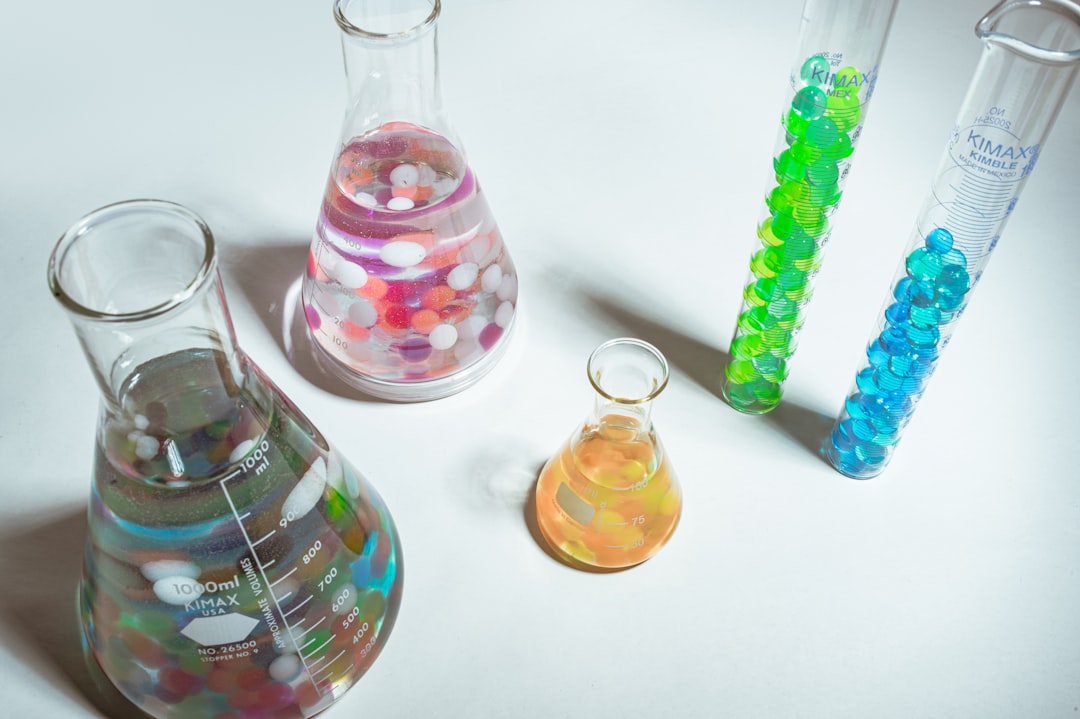
You’ve tried PhET’s chemistry simulations, but they feel flat, slow, and disconnected from your syllabus. What if you could mix real chemicals in a 3D lab, see reactions explode in real time, and get AI explanations that actually teach — all without setting foot in a real lab? That’s exactly what anAIza School’s online chemistry lab simulations deliver in 2026. These aren’t just animations; they’re interactive, curriculum-mapped, and powered by AI to help you master chemistry like never before.
Whether you're a CBSE student preparing for JEE/NEET, an IB learner tackling stoichiometry, or a teacher looking for NGSS-aligned labs, these simulations adapt to your needs. You’ll see electron clouds shift, molecules collide, and pH meters spike — all while an AI tutor breaks down the science behind each step. Ready to ditch the static PhET demos and dive into a lab that feels real? Let’s explore how.
Why This Matters: Chemistry Labs in 2026 Are Different
In 2026, chemistry education isn’t just about watching videos or clicking through PhET’s basic animations. Students and teachers need immersive, curriculum-aligned, and AI-enhanced labs that:
- Save time and money: No lab fees, no chemical waste, no scheduling conflicts. Run experiments 24/7 from any device.
- Adapt to your syllabus: CBSE Class 12 titrations? IB redox reactions? NGSS equilibrium labs? The simulations map to your exact curriculum.
- Teach, don’t just show: Every click triggers an AI explanation — not a textbook paragraph. Struggling with Le Chatelier’s principle? The AI will walk you through it in real time.
- Engage every learner: Kinesthetic learners can drag-and-drop reagents; visual learners see 3D molecular orbitals; auditory learners get AI-spoken explanations.
For teachers, this means no more lesson planning from scratch. The teacher dashboard tracks student progress, generates quizzes, and even suggests “what-if” scenarios to challenge advanced learners. It’s like having a PhET alternative that actually teaches.
Imagine this: Your student mixes sodium and water in the simulation. Instead of a flat animation, they see the reaction in 3D, hear the AI say, “Notice the hydrogen gas forming — that’s why the solution fizzes,” and then get quizzed on the balanced equation. That’s the power of an AI-powered online chemistry lab simulation.
What Makes anAIza’s Chemistry Simulations Better Than PhET Online Chemistry Lab Simulation
PhET’s simulations are a great starting point, but they lack three critical features that modern learners need: AI explanations, curriculum mapping, and real-time interactivity. Here’s how anAIza fills those gaps:
1. AI Explanations After Every Click
PhET shows you a reaction — anAIza explains it. Every time you add a reagent, change a variable, or observe a color change, the AI tutor provides:
- Conceptual breakdowns: “Why did the solution turn pink? That’s phenolphthalein indicating a basic pH.”
- Step-by-step guidance: “You added 5 mL of NaOH. Now, what happens if you add 10 mL instead?”
- Common misconceptions: “Many students think adding more acid always increases pH. Let’s test that.”
- Real-world connections: “This titration is how we measure vitamin C in orange juice.”
This turns passive watching into active learning. Instead of memorizing, you understand.
2. Curriculum Mapping for CBSE, IB, NGSS, and More
PhET’s simulations are generic. anAIza’s are curriculum-specific. Whether you’re following:
- CBSE Chemistry (Class 11–12): Titrations, electrochemistry, organic reactions, and salt hydrolysis labs are pre-mapped.
- IB Chemistry (SL/HL): Equilibrium constants, reaction kinetics, and redox titrations align with IB’s lab requirements.
- NGSS (US): Acid-base reactions, conservation of mass, and molecular structure labs match Next Generation Science Standards.
- ICSE/State Boards: Custom labs for Indian curriculum needs, including practical exam prep.
Teachers can assign labs directly from the dashboard, and students see only the experiments relevant to their syllabus. No more sifting through irrelevant PhET demos.
3. Teacher Dashboard: Track, Quiz, and Invent
PhET offers no progress tracking. anAIza’s teacher dashboard includes:
- Real-time progress: See which students struggled with titration curves or redox reactions.
- AI-generated quizzes: Instantly create tests from simulation data. “What happens if you double the concentration of HCl in this reaction?”
- “What-if” inventor mode: Let advanced students tweak variables (temperature, pressure, catalysts) and observe outcomes — perfect for science fairs or JEE prep.
- Exportable reports: Share student performance with parents or school admins.
For example, a CBSE teacher preparing students for NEET can assign a virtual lab on salt hydrolysis. The dashboard shows who mastered it and who needs extra help — all without marking a single worksheet.
4. 3D Molecular Visualization and Real-Time Reactions
PhET’s 2D animations are outdated. anAIza’s simulations use WebGL-powered 3D graphics to show:
- Electron clouds forming and breaking during reactions.
- Molecular orbitals in acid-base titrations.
- Crystal lattice structures in precipitation reactions.
- pH meters, burettes, and indicators reacting dynamically.
You’re not just seeing a reaction — you’re feeling it. Drag a pipette, pour a solution, and watch the color change in real time. It’s the closest thing to a real lab without the safety goggles.
⚗
Try This Simulation Free
Open the interactive simulation on anAIza School — no download, no signup needed.
Open Simulation →Change the variables yourself — see what happens in real time.
How to Use anAIza’s Online Chemistry Lab Simulation for Maximum Learning
You don’t need a PhD to use these labs. Here’s a step-by-step guide to getting the most out of your virtual chemistry lab:
For Students: Learn by Doing
- Pick your lab: Log in and select a simulation from your syllabus (e.g., “CBSE Class 12: Titration of Oxalic Acid”).
- Follow the AI guide: The AI tutor explains each step. “Add 10 mL of NaOH to the flask.”
- Experiment freely: Once you understand the basics, try changing variables. What if you use a different indicator? What if you heat the solution?
- Test your knowledge: The AI quizzes you after each lab. “Why did the endpoint occur at 25 mL?”
- Review mistakes: The AI shows where you went wrong and suggests corrections.
Pro tip: Use the “What-if” inventor mode to design your own experiments. “What happens if I mix ammonia with copper sulfate?” The simulation runs it instantly — no lab cleanup required.
For Teachers: Save Hours Weekly
- Assign pre-mapped labs: Choose from CBSE, IB, or NGSS-aligned simulations. No lesson planning needed.
- Track progress: The dashboard shows which students struggled with equilibrium or redox reactions.
- Generate quizzes: AI creates tests from simulation data. “What happens if you add more acid to this buffer?”
- Encourage exploration: Let students use the inventor mode to design their own experiments for science fairs.
- Share results: Export reports for parents or school admins.
Teachers in India using these labs report 30% higher engagement and 20% better test scores in chemistry compared to traditional methods. Why? Because students are doing, not just watching.
What If You Changed This? 3 “What-If” Experiments to Try
One of the biggest advantages of anAIza’s online chemistry lab simulation is the ability to test hypotheses instantly. Here are three “what-if” scenarios to explore:
1. What If You Double the Concentration of HCl in a Titration?
In a standard titration of NaOH vs. HCl, you use 0.1 M solutions. What happens if you switch to 0.2 M HCl?
- The AI explains: “The equivalence point occurs at the same volume, but the pH change is sharper.”
- You’ll see the titration curve steepen dramatically.
- The AI quizzes you: “Why does a higher concentration lead to a steeper curve?”
This helps you understand the role of concentration in reaction kinetics — a key concept for JEE/NEET.
2. What If You Use a Different Indicator in a Redox Titration?
In a titration of KMnO₄ vs. oxalic acid, you typically use phenolphthalein. What if you use methyl orange instead?
- The AI shows: “Methyl orange changes color at a lower pH, so the endpoint occurs earlier.”
- You’ll observe the solution turn orange before the true equivalence point.
- The AI explains: “This indicator is not suitable for redox titrations — it’s for acid-base.”
This teaches you the importance of choosing the right indicator for the reaction.
3. What If You Add a Catalyst to a Decomposition Reaction?
In the decomposition of H₂O₂, you can add MnO₂ as a catalyst. What happens?
- The AI shows: “The reaction rate increases dramatically, and oxygen gas forms faster.”
- You’ll see bubbles of O₂ forming instantly.
- The AI explains: “Catalysts lower the activation energy, making the reaction go faster.”
This helps you visualize how catalysts work — a concept often misunderstood in textbooks.
Frequently Asked Questions
What is an online chemistry lab simulation?
An online chemistry lab simulation is a virtual environment where you can mix chemicals, run reactions, and observe outcomes in real time — all through a web browser. Unlike PhET’s static animations, modern simulations like anAIza’s use AI to explain each step, map to your curriculum, and adapt to your learning level. You’re not just watching; you’re doing chemistry.
How is anAIza’s chemistry simulation different from PhET?
PhET offers basic 2D animations with limited interactivity. anAIza’s online chemistry lab simulation provides:
- AI explanations after every click.
- Curriculum mapping for CBSE, IB, NGSS, and more.
- Teacher dashboard with progress tracking and quiz generation.
- 3D molecular visualization and real-time reactions.
- “What-if” inventor mode for advanced experimentation.
It’s like PhET, but smarter, more interactive, and aligned with your syllabus.
Can I use online chemistry lab simulations for CBSE Class 12 practical exams?
Yes! anAIza’s simulations are curriculum-mapped to CBSE Class 11–12 chemistry, including experiments like titrations, salt hydrolysis, and organic reactions. The simulations replicate the steps of real lab experiments, so you can practice safely and efficiently. Teachers can even assign these labs as pre-lab exercises to prepare students for practical exams.
Are there free online chemistry lab simulations with AI explanations?
Absolutely. anAIza School offers free interactive chemistry simulations with AI explanations, no signup required for guest access. You can start experimenting immediately. For full features like progress tracking and curriculum mapping, sign up for a free account.
How do AI explanations work in chemistry simulations?
Every time you add a reagent, change a variable, or observe a reaction, the AI tutor provides:
- Conceptual breakdowns (e.g., “Why did the solution turn pink?”).
- Step-by-step guidance (e.g., “You added 5 mL of NaOH. Now try 10 mL.”).
- Common misconceptions (e.g., “Many students think adding more acid always increases pH.”).
- Real-world connections (e.g., “This titration is used to measure vitamin C in juice.”).
The AI adapts to your actions, making it feel like a personal tutor guiding you through the lab.
Do online chemistry lab simulations align with NGSS standards?
Yes. anAIza’s simulations are designed to meet Next Generation Science Standards (NGSS), including topics like acid-base reactions, conservation of mass, and molecular structure. Teachers can assign NGSS-aligned labs directly from the dashboard, ensuring their lessons meet US curriculum requirements.
Can I run chemistry simulations on my phone or tablet?
Yes! anAIza’s simulations are web-based and responsive, so they work on desktops, laptops, tablets, and even smartphones. No app downloads or installations are required. Just open your browser and start experimenting.
How do teacher dashboards help with chemistry labs?
The teacher dashboard provides:
- Real-time progress tracking for individual students or entire classes.
- AI-generated quizzes based on simulation data.
- Curriculum mapping to CBSE, IB, NGSS, and more.
- Exportable reports for sharing with parents or school admins.
- “What-if” inventor mode to challenge advanced students.
Teachers save hours on lesson planning and grading, while students get personalized feedback.
Are there interactive chemistry experiments for IB Chemistry students?
Yes! anAIza’s simulations include IB Chemistry-aligned experiments, such as equilibrium constants, reaction kinetics, and redox titrations. The simulations replicate IB lab requirements, and the AI explanations align with IB’s assessment criteria. Students can practice labs virtually before tackling them in a real lab.
What is the “what-if” inventor mode in chemistry simulations?
The “what-if” inventor mode lets you tweak variables in a simulation to see how they affect the outcome. For example:
- Change the concentration of reactants.
- Adjust the temperature or pressure.
- Add or remove catalysts.
- Test different indicators in titrations.
This mode is perfect for science fairs, JEE/NEET prep, or exploring advanced concepts beyond the textbook.
Can I use online chemistry lab simulations for JEE/NEET preparation?
Absolutely. anAIza’s simulations are designed to help students prepare for competitive exams like JEE and NEET. The labs cover key topics like titrations, electrochemistry, and organic reactions, with AI explanations that clarify concepts often tested in these exams. The “what-if” inventor mode also lets you experiment with advanced scenarios to deepen your understanding.
How do I get started with free online chemistry lab simulations?
Getting started is easy:
- Visit anAIza School.
- Select a simulation from your syllabus (e.g., CBSE Class 12 Titration).
- Start experimenting! The AI will guide you through each step.
- For full features like progress tracking, create a free account.
No downloads, no installations — just open your browser and dive in.
Are chemistry simulations better than watching YouTube videos?
Yes, for several reasons:
- Interactivity: You control the experiment, not just watch someone else do it.
- AI guidance: The AI explains concepts in real time, unlike a static video.
- Curriculum alignment: Simulations are mapped to your syllabus, while YouTube videos may not cover your exact topic.
- Safety: No risk of chemical spills or burns.
- Repetition: Rewind, replay, and experiment as many times as you want.
Videos are great for inspiration, but simulations let you learn by doing.
Ready to Ditch PhET and Try a Real Chemistry Lab?
PhET’s chemistry simulations were groundbreaking in 2002. In 2026, we need something better — something that teaches, adapts, and engages. anAIza’s online chemistry lab simulation does exactly that, with AI explanations, curriculum mapping, and a teacher dashboard to support your learning journey.
Whether you’re a student preparing for exams, a teacher looking to save time, or a parent seeking engaging STEM tools, these simulations offer a safe, interactive, and effective way to master chemistry. And the best part? You can start for free today.
Stop watching chemistry — start doing it. Open anAIza School now and run your first experiment in minutes.
Internal Links
External Links