Home›
Blog›
Heart FreePik Alternatives: Interactive Biology Simulations for Class 9–12 (2026)
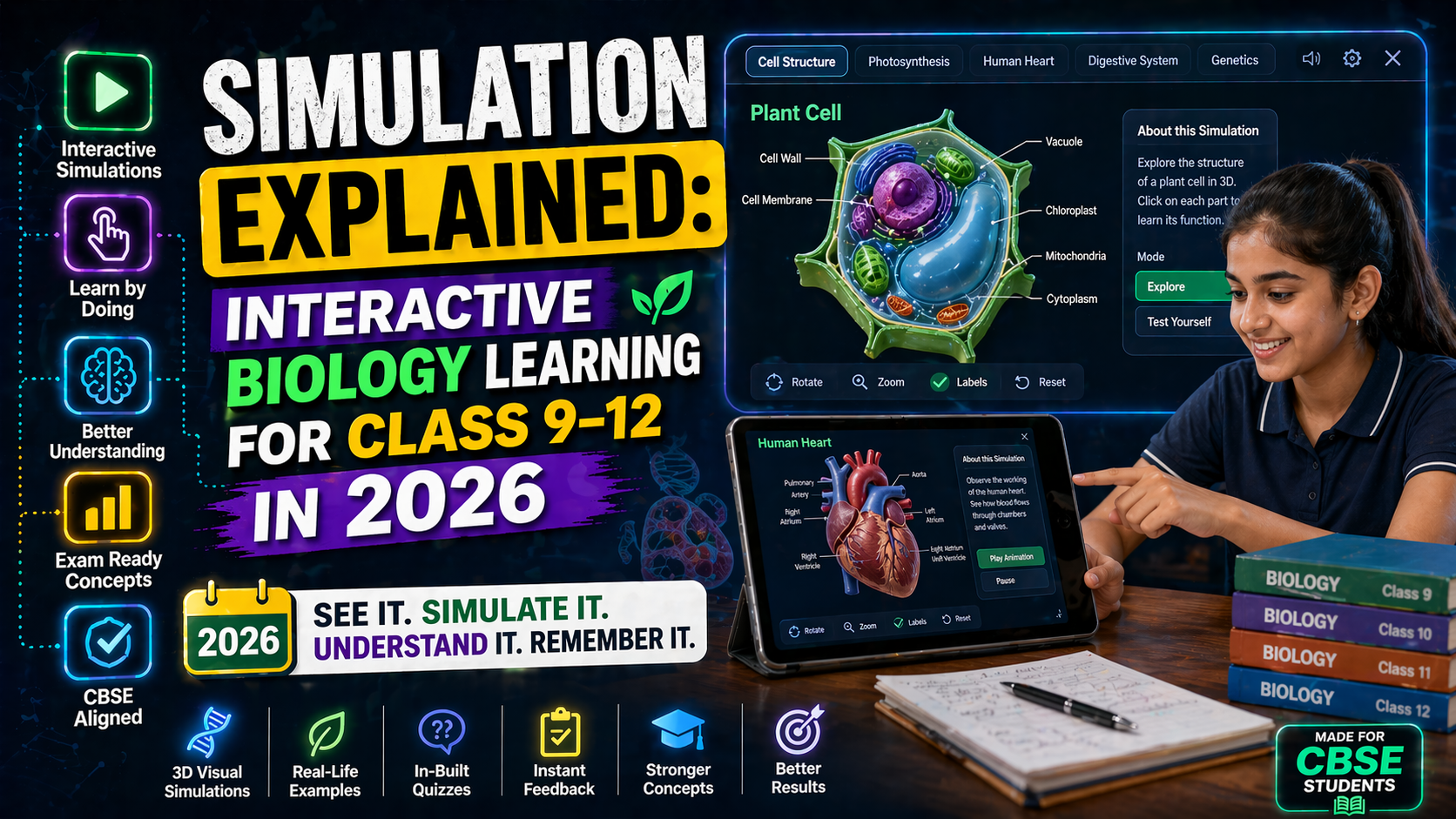
If you’ve ever Googled ‘heart freepik’ hoping to find a clear, interactive way to visualize the human heart or other biology concepts, you’ve likely ended up with static images that don’t help you see how things work. In 2026, biology isn’t just about memorizing diagrams — it’s about interacting with them. That’s why platforms like SPYRAL AI Workbench are transforming how students in Class 9–12 (CBSE, ICSE, IGCSE, IB) learn biology — with real-time simulations that respond to your input, AI explanations that adapt to your questions, and curriculum-aligned labs that go far beyond what FreePik or even PhET can offer.
Whether you're studying the human heart, cell division, or ecosystem dynamics, these simulations let you change variables, see results instantly, and understand cause and effect — the way science was meant to be learned. And unlike static images, they work on any device, don’t require downloads, and include AI-powered explanations that feel like having a tutor in the room.
Why This Matters for Students and Teachers in 2026
In India, the NCERT and NEP 2020 emphasize experiential learning, critical thinking, and interdisciplinary understanding. But many schools still rely on outdated images, videos, or even worse — rote memorization. That’s where interactive simulations come in.
For students preparing for CBSE Class 10 Science, Class 11 Biology, or competitive exams like NEET, understanding concepts like membrane transport, mitosis, or the Krebs cycle isn’t just academic — it’s foundational. And for teachers, creating engaging lessons that meet NEP 2020’s ‘learning by doing’ mandate can be time-consuming. That’s why tools like SPYRAL’s AI-powered simulations are becoming essential — they turn abstract concepts into tangible, explorable experiences.
Imagine a student adjusting the oxygen level in a membrane transport simulation and watching how it affects diffusion across a cell membrane — in real time. Or a teacher demonstrating epidemic spread by simulating a virus outbreak in a virtual classroom. These aren’t just animations; they’re interactive labs that respond to user input, just like a real experiment.
And unlike FreePik’s static heart diagrams, these simulations let you rotate, zoom, dissect, and even break the system to see what happens — perfect for visual learners and kinesthetic thinkers alike.
Membrane Transport Simulation: See Molecules Move in Real Time
What Is Membrane Transport?
Membrane transport refers to how substances like water, ions, and nutrients cross the cell membrane. It includes passive processes like diffusion and osmosis, and active processes like active transport and endocytosis. Understanding this is crucial for topics like homeostasis, kidney function, and even drug delivery in medicine.
But how do you see diffusion happen? On a static diagram, it’s just arrows. In a membrane transport simulation, you can:
- Adjust the concentration gradient between two sides of a membrane.
- Change the size and charge of molecules to see which pass through.
- Watch osmosis in action as water moves toward higher solute concentration.
- Simulate a cell in a hypertonic, hypotonic, or isotonic solution and observe the result.
This isn’t just visualization — it’s experimentation. And it’s exactly the kind of interactive learning that NCERT Biology textbooks encourage but rarely provide.
Why Use a Simulation Instead of a Diagram?
Static images can’t show time, direction, or cause and effect. A simulation lets you:
- Pause, rewind, and replay the process.
- See how changing one variable (like temperature or molecule size) affects the outcome.
- Get instant feedback from AI explanations that explain why the result happened.
For example, in a membrane transport simulation, you might notice that oxygen diffuses faster than glucose — and the AI will explain that it’s because oxygen is smaller and nonpolar. That kind of insight turns memorization into understanding.
And for teachers, it’s a way to meet NEP 2020’s competency-based learning goals without needing a full wet lab.
⚗
Try This Simulation Free
Open the interactive simulation on anAIza School — no download, no signup needed.
Open Simulation →Change the concentration, molecule type, or temperature — watch diffusion and osmosis unfold in real time.
Meiosis and Mitosis Simulation: Divide and Conquer Biology
Understanding Cell Division Through Interaction
Cell division — specifically mitosis (for growth and repair) and meiosis (for reproduction) — is one of the most challenging topics in Class 10 and 11 Biology. Students often confuse the stages, misremember the number of chromosomes, or fail to grasp why meiosis results in genetic diversity.
A meiosis mitosis simulation changes that. Instead of staring at a textbook diagram of prophase, metaphase, and anaphase, students can:
- Step through each phase at their own pace.
- Rotate the cell to see the spindle fibers and chromosomes from all angles.
- Simulate errors like nondisjunction and see how it leads to conditions like Down syndrome.
- Compare mitosis and meiosis side by side — in 3D.
This kind of interactive exploration helps students internalize the process rather than just recall it for an exam. And with AI explanations built in, they get instant clarification on tricky concepts like crossing over or the difference between diploid and haploid cells.
How Simulations Help Teachers
Teachers can use a mitosis simulation to:
- Demonstrate the stages in class with a projector.
- Assign students to explore and answer questions like: “What would happen if spindle fibers didn’t form?”
- Use the AI’s quiz generator to create auto-graded assessments.
This aligns with NEP 2020’s focus on inquiry-based learning and reduces the burden of preparing physical models or slides.
And unlike a YouTube video, a simulation lets students pause, rewind, and experiment — making it ideal for both classroom and self-study.
Epidemic Spread Simulation: Model Outbreaks Like a Scientist
Why Epidemic Modeling Matters in Biology
Understanding how diseases spread isn’t just for public health officials — it’s a core concept in biology that connects to evolution, immunity, and even ecology. But how do you teach R naught (R₀), herd immunity, or exponential growth without a real outbreak?
An epidemic spread simulation lets students:
- Set parameters like infection rate, recovery time, and vaccination coverage.
- Watch how a disease moves through a virtual population in real time.
- See the impact of interventions like masks, social distancing, or vaccines.
- Explore “what if” scenarios: What if 30% of the population is vaccinated? What if the virus mutates to be more contagious?
This isn’t just theoretical — it’s applied epidemiology. And it’s especially relevant in post-COVID classrooms, where students are curious about how pandemics work.
Connecting to Real-World Biology
Students can relate this to topics like:
- Antigenic drift in influenza viruses.
- How vaccines train the immune system.
- The role of vectors in disease transmission (e.g., mosquitoes in malaria).
With AI explanations, they can also learn about herd immunity thresholds and why vaccination isn’t just about personal protection — it’s about community health.
This kind of simulation turns a passive lecture into an active investigation — perfect for meeting NEP 2020’s emphasis on experiential learning.
Krebs Cycle Simulator: Run the Cell’s Powerhouse in 3D
What Happens in the Krebs Cycle?
The Krebs cycle (also called the citric acid cycle) is the central metabolic pathway that generates energy for cells. It’s a series of chemical reactions that take place in the mitochondria, converting pyruvate into CO₂, NADH, FADH₂, and ATP.
But for many students, it’s just a confusing cycle of arrows on a page. A Krebs cycle simulator changes that by letting students:
- Step through each reaction, seeing the substrates and products form.
- Adjust the availability of oxygen or glucose to see how it affects the cycle.
- Visualize the connection between glycolysis, the Krebs cycle, and the electron transport chain.
- See how inhibitors (like cyanide) or activators (like ADP) regulate the cycle.
This kind of interactive visualization helps students understand not just the steps of the cycle, but the purpose behind them — why ATP production matters, how NADH fuels the electron transport chain, and why oxygen is essential for aerobic respiration.
Why Simulations Beat Textbooks for Metabolic Pathways
Textbooks often present the Krebs cycle as a static diagram with labels like “NAD⁺ → NADH” — but they don’t show the energy flow, the enzyme involvement, or the real-time consequences of a blockage.
A simulation lets students:
- Pause at any step to see the molecular structure.
- Get AI-generated explanations for why each reaction happens (e.g., “This is a redox reaction where NAD⁺ gains electrons”).
- Simulate a defect (like a missing enzyme) and observe the cascade effect.
This turns a memorization-heavy topic into an exploratory journey — ideal for students preparing for NEET or A-Level Biology.
Food Web Simulator: Build and Break Ecosystems
From Food Chains to Dynamic Ecosystems
Ecosystems aren’t static chains — they’re complex, interconnected networks where energy flows and populations fluctuate. A food web simulator lets students build their own virtual ecosystems and see how changes ripple through the system.
For example, students can:
- Add or remove species (producers, herbivores, carnivores, decomposers).
- Adjust environmental factors like sunlight, water, or temperature.
- Introduce invasive species or pollutants and observe the impact.
- See how keystone species (like wolves in Yellowstone) shape the entire ecosystem.
This isn’t just a diagram — it’s a living model of ecological principles. And it helps students understand concepts like trophic levels, energy transfer efficiency, and succession in a way that static images never could.
Connecting to CBSE and NEP 2020
This aligns perfectly with CBSE Class 10 Science (Chapter 14: Our Environment) and Class 12 Biology (Ecosystems). It also supports NEP 2020’s focus on environmental education and sustainability.
Teachers can use a food web simulator to:
- Assign group projects where students design a sustainable ecosystem.
- Run virtual field trips to explore biomes like rainforests or coral reefs.
- Discuss real-world issues like deforestation, overfishing, or climate change.
And with AI explanations, students can get instant answers to questions like: “Why do food webs rarely have more than five trophic levels?” or “What happens if decomposers disappear?”
Interactive Heart Anatomy: Beyond FreePik’s Static Diagrams
Let’s circle back to the original search: ‘heart freepik’. If you’ve ever downloaded a heart diagram from FreePik, you know it’s a static image — useful for presentations, but not for learning. A real heart is a dynamic organ: it pumps, it adapts, it responds to exercise, stress, and disease.
An interactive heart anatomy simulation lets you:
- Rotate the heart to see chambers, valves, and vessels from all angles.
- Simulate a heartbeat and watch how electrical signals (SA node, AV node, Purkinje fibers) trigger contractions.
- Adjust blood pressure, heart rate, or oxygen levels to see the effect on circulation.
- Explore common conditions like arrhythmias, heart attacks, or valve defects.
This isn’t just anatomy — it’s physiology in action. And it’s exactly what students need to understand topics like:
- Double circulation in humans.
- How the heart responds to exercise (cardiac output, stroke volume).
- The role of the autonomic nervous system in heart rate regulation.
For teachers, it’s a way to bring the NCERT Class 11 Biology syllabus to life without needing a cadaver lab. And for students, it’s a chance to see the heart beat — not just memorize its parts.
⚗
Try This Simulation Free
Open the interactive simulation on anAIza School — no download, no signup needed.
Open Simulation →Rotate the heart, simulate a heartbeat, and adjust variables to see how circulation changes in real time.
If you’ve ever felt frustrated by static images or outdated labs, it’s time to experience biology the way it was meant to be learned — interactively. Whether you’re a student preparing for exams, a teacher looking for engaging lessons, or a parent supporting your child’s learning, interactive simulations offer a way to see, touch, and experiment with science.
And the best part? You don’t need to download anything or sign up for a trial. Just open your browser, visit SPYRAL AI Workbench, and start exploring. From membrane transport to heart anatomy, these simulations bring biology to life in ways that FreePik’s static diagrams never could.