Home›
Blog›
Free Lesson Plan Generator AI 2026: Build Smart Lessons in Minutes
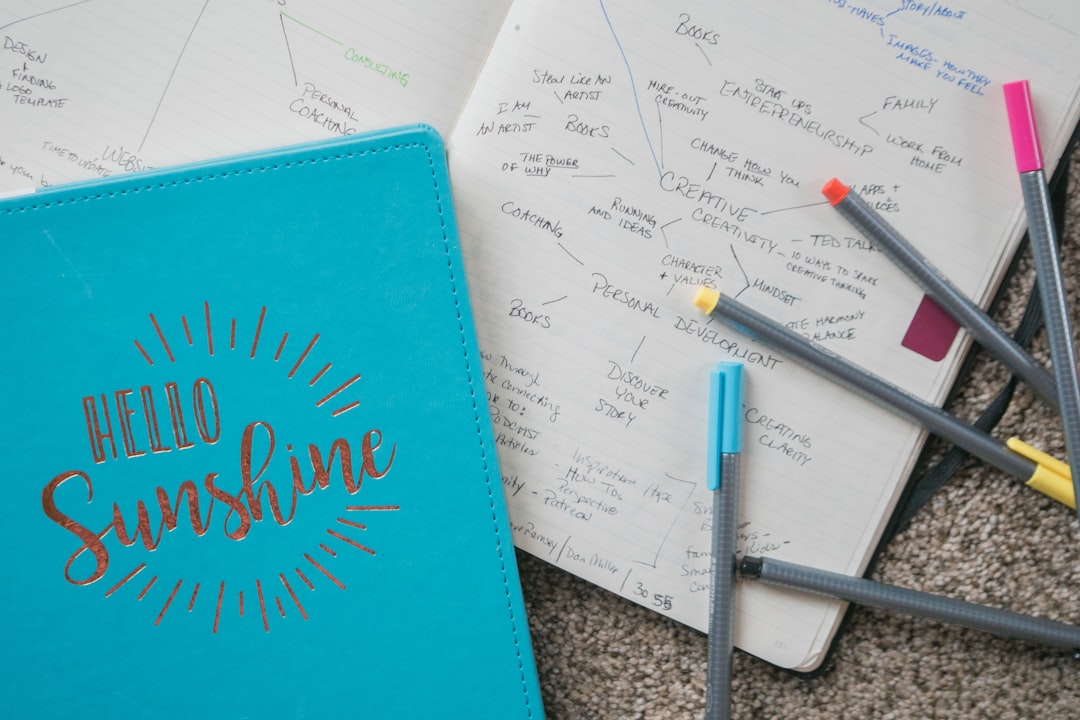
You’re staring at a blank lesson plan template at 11:30 PM, knowing you have to cover Newton’s Laws tomorrow. Again. You’ve done this before—same slides, same worksheet, same yawns. But what if you could generate a full lesson plan in seconds, tailor it to your class’s level, and even get an AI grading assistant to auto-grade quizzes? That’s exactly what a free lesson plan generator AI does in 2026—and it’s changing classrooms worldwide.
In this guide, we’ll show you how AI-powered lesson planning works, how it integrates with student progress tracking software free tools, and how it can even act as an AI grading assistant for teachers—all without cost. You’ll see real simulations in action, learn how to customize lessons for CBSE, ICSE, or any curriculum, and discover why teachers who switch to AI lesson builders save over 10 hours a week. Ready to stop reinventing the wheel? Let’s go.
Why This Matters: The Teacher’s Time Crisis in 2026
Teachers today are expected to do more than teach—they must innovate, assess, differentiate, and document. According to a 2025 Ministry of Education report, Indian teachers spend an average of 12–15 hours weekly on lesson planning, grading, and administrative tasks. That’s time away from students, creativity, and professional growth.
Enter AI tools for teachers free. These aren’t just chatbots—they’re intelligent co-planners. They generate lesson outlines, suggest real-time simulations, auto-create quizzes, and even track how each student is performing. Imagine finishing your Sunday night prep in 10 minutes—and actually getting sleep. That’s the power of a free lesson plan generator AI.
And it’s not just about saving time. With India’s NEP 2020 emphasizing experiential learning, AI tools help you embed interactive labs, virtual dissections, and real-time data explorers into every lesson—without needing a physical lab. Whether you teach in Delhi, Mumbai, or a rural school in Bihar, AI levels the playing field.
How a Free Lesson Plan Generator AI Actually Works Try It Live
⚗
Try This Simulation Free
Open the interactive simulation on anAIza School — no download, no signup needed.
Open Simulation →Change the variables yourself — see what happens in real time.
1. Input Your Curriculum & Learning Goals
Start by selecting your curriculum: CBSE, ICSE, IGCSE, Common Core, or state boards. Then, type in your topic—say, Photosynthesis (CBSE Class 10)—and the AI scans the syllabus, extracts key concepts, and maps them to learning outcomes using Bloom’s Taxonomy.
For example, instead of just listing “Explain photosynthesis,” the AI might generate:
- Remember: Define chlorophyll and stomata.
- Understand: Explain the light-dependent and light-independent reactions.
- Apply: Predict how a plant’s growth changes under red vs. blue light.
- Analyze: Compare photosynthesis in C3 vs. C4 plants.
- Evaluate: Debate whether artificial photosynthesis could solve climate change.
This isn’t generic—it’s curriculum-mapped and ready for your class.
2. AI Generates a Full Lesson Structure (Including Simulations)
The AI doesn’t just write text—it builds a multi-modal lesson. For each learning outcome, it suggests:
- A short animated video or interactive diagram.
- A virtual lab (like a Photosynthesis Simulation where students adjust light intensity and CO₂ levels and watch oxygen bubbles form in real time).
- A formative quiz with instant feedback.
- Extension questions for advanced learners.
All aligned to your textbook and exam pattern. You can edit, rearrange, or add your own notes—no coding required.
3. Student Progress Tracking Software Free Integration
Here’s where it gets powerful: the AI doesn’t just create the lesson—it tracks how students engage with it. Every click, every simulation variable change, every quiz attempt is logged. You get a live dashboard showing:
- Which students struggled with the light-dependent reaction?
- Who mastered the concept quickly and needs enrichment?
- What misconceptions are common? (e.g., “Students think chlorophyll absorbs all light equally.”)
This is student progress tracking software free—no expensive LMS required. You can export reports, share with parents, or use them for parent-teacher meetings.
4. AI Grading Assistant for Teachers: Auto-Grade Quizzes & Labs
Grading quizzes is the bane of every teacher’s existence. But with an AI grading assistant for teachers, it’s automatic. The AI:
- Generates multiple-choice, short-answer, and diagram-labeling questions.
- Auto-grades them with explanations for wrong answers.
- Flags students who need help—so you can intervene early.
Even better: it grades interactive lab reports. For example, if a student runs a Free Fall Simulation and records data, the AI checks their calculations, units, and conclusions—just like a human teacher would.
5. Classroom Engagement Tools AI: Keep Students Hooked
AI doesn’t just plan—it makes learning interactive. With classroom engagement tools AI, you get:
- Live polls: “What color light do you think is best for photosynthesis?” Students vote in real time.
- Real-time simulations: Adjust gravity, friction, or magnetic fields and watch physics come alive.
- AI-generated “what-if” scenarios: “What if Earth’s gravity doubled? How would your jump change?”
- Student-driven labs: Let learners tweak variables and discover patterns—no scripted steps.
This turns passive listening into active discovery—exactly what NEP 2020 calls for.
Real-World Example: A Full AI-Generated Lesson Plan (CBSE Class 10 Science)
Let’s walk through a complete example using a free lesson plan generator AI for CBSE Class 10: Life Processes – Photosynthesis.
Step 1: Input Topic & Curriculum
You type: “Photosynthesis, CBSE Class 10, Chapter 6.” The AI pulls the NCERT syllabus and identifies key concepts: chlorophyll, stomata, light-dependent reactions, Calvin cycle, factors affecting photosynthesis.
Step 2: AI Generates the Lesson Plan
The AI outputs a 45-minute lesson plan with:
- Engage (5 min): A 60-second animated video showing a plant growing under sunlight.
- Explore (10 min): Students interact with a Photosynthesis Simulation where they:
- Change light color (red, blue, green).
- Adjust CO₂ concentration.
- Observe oxygen bubble formation.
- Explain (15 min): AI-generated notes with diagrams and voiceover.
- Elaborate (10 min): Students answer formative questions like: “Why do most plants appear green?”
- Evaluate (5 min): 5-question quiz auto-graded by AI.
Step 3: Student Progress Tracking in Action
As students interact with the simulation, the AI logs:
- Student A changed light color 8 times and got 4/5 quiz questions right.
- Student B only tried red light and got 2/5 wrong—likely a misconception about wavelength.
- Student C explored all variables and answered all questions correctly.
You see this on your dashboard and decide to pair Student A and B for peer learning.
Step 4: AI Grading Assistant for Teachers
The AI grades the quiz instantly and generates a report:
- Common wrong answer: “Chlorophyll absorbs all colors of light equally.”
- Suggested intervention: Show a spectrum simulation and ask students to predict absorption.
You export this report for your next parent-teacher meeting.
Step 5: Save & Share
You save the lesson as a PDF, share it with your HOD, and even export it to Google Classroom or Microsoft Teams—all in one click.
Total time spent: 12 minutes. Total value delivered: a highly engaging, differentiated, data-informed lesson.
What If You Changed This? 3 AI-Powered “What-If” Scenarios
One of the most powerful features of AI lesson planning is the ability to experiment with your teaching. Here are three real “what-if” scenarios you can try today—no risk, just discovery.
1. What if I flipped my classroom?
Instead of lecturing on photosynthesis, you assign the AI-generated video and simulation as homework. In class, students work in groups to design an experiment using the Photosynthesis Simulation to test a hypothesis like: “Does red light increase photosynthesis more than blue?”
Result: Deeper engagement, less prep time, and better retention.
2. What if I differentiated for 3 skill levels?
The AI detects that 30% of your class struggles with the concept. It auto-generates a simplified version of the simulation with guided steps. Meanwhile, 20% of advanced students get a challenge: “Design a plant that photosynthesizes efficiently in Mars-like conditions.”
Result: Every student learns at their pace—no extra work for you.
3. What if I used AI to assess lab reports?
Instead of manually grading lab reports on photosynthesis, you upload student data from the simulation. The AI grading assistant for teachers checks:
- Correct units and calculations.
- Logical conclusions.
- Evidence-based reasoning.
It flags errors and suggests feedback—so you only review the outliers.
Result: Faster grading, more consistent feedback, and happier students.
Frequently Asked Questions
Can a free lesson plan generator AI really replace my lesson plans?
No—it doesn’t replace your expertise, but it augments it. Think of it as a co-planner that handles the heavy lifting: research, structure, simulations, and assessment. You still customize, teach, and inspire. In fact, teachers who use AI tools report spending 60% less time on prep and more time on student interaction.
Is there student progress tracking software free that works with AI lesson plans?
Yes! Many AI lesson generators include built-in dashboards that track student interactions with simulations, quizzes, and videos. For example, anAIza Teacher Tools offers real-time progress tracking for free—no hidden costs. You can see who’s struggling, who’s excelling, and even export reports for parents or school leaders.
How accurate is an AI grading assistant for teachers?
Modern AI graders are highly accurate for objective questions (MCQs, fill-in-the-blank, numerical problems). For subjective answers, they use rubric-based grading and flag borderline cases for teacher review. They also provide instant feedback, which improves learning outcomes. Studies show AI grading reduces grading time by up to 80% while maintaining consistency.
Can I use a free lesson plan generator AI for international curricula like IB or AP?
Absolutely. Most AI tools allow you to select your curriculum at setup. For IB, you can map lessons to the IB Sciences or Maths guides. For AP, it aligns with College Board standards. The AI even suggests enrichment activities for higher-order thinking—perfect for IB’s inquiry-based approach.
Do I need coding skills to use AI tools for teachers free?
Not at all. Platforms like anAIza Teacher Tools use drag-and-drop interfaces. You input your topic, select your curriculum, and the AI generates everything: lesson plans, simulations, quizzes, and even AI explanations. No code, no plugins—just point, click, and teach.
What’s the best AI formative assessment tool for quick checks?
Look for tools that generate instant quizzes from your lesson content. For example, after a Photosynthesis Simulation, the AI can auto-create a 5-question quiz with explanations. Students take it live, and you get results in seconds. The best part? The AI identifies misconceptions and suggests follow-up activities—like revisiting a simulation or watching a short video.
Can classroom engagement tools AI really keep students interested?
Yes—when used right. AI-powered engagement tools include real-time polls, interactive simulations, and “what-if” scenarios that let students experiment. For instance, in a Gravity Simulation, students can change planetary mass and see how orbit speed changes. This turns abstract concepts into tangible experiences. Research shows interactive tools increase engagement by up to 40%.
Is my data safe with free AI tools for teachers?
Reputable platforms comply with data privacy laws like GDPR and India’s DPDP Act 2023. Always check the privacy policy. Tools like anAIza School store data securely and allow you to export or delete it anytime. Never use tools that require student emails or personal data unless necessary.
How do I get started with a free lesson plan generator AI in 2026?
Start by signing up for a free account on a trusted platform like anAIza Teacher Tools. Select your curriculum, input your topic, and let the AI generate your first lesson. Try it with a simple topic like Newton’s Laws or Photosynthesis to see how it works. Most platforms offer guest access—no credit card needed.
Can AI tools help with NEP 2020 implementation?
Yes! NEP 2020 emphasizes experiential, multidisciplinary, and competency-based learning. AI tools help by:
- Generating activity-based lessons.
- Embedding simulations and virtual labs.
- Tracking skill development (not just marks).
- Supporting multilingual content (some AI tools offer translation).
For example, a lesson on Friction (CBSE Class 8) can include a simulation where students test different surfaces and calculate coefficients—exactly the kind of hands-on learning NEP calls for.
Are there AI tools for teachers free that work offline?
Most AI lesson generators require an internet connection for real-time updates and cloud processing. However, some platforms offer downloadable lesson packs or PDF exports that you can use offline. For simulations, you’ll need online access—but tools like anAIza School cache frequently used labs for faster loading.
How much time can I really save with a free lesson plan generator AI?
Teachers report saving between 8 to 15 hours per week. That’s time you can redirect toward student mentoring, professional development, or even work-life balance. The biggest time-savers are auto-grading, curriculum mapping, and simulation integration—all handled by AI.
Can I customize AI-generated lessons to fit my teaching style?
Absolutely. AI tools are designed to be flexible. You can edit lesson text, add your own examples, insert local context (like regional case studies), or even replace simulations with your preferred ones. Think of it as a smart template—not a rigid script.
Final Thoughts: The AI Teaching Assistant You Didn’t Know You Needed
In 2026, the best teachers aren’t the ones who work the hardest—they’re the ones who work the smartest. A free lesson plan generator AI isn’t about replacing your judgment; it’s about giving you superpowers: instant lesson plans, real-time student insights, and auto-grading that frees you to teach.
Whether you’re in a bustling CBSE school in Delhi or a rural ICSE classroom in Kerala, AI tools level the playing field. They help you meet NEP 2020’s goals of experiential learning, differentiation, and skill-based assessment—without burning out.
So next time you’re staring at a blank lesson plan at midnight, remember: there’s a tool that can do the heavy lifting. All you have to do is press Generate.
Ready to Save 10+ Hours This Week?
Explore anAIza Teacher Tools — Free Virtual Labs and see how AI can transform your lesson planning, assessment, and student engagement—starting today. No signup fees, no hidden costs. Just open the platform and start teaching smarter.
Start Your Free Lesson Plan Generator AI →