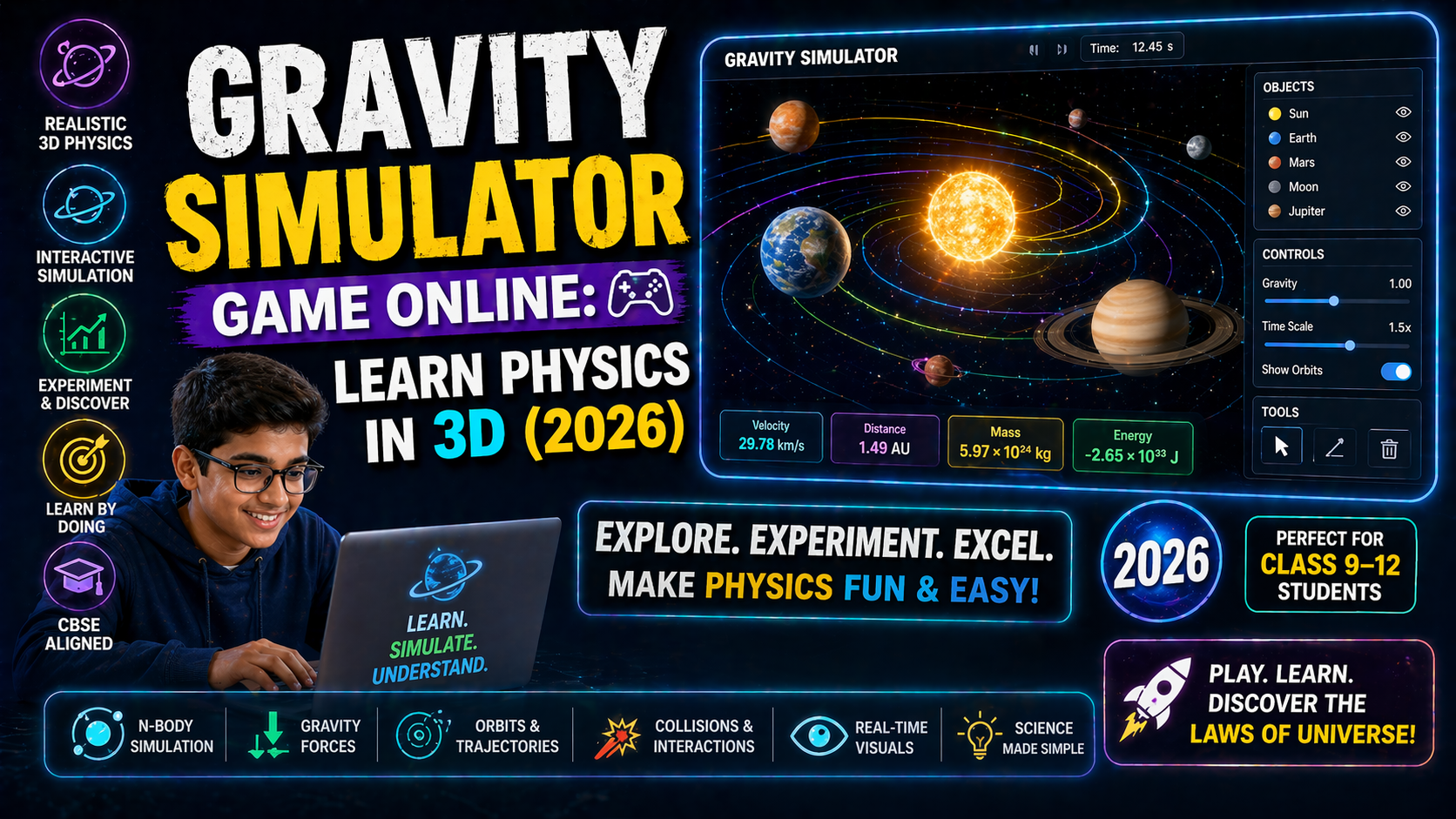
You’re staring at your electrostatics class 11 or 12 textbook, trying to visualize how two like charges repel or how electric field lines curve around a charged sphere — but the diagrams just don’t click. You’re not alone. Most students struggle with electrostatics because it’s abstract: invisible forces, invisible fields, and equations that feel disconnected from reality. But what if you could see the invisible? What if you could move charges, change their strength, and watch electric fields form in real time — all from your screen?
That’s exactly what SPYRAL AI Workbench — Physics Simulations lets you do. No more guessing. No more memorizing. Just interactive electrostatics simulations that respond to your input, guided by AI explanations that adapt to your level. Whether you're preparing for CBSE Class 11 exams, tackling Class 12 board questions, or just curious about how lightning works, these simulations make electrostatics real.
Why Electrostatics Class 11 & 12 Feels Impossible — And How Simulations Fix It
Electrostatics is tough because it deals with forces and fields that we can’t see or touch. You’re expected to understand concepts like:
- Electric charge and its quantization
- Coulomb’s Law and force between two charges
- Electric field and field lines
- Electric potential and potential difference
- Capacitors and energy storage
But textbooks show static diagrams. Videos explain with animations. You nod along — until you’re asked to solve a numerical or explain a phenomenon in an exam. That’s where most students hit a wall.
That’s why the National Education Policy (NEP) 2020 emphasizes experiential learning and competency-based education. It’s not enough to know the formula — you need to apply it. And that’s where interactive electrostatics simulations come in. They let you:
- Change variables in real time — move charges, adjust distances, alter strengths
- See the result instantly — watch forces increase or decrease, field lines form or vanish
- Get AI explanations — not just answers, but step-by-step reasoning that adapts to your input
- Practice with instant feedback — perfect for CBSE and ICSE exam prep
In India, where students often rely on rote learning, simulations offer a visual, hands-on alternative that builds intuition. Whether you're in Delhi, Mumbai, or a small town, you can access these labs online, for free, without needing a physical lab or expensive equipment.
Coulomb’s Law in Action: Feel the Force Between Charges
Coulomb’s Law is the foundation of electrostatics. It states that the force between two point charges is directly proportional to the product of their charges and inversely proportional to the square of the distance between them:
F = k · (q₁q₂)/r²
But how do you feel this force? How do you see what happens when you double the charge or halve the distance?
In this electrostatics simulation, you can:
- Place two charges anywhere on the screen
- Adjust their magnitude (positive or negative)
- Change the distance between them
- See the force vector update instantly
- Get AI-generated explanations of why the force increases, decreases, or reverses direction
This isn’t just a diagram — it’s a dynamic physics lab. You can even simulate repulsive and attractive forces, helping you understand why like charges repel and unlike charges attract. Perfect for CBSE Class 12 electrostatics revision or ICSE Class 11 physics practice.
For students preparing for JEE or NEET, this simulation helps bridge the gap between theory and application — a key competency emphasized in NEP 2020.
What If You Changed This? (Interactive Scenarios)
- What if you triple one charge? → The force triples. See it happen.
- What if the distance is halved? → The force quadruples. Watch the vector grow.
- What if both charges are negative? → The force becomes repulsive. The simulation shows the direction.
These aren’t hypotheticals — they’re experiments you can run in seconds, with AI explaining each step. No setup. No cleanup. Just learning.
Electric Field Lines: Visualizing the Invisible
Electric field lines are one of the most abstract concepts in electrostatics. How do you draw them? Why do they curve? Why do they never cross?
In a textbook, you see a static image. In a video, you see an animation. But in a real-time electrostatics simulation, you can:
- Place a positive or negative charge anywhere
- Generate field lines automatically
- See how the pattern changes with multiple charges
- Observe symmetry and direction
- Get AI notes explaining field strength and direction
This is especially helpful for CBSE Class 12 students studying for board exams or preparing for competitive tests like JEE Main and Advanced. The simulation helps you internalize the concept of field intensity and direction — not just memorize it.
For teachers, this is a game-changer. Instead of drawing field lines on the board, you can project the simulation and let students explore. It turns a 2D diagram into a 3D experience — exactly what NEP 2020 calls for in competency-based learning.
Try This: Superposition Principle in Action
Place three charges in a triangle. Watch as the simulation draws the resultant field lines, showing how individual fields combine. This is the superposition principle — and it’s visible here, not just theoretical.
You can even pause the simulation and ask the AI: "Why do field lines curve around the charges?" It will explain in simple terms, using analogies and step-by-step reasoning.
Electric Potential and Potential Difference: From Theory to Touch
Electric potential (V) is another tough concept. What does it mean for a point to have a potential of 10 volts? How is it different from electric field?
In the simulation, you can:
- Place a charge and see equipotential lines form
- Move a test charge and watch the potential change
- Calculate potential difference between two points
- See how potential relates to field strength
- Get AI-generated derivations and explanations
This is especially useful for CBSE Class 12 students tackling electrostatic potential energy or preparing for NEET. The simulation lets you see why potential decreases as you move away from a positive charge — and increases near a negative one.
You can even simulate a parallel plate capacitor and see how potential changes between the plates. This connects directly to real-world applications like capacitors in circuits — a key topic in both Class 11 and 12 physics.
What If You Changed This? (Potential Scenarios)
- What if you increase the charge on the plate? → The potential difference increases. See the lines get denser.
- What if you move the plates closer? → The field strength increases. Watch the potential gradient steepen.
- What if you insert a dielectric? → The potential drops. The simulation shows why.
These aren’t just thought experiments — they’re interactive physics labs that let you explore electrostatics like a scientist.
Capacitors and Energy Storage: Simulate Real Circuits
Capacitors are everywhere — in your phone, laptop, and even in defibrillators. But how do they store energy? How does the area of the plates or the distance between them affect capacitance?
In the electrostatics simulation, you can:
- Build a parallel plate capacitor
- Adjust plate area, separation, and dielectric material
- See capacitance (C) update in real time
- Simulate charging and discharging
- Calculate stored energy using U = ½CV²
- Get AI explanations of energy storage and loss
This is not just a diagram — it’s a virtual lab where you can experiment with real physics. For CBSE Class 12 students, this simulation helps visualize concepts from the NCERT textbook and prepares you for practical exams and competitive tests.
Teachers can use this to demonstrate how changing plate area affects capacitance — a key concept in the CBSE syllabus. You can even run a live demo in class and let students predict outcomes before running the simulation.
Try This: Dielectric Insertion
Insert a dielectric between the plates. Watch the capacitance increase. The simulation shows how the electric field inside the dielectric weakens, but the charge on the plates stays the same. This is the basis of how real capacitors work — and now you can see it happen.
Thermodynamics Simulation? Yes — Because Physics is Connected
You might be wondering: "Why is there a section on thermodynamics in an electrostatics blog?"
Because physics is interconnected. Electrostatic forces drive chemical reactions. Potential differences create currents. And heat affects resistance — which brings us to Ohm’s Law.
In the thermodynamics simulation available on SPYRAL AI Workbench, you can:
- Simulate heat transfer between objects
- Visualize temperature gradients
- See how heat affects resistance in a circuit
- Connect electrostatics to real-world applications like electric heaters or thermistors
This helps you understand why a metal rod heats up when current flows — a concept that ties back to electrostatic forces at the atomic level.
For CBSE Class 11 and 12 students, this is a great way to see the bigger picture — and prepare for exams that test conceptual integration.
Ohm’s Law Resistor Simulation: The Missing Link
Ohm’s Law (V = IR) is fundamental. But how do you see resistance in action? How does changing the resistor value affect current?
In the Ohm’s Law resistor simulation, you can:
- Build a simple circuit with a battery and resistor
- Adjust voltage and resistance
- See current change in real time
- Plot I-V characteristics
- Get AI explanations of Ohmic vs. non-Ohmic behavior
This simulation helps you understand why some materials obey Ohm’s Law while others don’t — a key concept in Class 12 physics. It also connects to electrostatics: the drift velocity of electrons is driven by electric fields, which are created by potential differences.
Fluid Pressure and Buoyancy Simulation: A Surprising Connection
You might think fluid pressure and buoyancy have nothing to do with electrostatics. But they share a common theme: fields and forces.
In the fluid pressure buoyancy simulation, you can:
- Simulate pressure at different depths
- Visualize buoyant force on submerged objects
- See how density affects floating and sinking
- Connect pressure gradients to electric field gradients
This helps you build intuition about how forces arise from gradients — whether in fluids or electric fields. It’s a great way to see the unity of physics — a concept emphasized in NEP 2020.
Lens Formula Calculator: Because Optics is Physics Too
While not directly related to electrostatics, the lens formula calculator is another tool in the SPYRAL AI Workbench that helps you visualize physics. You can:
- Input object distance, image distance, and focal length
- See the ray diagram update in real time
- Calculate magnification and image properties
- Get AI explanations of lens behavior
This is especially useful for CBSE Class 12 students studying optics — and it shows how interactive tools can make any physics topic visual and engaging.
Try It Free on SPYRAL
Everything discussed in this article is available for free on SPYRAL AI Workbench — Physics Simulations. No signup required for guest access — just open it and start learning.
Explore SPYRAL AI Workbench — Physics Simulations →What If You Could Invent Your Own Electrostatics Experiment?
One of the most powerful features of the electrostatics simulation is the "What-If" Inventor Mode. This is where you stop being a student and start being a scientist.
You can:
- Design your own charge configurations
- Predict what will happen
- Run the simulation and see if you’re right
- Get AI feedback on your predictions
- Refine your model based on results
This is exactly what NEP 2020 calls for: inquiry-based learning and experimental thinking. It’s not about memorizing answers — it’s about asking questions and finding solutions.
For example:
- Can you create a region where the electric field is zero between two charges?
- What happens if you place a charge at the center of a square with four identical charges at the corners?
- Can you design a capacitor that stores maximum energy with given constraints?
These aren’t exam questions — they’re real physics puzzles. And with the simulation, you can solve them — visually, interactively, and with AI guidance.
Frequently Asked Questions
What is electrostatics in Class 11 and 12 physics?
Electrostatics is the branch of physics that studies electric charges at rest, the forces between them (Coulomb’s Law), electric fields, electric potential, and capacitors. It’s a foundational topic in CBSE Class 11 and 12 physics syllabi and is essential for understanding current electricity, magnetism, and modern physics.
How can I understand electrostatics easily with simulations?
Simulations let you visualize invisible concepts like electric fields and forces. You can change variables (charge, distance, material) and see the effect in real time. The AI provides step-by-step explanations, making abstract concepts tangible. This hands-on approach is especially helpful for visual learners and aligns with NEP 2020’s emphasis on experiential learning.
Is there a free online electrostatics simulation for CBSE Class 12?
Yes! SPYRAL AI Workbench offers a free, interactive electrostatics simulation designed for CBSE Class 11 and 12 students. It includes Coulomb’s Law, electric field lines, potential mapping, and capacitor simulations — all with AI explanations. No signup is required for guest access.
How do electric field lines work in electrostatics?
Electric field lines represent the direction and strength of an electric field. They start on positive charges and end on negative charges. The density of lines indicates field strength. In simulations, you can generate field lines for any charge configuration and see how they interact — helping you understand why field lines never cross and how symmetry affects the pattern.
Can I simulate Coulomb’s Law with charges of different signs?
Absolutely. In the electrostatics simulation, you can place positive and negative charges anywhere. The simulation shows attractive forces (opposite charges) and repulsive forces (like charges) in real time. You can even adjust magnitudes and distances to see how the force changes — perfect for visualizing Coulomb’s Law.
What is the formula for electric potential in electrostatics?
The electric potential (V) at a point due to a point charge is given by V = kQ/r, where k is Coulomb’s constant, Q is the charge, and r is the distance from the charge. In simulations, you can place a test charge and see how potential changes with position. The AI explains the derivation and connects it to energy concepts.
How do capacitors work in electrostatics?
Capacitors store electrical energy by separating opposite charges on two conductive plates. The capacitance (C) depends on plate area, separation, and dielectric material. In the simulation, you can build a capacitor, adjust parameters, and see how it charges and discharges. This helps you understand energy storage and relates to real-world applications like flash cameras and power supplies.
Is there a thermodynamics simulation that connects to electrostatics?
Yes. While thermodynamics and electrostatics are different fields, they’re connected through energy transfer. The thermodynamics simulation on SPYRAL lets you explore heat transfer and temperature gradients — which can affect resistance in circuits. This helps you see the bigger picture of how physics concepts interrelate.
Can I use Ohm’s Law resistor simulation to understand current flow?
Yes! The Ohm’s Law resistor simulation lets you build a circuit, adjust voltage and resistance, and see current change in real time. You can plot I-V characteristics and see Ohmic vs. non-Ohmic behavior. This connects electrostatics (electric fields driving electron drift) to circuit theory — a key link in Class 12 physics.
How does fluid pressure buoyancy simulation help in physics?
The fluid pressure buoyancy simulation helps you visualize how forces arise from gradients — similar to electric fields. You can see how pressure changes with depth and how buoyant force depends on displaced fluid. This builds intuition about field-like quantities, which is useful when studying electric fields and potentials.
Is the lens formula calculator useful for electrostatics?
While not directly related, the lens formula calculator is part of the SPYRAL AI Workbench’s physics toolkit. It helps you visualize optics — another branch of physics. Understanding how light bends can help you grasp concepts like refraction and diffraction, which sometimes appear in electrostatics-related problems (e.g., electron optics in old TVs).
How can teachers use electrostatics simulations in class?
Teachers can use simulations to demonstrate concepts, run live experiments, and encourage student inquiry. Instead of drawing static diagrams, project the simulation and let students predict outcomes. The AI explanations adapt to student questions, making it a powerful teaching aid that aligns with NEP 2020’s focus on interactive and competency-based learning.
Are these simulations aligned with CBSE and ICSE syllabi?
Yes. The simulations cover topics from the CBSE Class 11 and 12 Physics syllabi, including electrostatics, current electricity, and capacitors. They’re also relevant for ICSE students. Each simulation includes AI notes that reference NCERT and ICSE textbooks, making them ideal for exam prep and classroom teaching.
Do I need to install anything to use the electrostatics simulation?
No. The simulations run in your web browser — no installation, no signup required for guest access. Just open SPYRAL AI Workbench and start exploring. It works on any device — laptop, tablet, or even smartphone.
Electrostatics Class 11 & 12: From Confusion to Clarity in 2026
Electrostatics doesn’t have to be a wall of equations and abstract diagrams. With interactive electrostatics simulations, you can see charges repel, feel the pull of attraction, and explore electric fields like never before. These tools turn passive learning into active discovery — exactly what NEP 2020 envisions for Indian education.
For students in CBSE Class 11 or 12, these simulations are a game-changer. They help you understand concepts deeply, prepare for exams with confidence, and even invent your own experiments. For teachers, they offer a dynamic way to engage students and demonstrate physics in action.
And the best part? You can access everything for free — no cost, no signup, no barriers. Just curiosity and a device.
So the next time you’re staring at a static diagram in your textbook, remember: the invisible can be made visible. The abstract can be made tangible. And electrostatics can be fun.
Ready to see for yourself? Open SPYRAL AI Workbench — Physics Simulations and start exploring electrostatics today.
Note: All simulations mentioned are part of SPYRAL AI Workbench, an AI-powered interactive science and math simulation platform used by students and teachers worldwide. SPYRAL is not affiliated with CBSE, ICSE, or any government body but aligns with NEP 2020 guidelines for experiential learning.