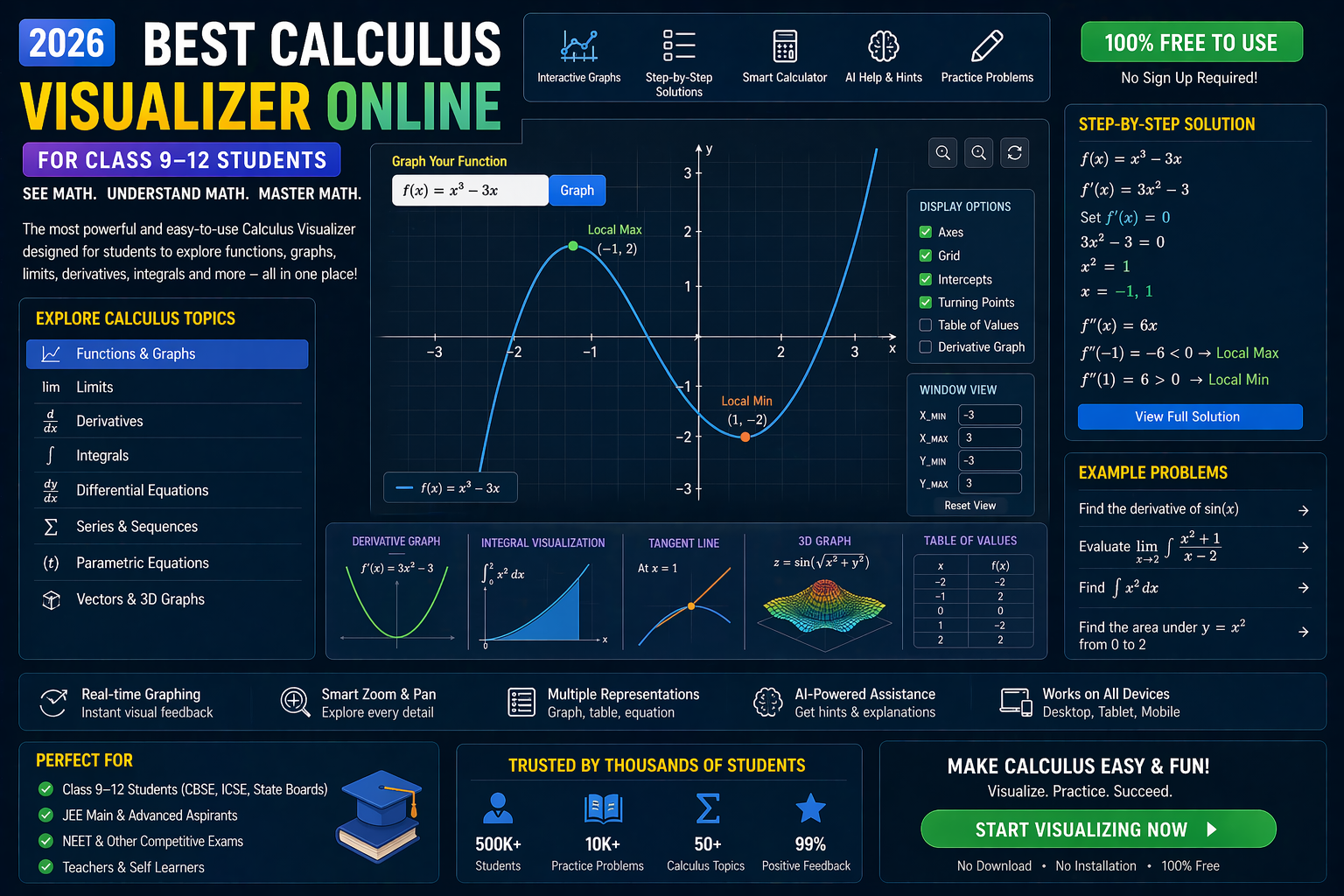
You just opened your CBSE Class 12 Maths textbook and froze. There’s a wall of formulas, theorems, and problems — and you’re not sure where to even start. Calculus feels abstract, heavy, and overwhelming. But here’s the truth: Calculus in CBSE Class 12 isn’t just about memorizing formulas — it’s about seeing how change happens. And the best way to see change? By visualizing it in real time.
That’s why we’ve broken down the exact CBSE Class 12 Calculus weightage for 2026, mapped it to your syllabus, and built interactive AI simulations so you can *feel* derivatives and integrals — not just calculate them. Let’s make Calculus click.
Why This Matters: Calculus Isn’t Just Theory — It’s Everywhere
Calculus isn’t just for exams. It’s the language of motion, growth, and change. From calculating the speed of a rocket launch to predicting how fast a virus spreads, calculus helps us model the real world. In CBSE Class 12, you’re not just solving problems — you’re learning to think like an engineer, economist, or scientist. And the best way to build that intuition? Seeing math in action.
That’s where interactive simulations come in. Instead of staring at a static graph, you can tweak variables, watch curves bend, and see how limits, derivatives, and integrals behave in real time. It’s like having a microscope for math — and it’s built right into your learning.
CBSE Class 12 Calculus Weightage 2026: The Exact Breakdown
According to the latest CBSE syllabus and NEP 2020 guidelines, Calculus in Class 12 carries significant weight in both theory and internal assessments. Here’s the exact weightage for 2026:
Unit-wise Weightage (Theory + Internal Assessment)
- Continuity and Differentiability: 10 marks (6% of total theory)
- Applications of Derivatives: 10 marks (6% of total theory)
- Integrals: 18 marks (11% of total theory)
- Applications of Integrals: 10 marks (6% of total theory)
- Differential Equations: 10 marks (6% of total theory)
- Total Calculus Weightage: 58 marks (35% of Class 12 Maths theory)
This means over a third of your Class 12 Maths exam is Calculus. Mastering it isn’t optional — it’s essential for scoring high and building a strong foundation for JEE, NEET, and college-level math.
Key Topics to Focus On (Based on 2026 CBSE Pattern)
- Derivatives: Chain rule, implicit differentiation, logarithmic differentiation
- Applications: Maxima/minima, rate of change, tangents and normals
- Integrals: Definite and indefinite integrals, substitution, partial fractions
- Area Under Curve: Using integrals to find regions bounded by curves
- Differential Equations: First-order linear equations, applications
How AI Simulations Make Calculus Click
You’ve probably used PhET or Khan Academy. But what if you could not just watch a graph — but interact with it? Change the slope, see the tangent move, feel the rate of change? That’s what AI-powered simulations do.
At SPYRAL AI Workbench — Maths Visualizations, we’ve built tools that let you:
- Plot functions and see their derivatives in real time
- Adjust parameters in differential equations and watch solutions evolve
- Calculate areas under curves by dragging sliders — not just formulas
- Get instant AI explanations for every step
It’s like having a tutor who never gets tired — and who shows you the math, not just tells you.
Visualizing Derivatives: The Slope That Changes Everything
Derivatives aren’t just about dy/dx = 0. They’re about how fast something is changing. And the best way to understand that? By seeing it.
Imagine plotting a curve like y = x^2. The derivative at any point is the slope of the tangent line. But what if you could move the point and watch the tangent follow? What if you could see how the slope changes as you increase x? That’s where interactive tools shine.
With a derivative visualizer, you can:
- See the tangent line move as you drag a point along the curve
- Watch the derivative value update in real time
- Compare slopes at different points — and see why some are positive, some negative, and some zero
This isn’t just helpful — it’s transformative. You’re no longer memorizing — you’re understanding.
Integrals: From Sums to Areas — Visually
Integrals can feel like magic. You start with a sum of tiny rectangles, and suddenly — you get an area. But how do those rectangles add up? And why does the integral of x^2 give you x^3/3?
With an integral simulator, you can:
- See rectangles form under a curve as you increase the number of partitions
- Watch the Riemann sum approach the true area as the partition size shrinks
- Adjust the function and see how the integral changes
- Calculate definite integrals by dragging sliders — not just writing formulas
It’s like building a bridge from sums to areas — one rectangle at a time.
Differential Equations: Modeling Change in Real Time
Differential equations aren’t just abstract. They model real-world change: population growth, cooling of coffee, even the spread of diseases. But solving them can feel like guesswork.
With a differential equation simulator, you can:
- Input a first-order equation like
dy/dx = x + y - See the solution curve form as you adjust initial conditions
- Compare Euler’s method to the true solution — and see why accuracy matters
- Get AI-generated explanations for each step
You’re not just solving — you’re seeing the story behind the math.
SIM EMBED SECTION
Try This Simulation Free
Open the interactive simulation on anAIza School — no download, no signup needed.
Open Simulation →Change the variables yourself — see what happens in real time. Try plotting y = x^2 and watch its derivative form.