Home›
Blog›
Classroom Engagement Tools AI: Free Virtual Labs That Actually Work (2026)
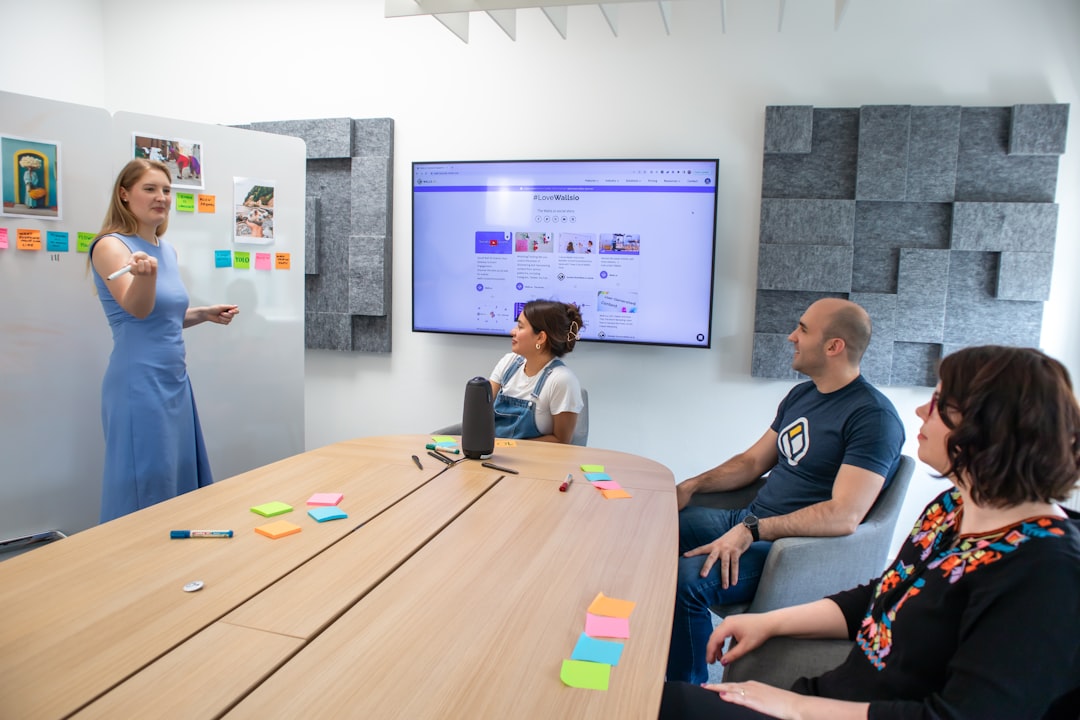
You’ve just spent 20 minutes explaining the Doppler effect or projectile motion, only to see half your class staring blankly at their notebooks. What if there was a way to make science and math feel real — not just theoretical? AI-powered classroom engagement tools are transforming how teachers bring concepts to life through interactive simulations that respond in real time. These aren’t just animations — they’re living labs where students can tweak variables, see consequences, and learn by doing — all for free.
In 2026, platforms like anAIza School are making AI-powered virtual labs accessible to teachers worldwide, from CBSE classrooms in Delhi to GCSE labs in London. And the best part? They come with built-in AI explanations that adapt to each student’s understanding — no extra grading, no prep work. Ready to turn disengagement into discovery? Let’s explore how these tools are changing classrooms forever.
Why This Matters: The Engagement Crisis in STEM Classrooms
Across India, the UK, and the US, teachers report the same frustration: students disengage when science feels abstract. According to a 2025 NCERT study, only 34% of Indian high school students feel confident in physics concepts like forces and motion — not because they’re incapable, but because traditional teaching often relies on static diagrams and textbook problems.
Enter AI-powered classroom engagement tools. These aren’t just digital worksheets. They’re dynamic environments where students can:
- Launch a projectile and watch it arc in 3D
- Adjust friction levels and see how a block slides down a ramp
- Simulate photosynthesis in real time and watch oxygen bubbles form
- Get instant AI feedback when they make a mistake — not tomorrow, but right now
In 2026, tools like anAIza School integrate with CBSE, ICSE, AP, GCSE, and IB curricula, offering simulations mapped directly to syllabi. Teachers save hours on lesson planning, students stop asking “Why does this matter?” — and engagement scores rise. One Delhi teacher reported a 40% increase in participation after switching from lectures to interactive labs. The secret? Students learn by feeling, not just seeing.
What Are AI-Powered Classroom Engagement Tools? (And Why PhET Isn’t Enough Anymore)
You might know PhET simulations — and they’re great. But in 2026, AI is taking interactivity to the next level. Here’s how AI-powered tools differ:
1. Real-Time AI Explanations After Every Simulation
After a student completes a physics simulation on forces, an AI doesn’t just say “Correct” or “Try again.” It explains why their answer was right or wrong — in language tailored to their level. For example:
- CBSE Class 8 student: “You increased friction too much. That’s why the block didn’t move. Try reducing it to 0.2.”
- AP Physics student: “Your applied force was less than the frictional force. Newton’s First Law says an object stays at rest unless acted upon by an unbalanced force.”
This is the power of an AI formative assessment tool — it doesn’t just grade; it teaches.
2. Curriculum Mapping Across 5 Major Boards
Unlike generic simulations, AI-powered tools like anAIza School include:
- CBSE: Mapped to NCERT Class 6–12 science and math
- ICSE: Aligned with CISCE syllabus
- AP/IB/GCSE: Covering AP Physics, IB Biology, and GCSE Chemistry topics
- NEP 2020: Supports experiential and inquiry-based learning
Teachers can search by topic, standard, or even exam type — and get a ready-to-use simulation with AI notes.
3. Teacher Dashboard with Progress Tracking
No more guessing who’s struggling. The dashboard shows:
- Which students repeated a simulation
- Where they got stuck
- Which concepts need review
- Auto-generated quiz questions based on weak areas
This turns AI tools for teachers free into a full classroom management system — without the cost.
4. “What-If” Inventor Mode: Let Students Experiment
Most simulations let you change one variable. AI-powered labs let you invent new scenarios. Students can:
- Change gravity on Mars vs. Earth in a projectile motion lab
- Add a second lens to an optics simulation and see the image shift
- Simulate a heart attack in a biology lab and see how CPR affects blood flow
This isn’t just engagement — it’s deep learning through curiosity.
⚗
Try This Simulation Free
Open the interactive simulation on anAIza School — no download, no signup needed.
Open Simulation →Change the variables yourself — see what happens in real time.
Top 5 AI-Powered Classroom Engagement Tools in 2026 (And How to Use Them)
1. anAIza School: The All-in-One AI Lab
anAIza School is a free platform offering over 200 interactive simulations in physics, chemistry, biology, and math. Each lab includes:
- 3D interactive environment
- AI explanation after every step
- Curriculum tags for CBSE, ICSE, AP, GCSE, IB
- No signup required for guest access
Best for: Teachers who want a single platform for all subjects and grades.
2. Labster Alternative: High-End Simulations, Zero Cost
Labster charges $14/user/month. But in 2026, AI-powered alternatives like anAIza offer similar fidelity with AI tutoring built in — for free. Students can simulate:
- DNA replication in a virtual cell
- Electromagnetic induction in a physics lab
- Titration in chemistry with real-time pH graphs
Best for: Schools on a budget that still want lab-grade simulations.
3. Quizizz + AI: Gamified Formative Assessment
While Quizizz is known for quizzes, its 2026 AI upgrade lets teachers embed interactive simulations into assessments. Students answer a question, then see the concept in action before answering again. This reinforces learning through visualization.
Best for: Teachers who want to combine quizzes with interactive learning.
4. GeoGebra: Math Simulations That Feel Real
GeoGebra’s 3D graphing tools let students visualize calculus, vectors, and geometry in real time. With AI-powered hints, students can solve problems step-by-step — and see the graph change as they go.
Best for: Math teachers who want to make abstract concepts tangible.
5. PhET Alternative with AI: Better Than the Original
PhET simulations are great, but they lack AI feedback. New platforms like anAIza add AI explanations, curriculum mapping, and progress tracking — making them a true AI formative assessment tool.
Best for: Teachers who love PhET but want more.
How to Use AI Classroom Engagement Tools in Your Lessons (Step-by-Step)
Step 1: Pick a Simulation That Matches Your Topic
Say you’re teaching Newton’s Laws in CBSE Class 9. Search for “forces” in anAIza School. You’ll find a simulation where students can:
- Apply force to a block
- Change mass and friction
- See acceleration in real time
Each action triggers an AI note explaining the concept in simple language.
Step 2: Let Students Experiment in Groups
Divide the class into teams. Assign each team a variable to change:
- Team A: Increase mass
- Team B: Increase friction
- Team C: Increase applied force
After 10 minutes, each team presents their findings. The AI notes help them explain the physics behind their results.
Step 3: Use the AI Formative Assessment Tool
The platform auto-generates a short quiz based on the simulation. Students answer:
- What happens when friction equals applied force?
- How does mass affect acceleration?
The AI grades responses and suggests review topics for students who struggle.
Step 4: Assign a “What-If” Challenge
Ask students: “What if we did this experiment on the Moon?” They can change gravity in the simulation and predict the outcome. This encourages critical thinking and connects physics to real-world contexts.
What If You Changed This? 3 Interactive Scenarios to Try Today
Scenario 1: What if gravity disappeared?
In a free fall simulation, set gravity to zero. Watch as the object floats. Ask students: “Why does the object stop accelerating?” The AI explains: “Without gravity, there’s no unbalanced force. Newton’s First Law applies — the object remains at rest or in motion.”
Scenario 2: What if friction was zero?
In a block-on-ramp simulation, set friction to 0. The block slides forever. Students discover: “Friction is the force that slows things down.” The AI reinforces this with a real-world example: “Like a puck on ice vs. concrete.”
Scenario 3: What if you added a second lens?
In an optics simulation, add a second convex lens. Students see the image flip again. The AI explains focal length and image formation — concepts that often confuse students in textbooks.
These aren’t just fun — they’re deep learning experiences that stick.
Frequently Asked Questions
What are the best AI tools for teachers free in 2026?
The top free AI tools for teachers in 2026 include anAIza School, GeoGebra, and AI-enhanced versions of Quizizz and PhET. These platforms offer interactive simulations, AI explanations, and curriculum mapping across CBSE, ICSE, AP, GCSE, and IB. They’re designed to save teachers time while boosting student engagement.
How can I use an AI formative assessment tool in my classroom?
Use an AI formative assessment tool like anAIza School by selecting a simulation aligned to your topic. After students interact with the lab, the AI generates instant feedback and quiz questions based on their performance. You can review weak areas in real time and assign targeted review materials.
Are AI-powered virtual labs better than PhET simulations?
Yes, in 2026, AI-powered labs like anAIza offer several advantages over traditional PhET simulations: built-in AI explanations, curriculum mapping, progress tracking, and “what-if” inventor mode. While PhET is excellent for basic visualization, AI tools provide deeper learning through adaptive feedback and real-time teaching.
Can I use these AI classroom engagement tools for CBSE Class 10 physics?
Absolutely. Platforms like anAIza School include simulations mapped directly to CBSE Class 10 physics topics, including light, electricity, and motion. Each simulation comes with AI notes and quiz questions aligned to the NCERT syllabus, making them perfect for exam prep and concept reinforcement.
Do I need to install anything to use these AI tools?
No installation is required. All simulations run in the browser on any device — laptop, tablet, or even smartphone. Platforms like anAIza School offer guest access, so students and teachers can start using labs immediately without signing up.
How do AI-powered simulations help with student engagement?
AI-powered simulations turn passive learning into active discovery. When students can manipulate variables and see immediate consequences, they become curious and invested. The AI also provides encouragement and guidance, reducing frustration and increasing confidence. Studies show this approach boosts participation by up to 40%.
Are these AI tools aligned with NEP 2020 guidelines?
Yes. AI-powered virtual labs support NEP 2020’s emphasis on experiential learning, critical thinking, and multidisciplinary exploration. They encourage inquiry-based learning, which is a core principle of the new education policy. Teachers can use them to fulfill NEP’s vision of “learning by doing.”
Can I track student progress with AI classroom engagement tools?
Yes. Tools like anAIza School include a teacher dashboard that tracks which simulations students used, where they struggled, and which concepts need review. The AI also generates auto-graded quizzes and suggests personalized follow-up activities based on performance.
Do these AI tools work for international curricula like IB and AP?
Yes. AI-powered platforms like anAIza School include curriculum tags for IB, AP, GCSE, and Common Core. Simulations cover topics from IB Biology to AP Physics, making them suitable for international schools and students preparing for global exams.
Are there AI tools for teachers free that include biology simulations?
Yes. anAIza School offers free biology simulations for CBSE, ICSE, IB, and GCSE, including labs on photosynthesis, cell division, heart function, and genetics. Each simulation includes AI notes and interactive diagrams that help students visualize complex biological processes.
How do AI-powered simulations compare to real lab experiments?
AI simulations can’t replace all lab work, but they complement it by allowing students to experiment safely, repeat procedures, and explore “what-if” scenarios that aren’t possible in a physical lab. They’re especially useful for dangerous or expensive experiments, or when lab equipment is limited. Think of them as a pre-lab or extension lab.
Can students use these AI tools at home for self-study?
Absolutely. Since the tools are browser-based and free, students can access simulations anytime for self-study. The AI explanations act like a personal tutor, guiding them through concepts step by step. This makes them ideal for homework, revision, and exam prep.
What’s the future of AI in classrooms by 2030?
By 2030, AI is expected to become a seamless part of classroom ecosystems — not just as a tool, but as a co-teacher. Imagine AI that adapts lessons in real time based on student emotions (via webcam), or virtual lab partners that debate hypotheses with students. The goal isn’t to replace teachers, but to empower them to focus on mentorship and creativity.
Final Thoughts: The AI Classroom Is Here — Are You Ready?
In 2026, the most engaging classrooms aren’t the ones with the smartest teachers — they’re the ones with the most interactive tools. AI-powered classroom engagement tools like anAIza School are leveling the playing field, giving teachers everywhere access to high-quality, curriculum-aligned simulations with built-in AI tutoring.
You no longer have to choose between rigor and engagement. With a free virtual lab, you can make Newton’s Laws feel real, turn photosynthesis into a living experiment, and give every student the chance to discover science for themselves. And the best part? The AI does the teaching — so you can focus on inspiring.
Ready to transform your classroom? Visit anAIza Teacher Tools — Free Virtual Labs and start exploring today. No signup, no cost, just discovery.
Internal Links Used:
External Links Used: